Ultrawide OLED in 2026: Is 34" Enough, or Go 45"?
We compared the best ultrawide OLED monitors of 2026 — QD-OLED vs WOLED, 34-inch vs 45-inch — to help gamers and creators spend smart on curve, pixels and hertz.
Reader-supported: we may earn a commission from links on this page, at no extra cost to you. It never affects our picks. Learn more.
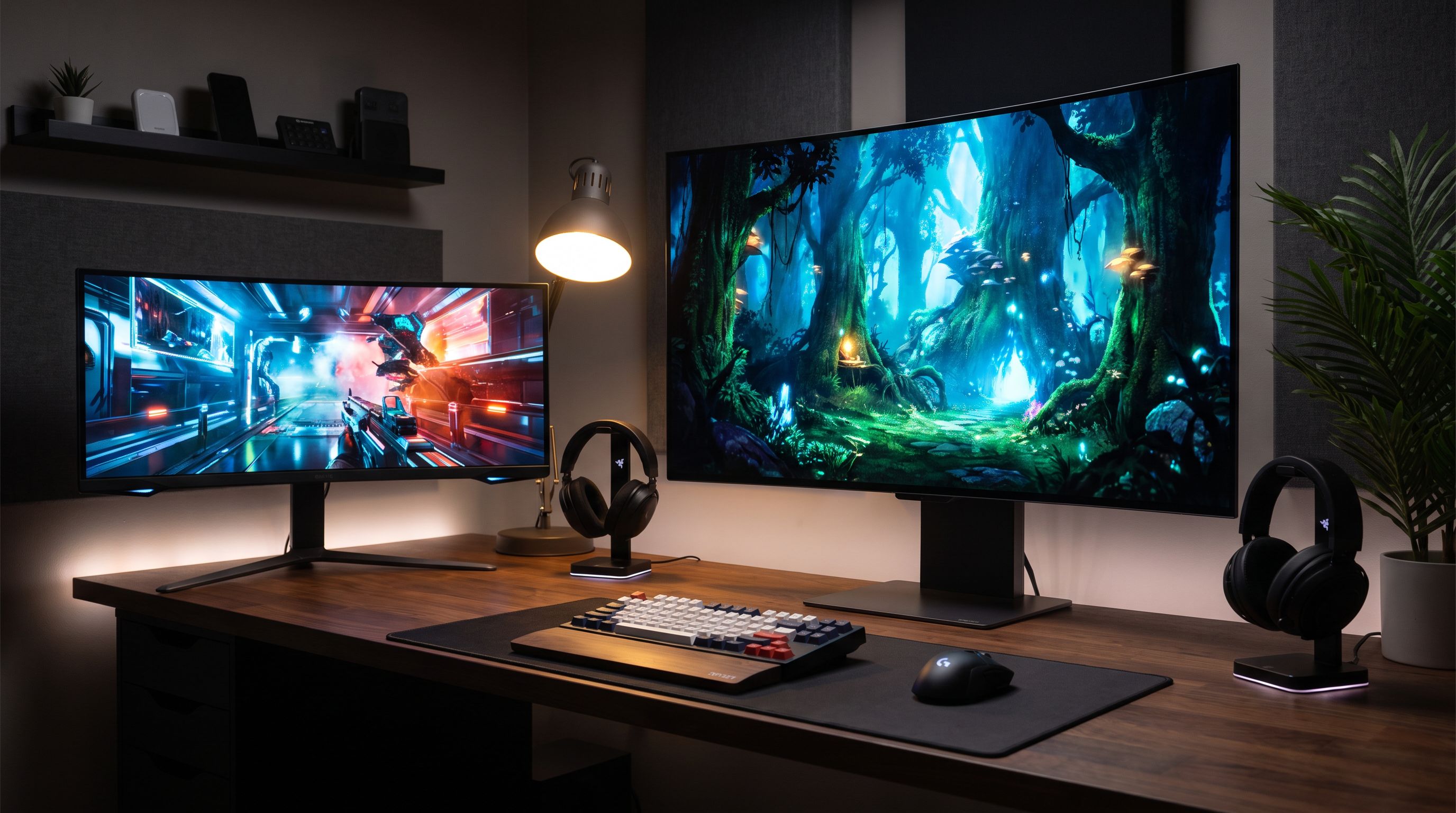
Ultrawide OLED used to mean one thing: a 34-inch, 3440x1440 panel that cost about as much as a graphics card. In 2026 the category has split. You can now buy a 34-inch QD-OLED for roughly the price of a decent 4K IPS display, or step up to a 45-inch 5K2K WOLED that behaves like three monitors welded together. Those two options are aimed at very different people, and the gap between them is where most buyers get stuck.
We compared current ultrawide OLED models using manufacturer specs, independent lab reviews and verified owner feedback to work out where the money actually goes — and where it's wasted.
The 2026 landscape in one paragraph
Two panel technologies dominate. QD-OLED (Samsung Display) uses blue OLED emitters with quantum-dot colour conversion, which delivers exceptional colour volume and very high full-screen brightness for its class. WOLED (LG Display) uses a white OLED stack with colour filters, and the newer generations add a micro lens array to claw back brightness. Both are effectively infinite-contrast, sub-millisecond-response panels; the practical differences show up in bright-room handling, text rendering and how black the blacks look with a lamp on.
The size story: 34-inch (3440x1440) is the mainstream, 39-inch and 45-inch (5120x2160, "5K2K") are the new high end, and 49-inch 32:9 remains a niche for people who really do want a dual-monitor replacement.
34-inch vs 45-inch: what actually changes
Going from 34 to 45 inches is not a small step. At 21:9, a 45-inch panel is roughly 42 inches wide — you need a deep desk (around 80cm/31in of depth is comfortable) and you will be moving your head, not just your eyes, in strategy games and spreadsheets.
More importantly, it changes your GPU budget. 3440x1440 is about 5.0 megapixels. 5120x2160 is about 11.1 megapixels — more than 4K. Running a 5K2K panel near its refresh ceiling in modern titles is a top-tier-GPU job, or an upscaling-and-frame-generation job. If your card is mid-range, a 34-inch panel will feel dramatically better in motion than a bigger one you can't feed.
Pixel density is the other quiet factor. A 34-inch 3440x1440 display lands around 110 PPI — fine, but OLED subpixel layouts can make small text look slightly fringed. A 45-inch 5K2K panel is around 125 PPI, which meaningfully improves text clarity. For creators who live in timelines, code editors and NLE panels, that difference matters more than the extra inches.
Who should buy 34 inches
- You sit closer than ~70cm to the screen
- Your GPU is mid-range or a generation old
- You want the best performance-per-pound in the category
- Desk depth is limited
Who should buy 39–45 inches
- You want cinematic single-player immersion and sim racing/flight
- You do timeline-based creative work and want horizontal real estate
- You have a current flagship GPU or are happy using upscaling
- You'd otherwise be running two monitors
QD-OLED vs WOLED in a real room
This is the argument that gets oversimplified. Here's the honest version:
QD-OLED typically wins on colour saturation and small-highlight HDR punch. Its weakness is ambient light: because there's no polariser doing the same job, the quantum-dot layer can be excited by room light, which raises perceived black level to a dark grey in a bright room. In a dim or light-controlled room, that's a non-issue.
WOLED with a micro lens array handles ambient light better and tends to look cleaner in a sunlit office. Recent generations have narrowed the colour-volume gap considerably. Text rendering differs too — both use non-standard subpixel layouts, and both have improved, but neither matches a good IPS panel for pure ClearType crispness.
Both technologies now ship with three-year burn-in warranties from most major brands, plus pixel refresh routines, logo dimming and taskbar-shifting features. Real-world reports from long-term owners suggest mixed-use desktops are fine; the risk sits with static HUDs at max brightness for thousands of hours.
Our picks, compared
| Model | Size / Ratio | Panel | Resolution | Best for |
|---|---|---|---|---|
| Alienware AW3425DW | 34" 21:9 | QD-OLED | 3440x1440 | Best all-round value; 240Hz sweet spot |
| Alienware AW3425DWM | 34" 21:9 | QD-OLED | 3440x1440 | Same panel class, fewer frills — budget entry |
| ASUS ROG Swift OLED PG34WCDM | 34" 21:9 | QD-OLED | 3440x1440 | Premium 34" build, HDR tuning, cooling |
| LG UltraGear 45GX950A | 45" 21:9 | WOLED | 5120x2160 | Immersion + dual-mode refresh switching |
| Samsung Odyssey OLED G9 (G95SC) | 49" 32:9 | QD-OLED | 5120x1440 | True dual-monitor replacement |
 Best super-ultrawide · Samsung Odyssey OLED G9 (G95SC) 49 — Check price on Amazon →
 Best 34-inch premium · ASUS ROG Swift OLED PG34WCDM — Check price on Amazon →
 Best 45-inch pick · LG UltraGear 45GX950A — Check price on Amazon →
 Best overall value · Alienware AW3425DW 34 QD-OLED — Check price on Amazon →
Alienware AW3425DW — the default recommendation
If someone asks "what's the best ultrawide OLED monitor for me?" without further context, this is the answer in 2026. It pairs a 34-inch 3440x1440 QD-OLED panel with a 240Hz refresh rate, and Alienware's aggressive pricing has made it the value benchmark that reviewers keep measuring rivals against. It's also the least demanding of the group on your GPU.
Alienware AW3425DWM — the same idea, cheaper
The DWM variant trims stand adjustability, port count and some cosmetic extras rather than gutting the panel. If you wall-mount or use a monitor arm anyway, a lot of what you're giving up doesn't apply to you.
ASUS ROG Swift OLED PG34WCDM — the enthusiast 34-incher
ASUS's differentiator on the ROG Swift OLED line is the surrounding engineering: a custom heatsink and airflow design intended to keep the panel cool without a fan, uniform brightness settings, and a genuinely good OSD. If you want a 34-inch QD-OLED with better build and more thoughtful HDR presets than the budget options, this is where to look.
LG UltraGear 45GX950A — the big-screen answer
The 45GX950A is the current poster child for 5K2K WOLED. Its headline trick is dual-mode operation: run the full 5120x2160 resolution for detail, or drop to a lower resolution with a much higher refresh ceiling for competitive shooters. That flexibility is genuinely useful, because it means you're not choosing between "pretty" and "fast" at purchase time — you choose per game.
Be realistic about the requirements: deep desk, strong GPU, and DisplayPort 2.1 or HDMI 2.1 bandwidth from a recent card to hit the high modes cleanly.
Samsung Odyssey OLED G9 — only if you mean it
A 49-inch 32:9 QD-OLED is fantastic for sim racing, trading setups and productivity users who want two full windows side by side. It's poor for anything that wants a centred field of view, and plenty of games still handle 32:9 badly. Several reviewers recommend avoiding 32:9 unless you specifically want that shape — we agree, but if you do want it, this is the OLED to get.
Practical buying notes
- Check your GPU's output. For 5K2K at high refresh with 10-bit colour, DisplayPort 2.1 (UHBR) is what you want. HDMI 2.1 works with DSC but check the model's supported modes.
- Curve matters at 45 inches. The aggressive 800R curves on big ultrawides are great for gaming and divisive for straight-line CAD work.
- Budget for an arm. Big ultrawides are heavy and deep; a sturdy monitor arm buys back desk space and lets you push the panel further away.
- Warranty terms are part of the product. Confirm the burn-in coverage length in your region before you buy — it varies.
FAQ
Is a 34-inch ultrawide OLED enough for gaming in 2026? For most people, yes. 3440x1440 at 240Hz is the best balance of image quality and achievable frame rates, and it works well with mid-to-high-end GPUs without leaning entirely on upscaling.
QD-OLED or WOLED — which should I buy? If your room is dim or light-controlled, QD-OLED's colour advantage is worth it. If you work in a bright, sunlit room, WOLED's better ambient-light handling is the safer choice.
Should I worry about burn-in? Less than you used to. Panel-level mitigation plus three-year burn-in warranties on most 2026 models covers typical mixed use. Avoid leaving static high-brightness HUDs or taskbars on screen for hours on end, and let the pixel refresh cycles run.
Is 5K2K worth it over 3440x1440? For creators and immersion-focused single-player gamers with a flagship GPU, yes — the extra pixel density visibly improves text and detail. For competitive gaming on a mid-range card, no.
Can I use these for colour-critical work? QD-OLED panels cover DCI-P3 extremely well, but ultrawide gaming monitors generally aren't factory-calibrated to reference standards. If you grade professionally, treat these as excellent preview displays and keep a calibrated reference for final checks.
Our picks
Alienware 34 240Hz QD-OLED Curved Gaming Monitor - AW3425DW - 34.2-inch WQHD (3440 x 1440) 0.03ms Display, 1800R Curve, AMD FreeSync Premium Pro, VESA AdaptiveSync, DisplayHDR TrueBlack 400
3440x1440 QD-OLED at 240Hz — the sweet spot of size, price and GPU demand for most gamers.
LG 45GX950A-B 45-inch Ultragear 5K2K WUHD (5120 x 2160) OLED Curved Gaming Monitor, Dual-Mode, 165Hz, 0.03ms, NVIDIA G-Sync, AMD FreeSync Premium Pro, HDR True Black 400, USB Type-C 90W, DP2.1
Dual-mode 5K2K WOLED at 45 inches: massive immersion plus a high-refresh esports mode.
ASUS ROG PG34WCDN 34 Inch 1440p 360Hz Ultrawide RGB OLED Gaming Monitor
QD-OLED 34-incher with a 240Hz panel, strong HDR tuning and ASUS's custom heatsink.
Alienware 34 240Hz QD-OLED Curved Gaming Monitor - AW3425DW - 34.2-inch WQHD (3440 x 1440) 0.03ms Display, 1800R Curve, AMD FreeSync Premium Pro, VESA AdaptiveSync, DisplayHDR TrueBlack 400
Stripped-back 34-inch QD-OLED that keeps the panel quality while trimming the extras.
Samsung 49" Odyssey (G93SC) Series QD-OLED Curved Gaming Monitor
32:9 QD-OLED at 240Hz for people who genuinely want two monitors fused into one.
Get the best tech deals in your inbox
Join the BytePlaza newsletter for hand-picked gadget deals and new buying guides. No spam, unsubscribe anytime.
Related reads
34" vs 49" Ultrawide Monitors: Which One Fits Your Desk in 2026?
The best ultrawide monitor for 2026 depends on desk depth, not just specs. We compare 34-inch and 49-inch OLED and IPS picks for work-from-home productivity.
27-Inch 4K Monitors in 2026: 5 Picks for Text-Heavy Work
The best 27 inch 4K monitor picks for hybrid desks in 2026, compared on text clarity, USB-C power delivery, docking features, IPS vs QD-OLED trade-offs.
Best OLED Gaming Monitor 2026: 240Hz Top Picks
The best OLED gaming monitor picks for 2026, from 4K 240Hz QD-OLED flagships to 1440p WOLED value buys — compared on brightness, burn-in cover and price.