Ultrawide Monitor Arms in 2026: 4 Picks That Hold 34"–49"
Choosing a monitor arm for an ultrawide monitor? We compare VESA weight limits, clamp depth and gas vs mechanical springs, with heavy-duty picks for 34–49" screens.
Reader-supported: we may earn a commission from links on this page, at no extra cost to you. It never affects our picks. Learn more.
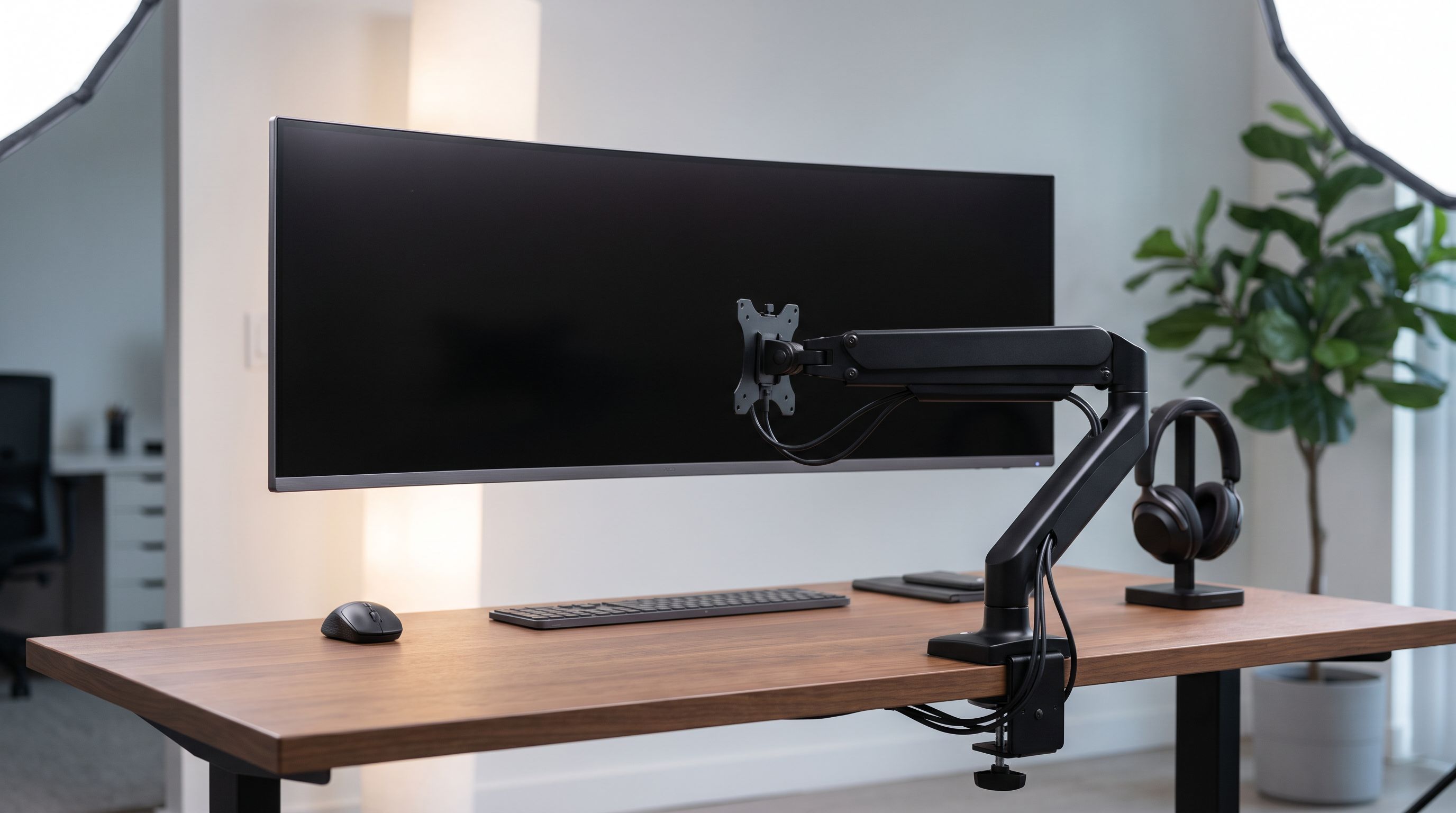
Ultrawides break monitor arms. That's the short version. A 27-inch 16:9 panel weighs six or seven pounds and puts its center of mass a few inches from the VESA plate. A 49-inch 32:9 curved monitor can weigh 25–35 pounds with a huge horizontal lever arm, and it will happily droop, sag or nose-dive on hardware that technically "supports" its weight on paper.
So the question isn't just can this arm hold my monitor — it's can it hold my monitor steady, at my height, on my desk, for three years. Below is how we'd approach it, plus four arms that are genuinely built for 34-inch to 49-inch screens.
We researched these using manufacturer spec sheets, independent review testing (Wirecutter, PCWorld and others), and patterns in verified owner feedback — particularly long-term reports of sag, which is the failure mode that matters most here.
The three specs that actually decide this
1. Weight rating — and how much headroom you leave
Find your monitor's weight without the stand. Manufacturers list both; the panel-only figure is the one that hangs on the arm. A Samsung Odyssey G9 or LG 49-inch super-ultrawide typically lands in the mid-20s to low-30s of pounds without its base; a 34-inch curved panel is often 15–20 lbs.
Then leave headroom. Many cheap arms quote a maximum that's really a static maximum — the gas cylinder can hold it, but not with the leverage of a 47-inch-wide panel. As a rule of thumb, pick an arm rated at least 30–40% above your panel weight. That's why arms advertising 33 lbs, 44 lbs or even 59 lbs exist in this category, and why an Ergotron LX (rated to 25 lbs in its standard configuration) is superb for a 34–38" ultrawide but not the right call for a 49" behemoth.
2. Clamp depth and desk thickness
This is the spec people discover too late. A C-clamp has a jaw opening — commonly around 1.0" to 3.3" — and your desk has to fit inside it. Thick butcher-block tops, IKEA Karlby, and slab desks regularly exceed 1.5". Measure your desktop and check whether the clamp needs to sit past an underside apron or crossbar.
Grommet mounting solves this if your desk has (or can take) a hole. Grommet mounts are also generally more rigid than clamps, which is a real advantage with a heavy panel that wobbles when you type.
3. Gas spring vs mechanical spring
- Gas spring (pneumatic cylinder): Effortless one-finger height adjustment across a wide range, tension set with a hex key. Best for people who move the screen between sitting and standing. Downside: cheaper cylinders can lose pressure over time, which shows up as slow sag.
- Mechanical spring (coil/tension spring): Typically holds higher static loads and resists creep better long-term, but adjustment is stiffer and the range is narrower. Many purpose-built ultrawide arms — including the AVLT and heavy-duty VIVO style designs — use reinforced spring mechanisms for this reason.
There's also the fixed-post / pole mount option: a vertical pole with a height-locked bracket. Zero sag risk, near-zero wobble, but you give up quick height changes. On a 49-inch screen that you set once and never move, that trade is often worth it.
4. Don't forget curvature and VESA pattern
Most ultrawides are 1000R to 1800R curved, which is fine for any standard arm, but check that the arm's VESA plate clears the rear bulge. Confirm your pattern too: 100×100mm is standard, but some large Samsung and LG panels use 75×75, 200×100, or need a manufacturer adapter bracket. An arm that fits your weight but not your bolt pattern is a return.
The picks
| Arm | Best for | Spring type | Mounting | Standout |
|---|---|---|---|---|
| Ergotron LX (Tall Pole) | 34–38" ultrawides | Constant-force gas | Clamp or grommet | 10-year warranty, near-zero long-term sag reports |
| VIVO Premium Heavy Duty (STAND-V101G) | Big panels on a budget | Gas | Clamp or grommet | Heavy-duty rating at a value price |
| HUANUO Single Monitor Mount (13–49") | 49" screens, lowest cost | Gas | Clamp or grommet | Explicitly rated to 49"; widely recommended in ultrawide forums |
| AVLT Single Ultrawide Arm (13–49") | 49" super-ultrawides | Reinforced spring | Clamp or grommet | Purpose-built for 32:9, high weight ceiling |
| Herman Miller Jarvis Single | Premium desks | Gas | Clamp or grommet | Smoothest motion, tidy internal cable routing |
 Budget pick · HUANUO Single Monitor Mount for 13–49 inch Screens — Check price on Amazon →
Ergotron LX Desk Monitor Arm (Tall Pole) — best overall
 Best overall · Ergotron LX Desk Monitor Arm (Tall Pole) — Check price on Amazon →
If your ultrawide is 34" or 38" and under roughly 20 lbs, this is the default answer and has been for years. Ergotron's Constant Force gas technology holds position without drift, the movement is genuinely fluid, and the tall-pole version buys you extra height range — useful because ultrawides often need to sit lower than you'd expect to keep the top edge at eye level. The 10-year warranty is the real product here. What it isn't: a 49-inch solution. Respect the weight rating.
VIVO Premium Aluminum Heavy Duty Single Monitor Arm — best value
VIVO's heavy-duty single arms show up repeatedly in "best ultrawide arm under $100" roundups for a reason: they're rated for larger, heavier panels than most generic arms, they include both clamp and grommet hardware, and the aluminum construction resists the flex you get from stamped-steel budget arms. Owner feedback is broadly positive on stability, with the usual caveat that you should tension the gas spring properly at install rather than assuming it ships set for a heavy screen.
HUANUO Single Monitor Mount (13–49 inch) — budget pick
HUANUO comes up constantly in ultrawide owner threads, including from people running 49-inch panels. It's the pragmatic choice: explicitly rated for large screens, cheap enough that pairing it with a grommet install is painless, and generally well reviewed for build. Just be honest about your panel weight — the heaviest 32:9 monitors sit near the top of this arm's envelope, and that's exactly where creep appears.
AVLT Single Monitor Arm (13–49") — best for super-ultrawides
If you own a Samsung Odyssey G9-class monitor, buy an arm designed for that class. AVLT's ultrawide-specific single arm uses a reinforced spring mechanism with a high weight ceiling and a wide VESA plate designed for large curved backs. It's the category where paying attention beats saving $30, because a 49-inch panel falling off a desk clamp is a four-figure mistake.
Herman Miller Jarvis Single Monitor Arm — premium pick
 Premium pick · Herman Miller Jarvis Single Monitor Arm — Check price on Amazon →
Wirecutter's pick after assessing 25 arms. You're paying for motion quality, finish, internal cable management and a long warranty rather than raw load capacity — so match it to a 34–38" ultrawide rather than the heaviest 49-inch screens.
Installation notes worth thirty seconds
- Tension the spring with the monitor attached, not before. Most arms ship set for a light load.
- On hollow or laminate-over-particleboard desks, use the included rubber pads and consider a steel backing plate; clamp pressure on a 30 lb load can dent or crack a thin top.
- Route cables before final tightening. Ultrawides often use thick DisplayPort cables that fight the arm's range of motion if routed badly.
- Check clamp torque after two weeks. Wood compresses.
FAQ
Will a standard monitor arm hold a 34-inch ultrawide? Often yes — most 34" curved panels weigh 15–20 lbs without the stand, which is within range of quality arms like the Ergotron LX. Check the panel-only weight, not shipping weight.
Do I need a special arm for a 49-inch monitor? Effectively yes. Look for arms explicitly rated to 49" or 57" with weight limits in the 33–44 lb range, and strongly consider a grommet mount for rigidity.
Gas spring or mechanical spring for a heavy ultrawide? Gas if you adjust height often; mechanical/reinforced spring or a fixed pole if you set it once and want the lowest long-term sag risk.
My arm sags after a few weeks. Fix or replace? Try re-tensioning the cylinder with the hex key first — most "sag" is just under-tensioned installation. If it drifts again within days, the cylinder is likely undersized for your panel.
Does monitor curvature matter? Only for clearance. Verify the arm's VESA plate and tilt head don't collide with a deeply curved (1000R) rear housing, and confirm your VESA bolt pattern before ordering.
Our picks
Ergotron LX Monitor Arm, Single Monitor Desk Mount – fits Flat Curved Ultrawide Computer Monitors up to 34 Inches, 7 to 25 lbs, VESA 75x75mm or 100x100mm – Tall Pole, Matte Black
Ergotron's CF gas spring and 10-year warranty make it the safest bet for 34–38" ultrawides.

VIVO Premium Aluminum Heavy Duty Monitor Arm for Ultrawide Screens up to 49 inches and 44 lbs, Single Wall Mount, Pneumatic Height, Max VESA 100x100, Black, MOUNT-V101G1
Rated for large, heavy panels at a fraction of premium prices — the go-to sub-$100 ultrawide arm.
Ultrawide Monitor Arm fits 17-49 Inch Heavy Duty Flat/Curved Monitor | Cable Management, Full Motion, Gas Spring Arm, Holds 35.2 lbs with Clamp & Grommet Desk Mount, VESA 75/100mm, Black
A widely recommended gas-spring arm explicitly rated for screens up to 49 inches.

AVLT Single Monitor Arm Desk Mount for 17-49" Screens, Heavy Duty - White | Supports flat/curved/ultrawide screens up to 50 lbs. Gas spring lift, USB 3.0/AUX ports, VESA and cable management.
Reinforced spring arm with a high weight ceiling built specifically for super-ultrawide panels.
VIVO Premium Aluminum Full Motion Single Ultrawide Monitor Desk Mount Stand with Lift Engine Arm, Fits Screens up to 40 inches, STAND-V101BB
Wirecutter's top overall arm: smooth motion, clean cable routing, long warranty.
Get the best tech deals in your inbox
Join the BytePlaza newsletter for hand-picked gadget deals and new buying guides. No spam, unsubscribe anytime.
Related reads
Monitor Arm vs Riser in 2026: Which Wins Small Desks?
Monitor arm vs riser in 2026: we compare clamp depth, VESA limits, cable routing and desk reclaim on small desks, with picks for arms and fixed risers.
Laptop Stands in 2026: 5 Risers That Actually Fix Posture
The best laptop stand 2026 picks compared: aluminum risers, adjustable arms and travel-friendly folders, ranked by posture, cooling and desk footprint.
Monitor Light Bars in 2026: 4 Picks That Fix Desk Glare
Monitor light bars beat desk lamps for glare-free desk lighting. We compared the BenQ ScreenBar Halo, Baseus i-Wok, Xiaomi and more for 2026.