Trackball Mice in 2026: 5 Picks That Save Desk Space
Thumb vs finger trackballs compared for 2026: ball size, sensors, tilt, and owner-reported longevity, plus which model suits small desks and sore wrists.
Reader-supported: we may earn a commission from links on this page, at no extra cost to you. It never affects our picks. Learn more.
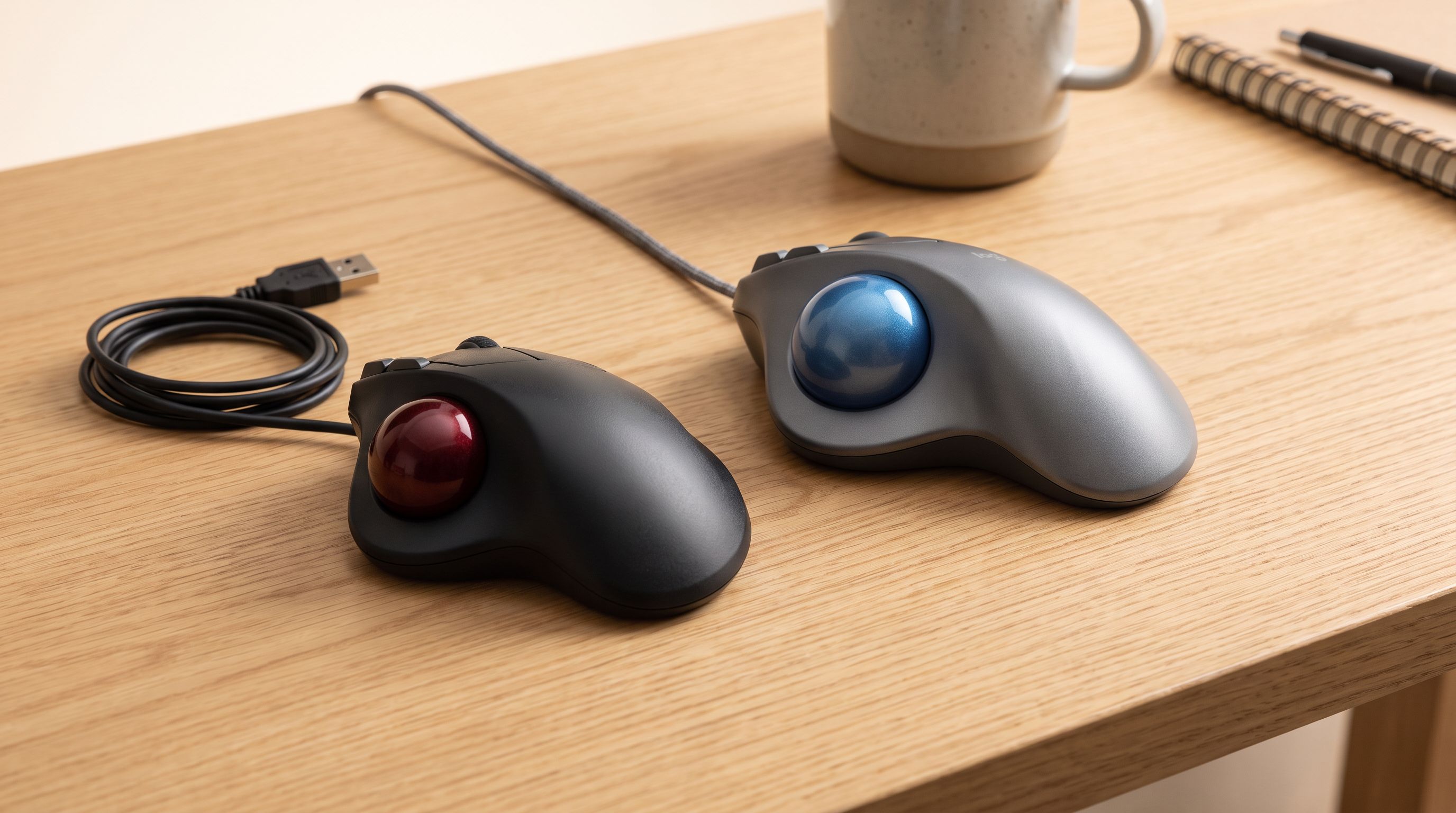
Trackballs are having a quiet moment. Desks got smaller, laptops got docked, and a lot of people hit their thirties and discovered that dragging a mouse across a mat eight hours a day is not free. A trackball fixes both problems at once: the device never moves, so it needs roughly the footprint of a coffee mug, and your forearm stops doing the repetitive sweeping motion that aggravates wrists and elbows.
The catch is that "trackball" covers two fairly different devices. We compared the current 2026 lineup — spec sheets, independent reviews, and a lot of long-term owner feedback — and narrowed it to five that are actually worth your money.
Thumb vs. finger: pick your camp first
Thumb trackballs put a small ball (roughly 34 mm on Logitech's models) under your thumb while your hand rests in a familiar mouse-shaped shell. Left and right clicks work exactly as you expect. The transition takes a day or two, not a week. The downside: your thumb does all the pointing, and if your pain is specifically thumb- or base-of-thumb related (De Quervain's, for example), this is the wrong tool.
Finger trackballs use a much larger ball — SlimBlade and Expert Mouse both use a billiard-ball-sized sphere, around 55 mm — driven by your index and middle fingers, with the thumb free for buttons. Big balls coast farther per flick, which is why they dominate among CAD users and video editors. They're also usually ambidextrous, so you can swap hands to spread the load. The learning curve is genuinely steeper, and precision clicking while your fingers are also steering takes practice.
A third option worth knowing: Kensington's Orbit is finger-operated but with a small ball in a very compact ambidextrous puck — a hybrid that suits cramped desks and travel bags more than all-day precision work.
How we picked
We prioritized four things. Ball support type matters more than almost any spec: ruby or ceramic bearings glide better and resist the skin-oil gunk that makes cheap trackballs stutter. Sensor behavior matters less than marketing suggests — nearly every modern trackball uses an optical sensor with adjustable DPI, and for trackballs, tracking smoothness and acceleration curves matter more than a headline DPI number. Connectivity matters for desk clutter: Bluetooth plus a USB receiver is the flexible combination. And owner-reported longevity matters a lot, because trackballs are long-lived purchases and the common failure points are well documented: micro-switch double-clicking after a few years, and scroll wheels wearing out.
The comparison
| Model | Style | Ball size | Connectivity | Standout feature | Best for |
|---|---|---|---|---|---|
| Logitech MX Ergo S | Thumb | ~34 mm | Bluetooth + Logi Bolt receiver | 0–20° adjustable tilt hinge, quiet clicks | All-day office work, multi-computer setups |
| Logitech ERGO M575S | Thumb | ~34 mm | Bluetooth + USB receiver | Simple, light, long AA battery life | First trackball, tight budget |
| Kensington SlimBlade Pro | Finger | ~55 mm | Bluetooth + USB + wired | Twist-the-ball scrolling, ambidextrous | Switching hands, low-profile desks |
| Kensington Expert Mouse Wireless | Finger | ~55 mm | Bluetooth + USB receiver | Scroll ring + detachable wrist rest | CAD, editing, precision pointing |
| Kensington Orbit Wireless | Finger (small ball) | Compact | USB receiver | Smallest footprint, scroll ring | Very small desks, travel |
 Best value · Logitech ERGO M575S — Check price on Amazon →
 Best overall · Logitech MX Ergo S — Check price on Amazon →
The picks
Logitech MX Ergo S — best overall
The MX Ergo S is the most refined thumb trackball you can buy in 2026, and the reason is the hinge. The magnetic metal plate lets you tilt the body from flat to roughly 20 degrees, which shifts your forearm toward a more neutral, semi-vertical posture without going full vertical mouse. People with wrist discomfort consistently flag that adjustment as the thing that made the difference.
The S revision's main upgrade over the older MX Ergo is quiet clicking, plus Logitech's current Bolt receiver and Options+ software with Flow — move the cursor to the screen edge and it hops to a second computer, copy-paste included. Build quality is the usual MX standard: rubberized grip, metal plate, rechargeable internal battery.
Owner feedback is largely positive on the longevity front, though as with any Logitech pointing device, the most common long-term complaint across generations is switch double-clicking. It's worth checking the warranty terms at purchase.
Logitech ERGO M575S — best value
If you're not sure trackballs are for you, buy this one. The M575S has the same thumb-ball geometry as the MX line in a simpler, lighter shell with an AA battery that Logitech rates for a very long runtime. No tilt plate, no rechargeable cell, fewer buttons, no Flow on the base model's feature set — but the fundamental ergonomic benefit is identical, and it's the single most frequently recommended trackball on r/Trackballs for newcomers.
A practical note from owners: pop the ball out every few weeks (there's a hole underneath), wipe the three bearings with a dry cloth or alcohol wipe, and stuttering disappears. That one habit accounts for most of the difference between people who love their M575 and people who complain it "went bad."
Kensington SlimBlade Pro Trackball — best finger-operated
 Best finger-operated · Kensington SlimBlade Pro Trackball — Check price on Amazon →
Wirecutter's pick for finger trackballs, and it's hard to argue. The SlimBlade Pro pairs a large, smooth-rolling ball with a flat, ambidextrous profile that keeps your hand low — good if a tall mouse shape is what hurts. Its party trick is scrolling by twisting the ball itself, which feels strange for a day and then feels obvious.
It also covers every connection option: Bluetooth, the bundled 2.4 GHz receiver, or USB-C wired. Four corner buttons are remappable through KensingtonWorks. The honest caveat: twist-scroll is less precise than a dedicated ring or wheel, and a few owners prefer the Expert Mouse for that reason alone.
Kensington Expert Mouse Wireless Trackball — best for precision work
 Best for precision work · Kensington Expert Mouse Wireless Trackball — Check price on Amazon →
The Expert Mouse is the old guard, and it's still in the lineup because the formula works: a big ball, four large buttons, a physical scroll ring around the ball, and a detachable wrist rest. For anyone spending the day in CAD, DAW timelines, or NLE software, the scroll ring gives tactile, repeatable scrolling that a twist mechanism doesn't match.
It takes up more desk than a mouse, which is the trade-off for the large ball — so measure before you commit. Owner reports on the ball bearings and chassis are strong; this is a device people keep for the better part of a decade.
Kensington Orbit Wireless Trackball Mouse — most compact
 Most compact · Kensington Orbit Wireless Trackball Mouse — Check price on Amazon →
When desk space is the actual problem, the Orbit wins on size alone. It's an ambidextrous puck with a centered ball and a scroll ring, running off a USB receiver. It's not the device for 10-hour precision sessions — the small ball and modest button count limit it — but as a second pointer for a docked laptop, a shared hot desk, or a travel bag, nothing in this list is easier to find room for.
Making the switch without hating it
Give it three days. Cursor speed should start lower than you think and come up as your muscle memory adapts. Clean the ball and bearings regularly. And keep your old mouse in a drawer for the first week — a lot of people quit on day two of a transition that would have clicked on day four.
FAQ
Does a trackball actually help with wrist pain? It removes the repeated arm-sweeping motion and lets your forearm stay planted, which many people with wrist and elbow strain find genuinely helpful. It's not a medical device, and it can shift strain elsewhere — thumb trackballs load the thumb, finger trackballs load the index and middle fingers. If you have a diagnosed condition, check with a clinician before buying.
Thumb or finger for a first trackball? Thumb, usually. The MX Ergo S or ERGO M575S feels like a mouse from minute one. Go finger-operated if your thumb is the sore spot, if you want to alternate hands, or if you need the precision of a large ball.
Can you game on a trackball? Slower-paced games and strategy titles, yes. Competitive first-person shooters, not really — flick aiming on a trackball is a different and generally slower skill.
What breaks first? Micro-switches (causing double-clicks) and scroll mechanisms. Ball bearings rarely fail outright but get gummy; cleaning solves that. Buying from a brand with a solid warranty process is worth more here than a spec-sheet advantage.
Our picks
Logitech MX Ergo S Advanced Wireless Trackball Mouse USB C - Graphite
Adjustable 0–20° hinge, quiet clicks, and multi-device switching make it the most refined thumb trackball.
Logitech Ergo M575S Wireless Ergonomic Trackball Mouse, Black/Blue (910-007026)
The default starter trackball: same thumb layout as the MX, far simpler, and widely praised for comfort.
Kensington SlimBlade Pro Wireless Trackball, Rechargeable Battery, Bluetooth 2.4GHz Connection Options Black/Gray (K72085WW)
Big billiard-size ball, ambidextrous shape, and twist-to-scroll — ideal if your thumb is the problem.
Kensington TB450 Wireless Trackball Mouse, Bluetooth LE & 2.4GHz Connection, 4 DPI Options, Connect up to 3 Devices (K72194WW), Black-Blue
Large ball plus a scroll ring and detachable wrist rest; a long-running favorite for CAD and editing.
Kensington Orbit Wireless Trackball with Scroll Ring - Black-Red (K70990WW),
Tiny ambidextrous puck with a scroll ring — the smallest desk footprint of the bunch.
Get the best tech deals in your inbox
Join the BytePlaza newsletter for hand-picked gadget deals and new buying guides. No spam, unsubscribe anytime.
Related reads
Best Ergonomic Mouse 2026: Vertical & Trackball Picks
The best ergonomic mouse for wrist pain in 2026, ranked by hand size, grip style and wireless performance — vertical, trackball and sculpted picks compared.
Split Ergonomic Keyboards in 2026: 5 Picks for Wrist Pain
The best split ergonomic keyboard for 2026, compared on tenting range, learning curve and wireless support — from beginner-friendly splits to full columnar boards.
Which Webcam Should You Buy in 2026? 4K vs 1080p
The best webcam in 2026 depends on light, not megapixels. We compare 4K and 1080p picks on autofocus, low-light noise, mics and AI framing for calls and streams.