Laser Engraver for Wood in 2026: 5 Diode Picks Worth Your Money
Looking for the best laser engraver for wood in 2026? We compared top diode lasers by power, speed, and software to help you pick the right one.
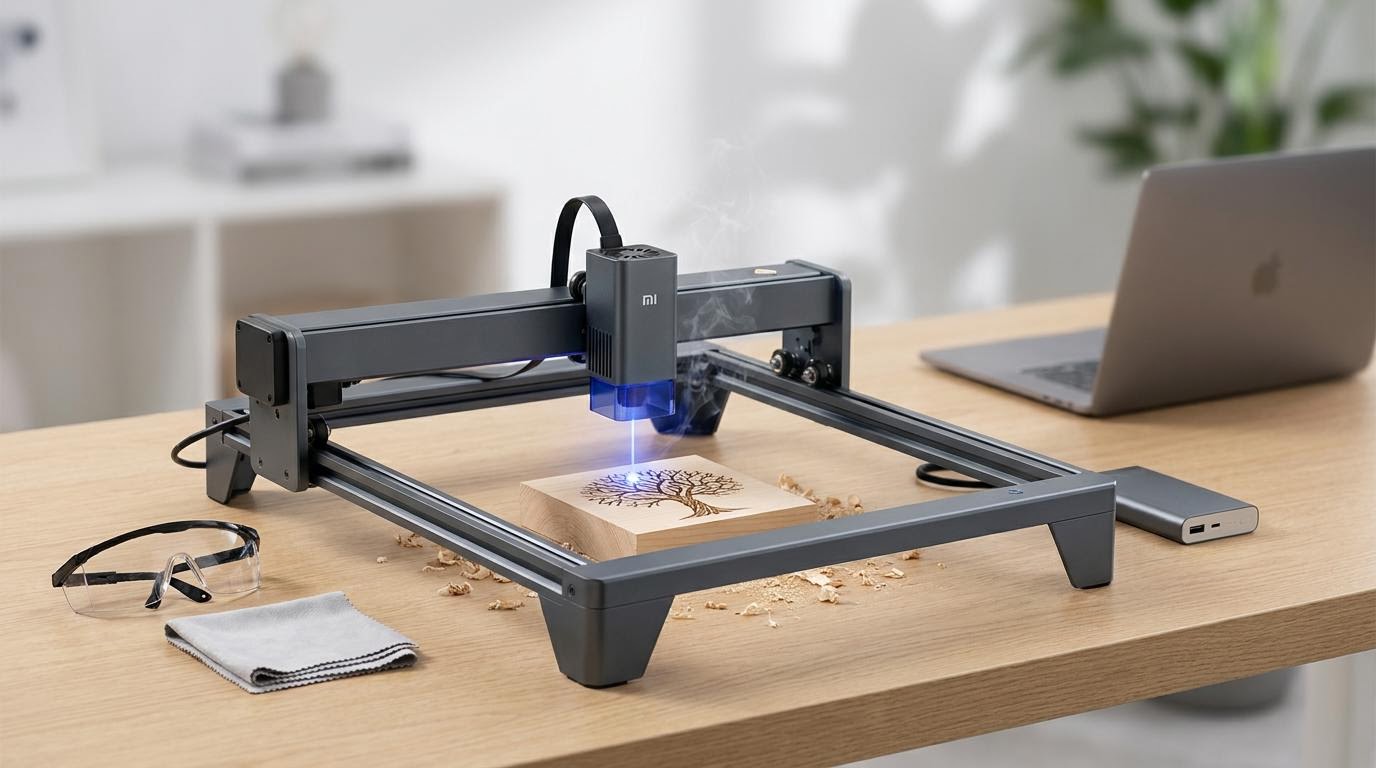
Reader-supported: we may earn a commission from links on this page, at no extra cost to you. It never affects our picks. Learn more.
Why Diode Lasers Dominate Wood Engraving in 2026
If roughly 80 percent of your projects involve engraving or cutting wood, a diode laser is almost certainly the right tool. Compared to CO2 tubes, modern high-watt diode modules are cheaper upfront, require virtually zero maintenance, and fit on a desk. And in 2026, the power ceiling has risen dramatically—units pushing 40 W of optical output can slice through 10 mm plywood in a single pass, something only CO2 machines could do a couple of years ago.
We researched and compared more than a dozen current diode laser engravers, cross-referencing manufacturer specs, independent reviewer benchmarks, and verified owner feedback. Below are the five that stood out for wood-focused work, ranked by power, speed, and software ecosystem.
What to Look for in a Wood-Focused Diode Laser
Optical Power (Not "Input" Watts)
Manufacturers love to advertise inflated wattage figures. What matters is optical output power—the actual energy hitting the wood. A 10 W optical diode can engrave softwoods beautifully and cut thin stock; 20 W handles hardwoods and thicker sheets; 40 W rivals entry-level CO2 machines.
Air Assist
Blowing compressed air at the cut point clears smoke and char, producing cleaner edges and reducing flame risk. Any serious wood laser should include air assist or at least offer it as an add-on.
Software Compatibility
The two main options are LightBurn (paid, feature-rich, community-supported) and each brand's proprietary app (xTool Creative Space, Creality Print, etc.). LightBurn compatibility is a near-must for advanced users; beginners may prefer a polished first-party app with templates and camera alignment.
Enclosure & Safety
Open-frame lasers are cheaper and accept oversized material, but an enclosed machine contains fumes and stray reflections. If you're working indoors without dedicated ventilation, prioritize an enclosure or budget for an aftermarket one.
Our 5 Diode Picks for Wood in 2026
xTool S1 40W — Best Overall
The xTool S1 40W is the most powerful diode laser we've seen targeted at prosumers and small businesses. Its enclosed design includes integrated air assist, a built-in camera for precise alignment, and compatibility with both xTool Creative Space and LightBurn. Independent reviewers report it cutting 10 mm basswood plywood in a single pass at moderate speed—territory that previously required a CO2 laser. The enclosure also makes it practical for indoor use with a vent hose.
 Best overall · xTool S1 40W — Check price on Amazon →
xTool D1 Pro 20W — Best Mid-Range Value
The xTool D1 Pro 20W remains one of the most recommended open-frame diode lasers in the community. At 20 W optical, it handles engraving on hardwoods like walnut and cherry with crisp detail, and it can cut 8–10 mm softwood with multiple passes. It supports LightBurn natively and has a mature ecosystem of accessories including a rotary attachment and honeycomb bed. For makers who want proven reliability without the premium price of an enclosed machine, it's hard to beat.
 Best mid-range value · xTool D1 Pro 20W — Check price on Amazon →
Creality Falcon2 22W — Best for Large Work Areas
Creality's Falcon2 22W offers a generous 400 × 415 mm engraving area—larger than most competitors in its class. That extra bed space matters when you're engraving large signs, serving trays, or tiled panels. The 22 W optical module provides enough power for clean wood cuts, and Creality's ecosystem now supports LightBurn alongside its own Creality Print software. Owner feedback highlights its rigid frame and minimal assembly time.
 Best for large work areas · Creality Falcon2 22W — Check price on Amazon →
Ortur Laser Master 3 LE — Best Budget Pick
For beginners who want to start engraving wood without a steep investment, the Ortur Laser Master 3 LE delivers solid 10 W optical power at one of the lowest price points in the category. It's LightBurn-compatible, assembles in about 20 minutes, and handles softwood engraving and thin cuts with respectable quality. You'll outgrow it if you need to cut thick hardwood, but as an entry ramp it's excellent.
 Best budget pick · Ortur Laser Master 3 LE — Check price on Amazon →
Laservii L1 Pro — Best Compact Desktop
The Laservii L1 Pro is designed for hobbyists who are tight on space and budget. Its ultra-compact form factor sits comfortably on a small desk, and despite its size it can engrave detailed designs on wood, leather, and acrylic. Multiple reviewers have flagged it as a strong value pick for light wood engraving at a price that undercuts most competitors. Just keep expectations realistic—the smaller work area and lower power mean it's best for small-scale craft and personalization projects.
 Best compact desktop · Laservii L1 Pro — Check price on Amazon →
Comparison Table
| Model | Optical Power | Work Area | Enclosure | LightBurn Support | Air Assist | Best For |
|---|---|---|---|---|---|---|
| xTool S1 40W | 40 W | ~400 × 400 mm | Yes | Yes | Included | Power users & small biz |
| xTool D1 Pro 20W | 20 W | 432 × 406 mm | No (optional) | Yes | Add-on | Versatile mid-range |
| Creality Falcon2 22W | 22 W | 400 × 415 mm | No | Yes | Add-on | Large wood projects |
| Ortur Laser Master 3 LE | 10 W | 400 × 400 mm | No | Yes | Add-on | Budget beginners |
| Laservii L1 Pro | ~5 W | Compact | Partial | Varies | No | Small crafts & gifts |
Tips for Getting the Best Results on Wood
- Use air assist whenever possible. Even a cheap aquarium pump makes a noticeable difference in cut quality and reduces scorching.
- Test on scrap first. Every wood species reacts differently. Run a small power/speed matrix on an offcut before committing to your final piece.
- Mask the surface. Applying transfer tape before engraving prevents smoke staining on the surrounding wood grain.
- Mind the grain direction. Engraving across the grain generally produces cleaner lines than engraving with it, especially on softwoods like pine.
- Ventilate properly. Wood smoke contains fine particulates. At minimum, use an inline fan with a duct to the outside, or invest in a fume extractor with HEPA and activated-carbon filtration.
FAQ
Can a diode laser cut thick wood?
Yes, but thickness depends on optical power. A 20 W diode can typically cut 8–10 mm softwood plywood with multiple passes. A 40 W unit like the xTool S1 can handle similar thickness in a single pass. For anything above ~15 mm, you're generally better served by a CO2 laser.
Do I need LightBurn, or is free software enough?
You can engrave wood perfectly well with free software like LaserGRBL or a brand's own app (xTool Creative Space is free and quite capable). LightBurn adds advanced features—variable power layers, camera alignment, batch production tools—that become important as projects get more complex. Most serious hobbyists eventually upgrade to it.
Is an enclosed laser engraver worth the extra cost?
If you're working indoors, especially in a shared living space, an enclosure is strongly recommended. It contains fumes, blocks scattered laser light, and reduces fire risk. Open-frame machines work fine in a well-ventilated workshop or garage.
What type of wood engraves best?
Light-colored hardwoods like maple and birch plywood produce the highest contrast because the laser darkens the surface dramatically. Softwoods like pine engrave easily but can char unevenly due to resin pockets. MDF and Baltic birch plywood are popular for their consistent, knot-free surfaces.
How loud are diode laser engravers?
The laser module itself is nearly silent. Most noise comes from the air-assist compressor and any exhaust fan you're running. Expect roughly 50–65 dB during operation—comparable to a conversation or a quiet dishwasher.
Our picks
xTool M2 40W Color Craft Laser Engraver and Cutter, Deluxe Bundle
Powerful 40W diode with enclosed design, air assist, and excellent LightBurn + xTool Creative Space support.
xTool M2 20W Color Craft Laser Engraver, with Dual Cameras, CMYK Inkjet Printer, RA3 Lite Rotray, Class 1 Enclosed Safe Laser Engraving Machine for Wood, Leather, Felt, Fabric, Paper, DIY Crafts
Proven 20W open-frame workhorse with solid community support and reliable wood cutting performance.
Creality Falcon2 Pro S 22W Laser Engraver, 120000mW Desktop Diode Laser Cutter with Auto Focus (Z-Axis) & Auto Cut Through, Integrated Enclosure, Camera & Air Assist, 600mm/s for Wood & Acrylic
Generous 400×415 mm bed and 22W output at a competitive price—great for bigger wood projects.
Ortur Laser Master 2 S2 LU2-10A Laser Engraver Laser, 10000mW Engraving Cutting Machine, Class 4 High Accuracy Laser Cutter, DIY Laser Marking for Metal
Affordable 10W entry point with LightBurn compatibility and easy assembly for wood engraving beginners.
Laservii L1 Pro 7000mW Laser Engraver, 300x300mm Working Area Laser Cutter
Ultra-compact form factor ideal for hobbyists who need a small-footprint wood engraver on a tight budget.
Get the best tech deals in your inbox
Join the BytePlaza newsletter for hand-picked gadget deals and new buying guides. No spam, unsubscribe anytime.
Related reads
Laser Engravers Under $500 in 2026: 5 Picks Worth Your Money
Looking for the best laser engraver under $500? We compared top diode lasers for hobbyists in 2026 by power, work area, and software compatibility.
Laser Engravers for Metal in 2026: Fiber Picks Worth Your Money
Looking for the best laser engraver for metal in 2026? We compare top fiber laser engravers for hobbyists and small businesses by power, speed, and value.
Keyboard Wrist Rests in 2026: Gel vs Memory Foam vs Wood
Choosing the best keyboard wrist rest in 2026? We compare gel, memory foam, and wood options for ergonomic support, durability, and desk aesthetics.