Laser Engravers Under $500 in 2026: 5 Picks Worth Your Money
Looking for the best laser engraver under $500? We compared top diode lasers for hobbyists in 2026 by power, work area, and software compatibility.
Reader-supported: we may earn a commission from links on this page, at no extra cost to you. It never affects our picks. Learn more.
Why Diode Laser Engravers Dominate the Sub-$500 Market
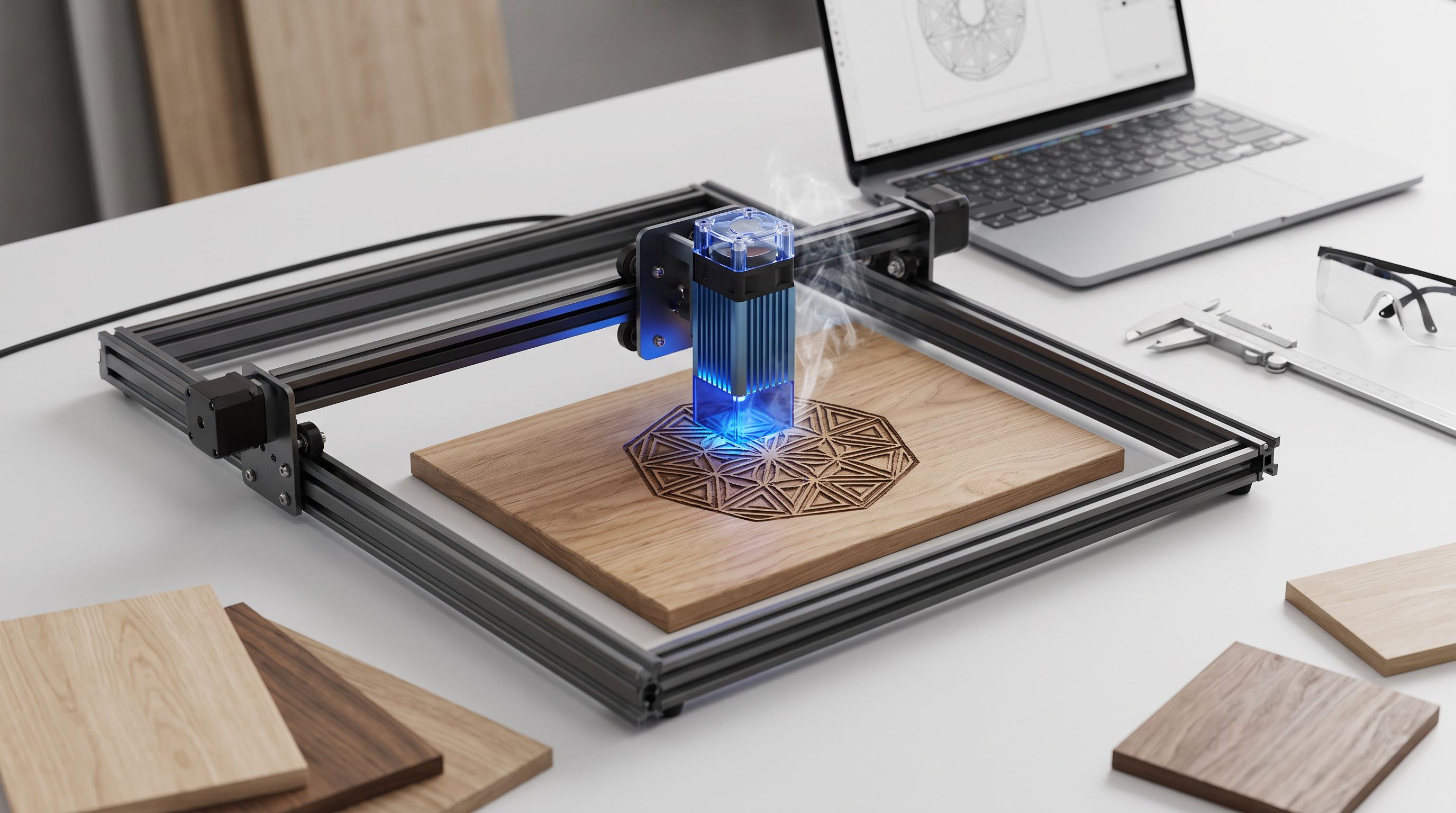
If you've been eyeing a laser engraver but don't want to drop thousands on a CO₂ machine, 2026 is a great time to buy. Diode laser technology has matured rapidly: optical power outputs that required $1,000+ machines two years ago now sit comfortably under $500. These open-frame diode engravers can handle wood, leather, acrylic, cardboard, anodized aluminum, and more—making them ideal for hobbyists, small Etsy sellers, and anyone who wants to personalize just about everything.
We researched the current market, compared manufacturer specs, reviewed owner feedback across forums and YouTube, and narrowed the field to five machines that deliver genuine value below the $500 mark.
What to Look for Before You Buy
Optical Power (Watts)
Laser module wattage is the single biggest factor in what materials you can cut and how fast. A 10W diode handles engraving on wood and leather well but struggles to cut thicker stock. A 20W module cuts 10–15mm plywood in a single pass with air assist. The new 40W diode modules can slice through 20mm+ pine and even thin acrylic with relative ease.
Work Area
Most budget engravers offer a roughly 400×400mm (≈16×16″) bed. If you plan to engrave large signs or cutting-board-sized pieces, look for expandable frames or models that start at 400×800mm.
Software Compatibility
Nearly every machine on this list works with LightBurn, the gold-standard control software for hobbyist lasers (available on Windows, macOS, and Linux). Some brands also ship proprietary apps—xTool Creative Space, for example—which can be friendlier for beginners. If you're on a Mac, double-check that the manufacturer's firmware supports your setup before buying.
Safety Features
Open-frame diode lasers expose the beam. Look for models with an emergency stop button, flame-detection sensors, and ideally an enclosure add-on. Laser safety goggles rated for the correct wavelength (usually 450nm for blue diodes) are non-negotiable.
How the Top 5 Compare
| Feature | Sculpfun SF-A9 40W | Ortur LM4 20W | Sculpfun S30 Pro Ultra 20W | xTool D1 Pro 20W | Creality Falcon Pro 10W |
|---|---|---|---|---|---|
| Optical Power | 40W | 20W | 20W | 20W | 10W |
| Work Area | 460 × 460 mm | 400 × 400 mm (expandable to 800 × 400 mm) | 410 × 400 mm | 432 × 406 mm | 400 × 415 mm |
| Laser Wavelength | 455 nm | 455 nm | 455 nm | 455 nm | 455 nm |
| Air Assist | Built-in | Optional add-on | Built-in | Optional add-on | Optional add-on |
| LightBurn Support | Yes | Yes | Yes | Yes | Yes |
| Proprietary Software | Sculpfun App | Ortur Laser Explorer | Sculpfun App | xTool Creative Space | Creality Print (Laser) |
| Emergency Stop | Yes | Yes | Yes | Yes | Yes |
| Frame Type | Open-frame | Open-frame | Open-frame | Open-frame | Open-frame |
 Budget pick · Creality Falcon Pro 10W — Check price on Amazon →
 Most beginner-friendly · xTool D1 Pro 20W — Check price on Amazon →
 Best overall · Sculpfun SF-A9 40W — Check price on Amazon →
Our Picks, Explained
Sculpfun SF-A9 40W — Best Overall
The SF-A9 packs a 40W optical-output diode module into a sub-$500 price point, which was nearly unthinkable a year ago. The 460×460mm engraving area is generous for most hobbyist projects, and built-in air assist means cleaner cuts and less charring without buying a separate pump. Owner reviews praise fast cutting speeds on plywood (up to 20mm in a single pass on softer species) and a sturdy, low-vibration frame. It supports LightBurn and Sculpfun's own app, covering both power users and newcomers.
Ortur Laser Master 4 20W — Best for Large Projects
If you engrave oversized signs, long boards, or batches of items, the Ortur Laser Master 4 earns its spot. Its default 400×400mm bed can be expanded to 800×400mm with an extension kit—double the Y-axis travel of most competitors. The 20W module handles typical hobbyist materials with confidence, and Ortur's firmware updates have steadily improved reliability since launch. It works with LightBurn and Ortur Laser Explorer.
 Best for large projects · Ortur Laser Master 4 20W — Check price on Amazon →
Sculpfun S30 Pro Ultra 20W — Best Value
The S30 Pro Ultra sits in a pricing sweet spot: meaningfully cheaper than 40W flagships, yet powerful enough to cut 15mm plywood and engrave stainless steel tumblers. Its integrated air-assist nozzle is a standout at this price. Based on community feedback, it's one of the most commonly recommended "first real laser" machines in hobbyist forums, thanks to straightforward assembly (roughly 30 minutes), good documentation, and a large user base that makes troubleshooting easy.
xTool D1 Pro 20W — Most Beginner-Friendly
xTool's ecosystem is the most polished in the budget space. xTool Creative Space walks you through setup, material presets, and even camera-aided positioning if you add the optional camera module. The D1 Pro's 432×406mm work area is competitive, the 20W module performs well across wood and leather, and the build quality feels a notch above many open-frame rivals. If you've never touched G-code and don't want to, this is the smoothest on-ramp.
Creality Falcon Pro 10W — Budget Pick
Not everyone needs 20W or 40W. The Creality Falcon Pro 10W is an excellent entry point for engraving-focused work—think personalized cutting boards, leather journals, and slate coasters. Cutting is limited to thinner materials (3–5mm plywood), but for pure engraving detail and learning the workflow, 10W is plenty. Creality's brand recognition and parts availability are reassuring for first-time buyers.
Tips to Get the Most Out of a Budget Laser
- Use air assist. Even a cheap aquarium pump dramatically reduces charring and fire risk. Models with built-in air assist save you the hassle.
- Invest in a honeycomb bed. It lifts your workpiece, improves airflow, and reduces back-reflection burns.
- Learn LightBurn early. The proprietary apps are fine for simple jobs, but LightBurn unlocks variable-power engraving, image tracing, and batch processing that will save you hours.
- Ventilate your workspace. Laser-cut wood and acrylic produce fumes. An enclosure with an exhaust fan or working outdoors is strongly recommended.
FAQ
Can a diode laser engrave metal?
Diode lasers can mark anodized or painted metals and engrave stainless steel with marking compounds like Cermark or LaserBond. They cannot cut metal—that requires a fiber laser.
Is a 10W or 20W laser better for a beginner?
A 10W laser is fine if you primarily want to engrave. If you also plan to cut plywood, acrylic, or leather, a 20W module gives you much more flexibility and faster processing.
Do I need LightBurn, or is free software enough?
Free options like LaserGRBL (Windows only) work for basic engraving. LightBurn adds image processing, variable power layers, and macOS/Linux support. Most serious hobbyists find it worth the one-time license fee.
Are open-frame lasers safe?
They're safe if you follow precautions: always wear wavelength-appropriate goggles, never leave the machine unattended, use a fire-resistant surface, and ensure adequate ventilation. An aftermarket enclosure adds an extra layer of protection.
Can these lasers cut acrylic?
Diode lasers can cut dark or opaque acrylic but struggle with clear acrylic, which the 455nm wavelength passes through. For clear acrylic work, you'd need a CO₂ laser.
Our picks
SCULPFUN 6PCS SF-A9 Original Laser Lens, Easy to Install, Highly Transparent, Anti-Oil and Anti-Smoke, Long Lifespan, Replacement Laser Lens for Laser Engraver and Laser Cutter
Class-leading 40W optical power in a sub-$500 frame with a generous 460×460mm work area.
Ortur H10 Pre‑Assembled Laser Engraver Cutter, High‑Speed Desktop Laser Machine, Aluminum Frame for Wood, Metal, Acrylic, DIY Hobby & Small Business (20W)
Expandable work area up to 800×400mm and solid 20W output for big-format engraving.
Sculpfun S30 Pro Ultra 20W
Reliable 20W diode with auto air-assist and strong community support at a mid-range price.
xTool M2 20W Laser Engraver, Built-in Dual Cameras, Class 1 Enclosed Safe Laser Engraving Machine for Home DIY Craft on Wood, Leather, Felt, Fabric, Paper
Polished xTool Creative Space software and excellent documentation make setup painless.
Creality 72000mW Output Power Laser Engraver, Falcon Pro 10W with Air Assist Laser Engraving Machine, CNC Machine Laser Engraver for Wood and Metal, Paper, Acrylic, Leather
Solid 10W entry point from a trusted brand—great for light engraving and learning the craft.
Get the best tech deals in your inbox
Join the BytePlaza newsletter for hand-picked gadget deals and new buying guides. No spam, unsubscribe anytime.
Related reads
2TB Portable SSDs in 2026: Is USB4 Worth It?
Comparing the best 2TB portable SSDs in 2026 across USB4 and USB 3.2 tiers. We break down real-world speeds, thermals, and whether USB4 justifies the premium.
Ergonomic Split Mouse 2026: 4 Picks That Help RSI
Looking for the best ergonomic split mouse in 2026? We compare vertical and split-grip mice for RSI relief, covering grip angles, sensors, and real owner feedback.
Magnetic Cable Clips in 2026: 5 Picks for a Tangle-Free Desk
Looking for the best magnetic cable clips in 2026? We compared hold strength, cable sizes, and finishes to find the top desk cable organizers worth buying.