Laptop Cooling Pads in 2026: Do They Actually Work?
We compared the best laptop cooling pad options for 2026 — vacuum coolers, turbofans and multi-fan mats — and explain when a plain stand beats them all.
Reader-supported: we may earn a commission from links on this page, at no extra cost to you. It never affects our picks. Learn more.
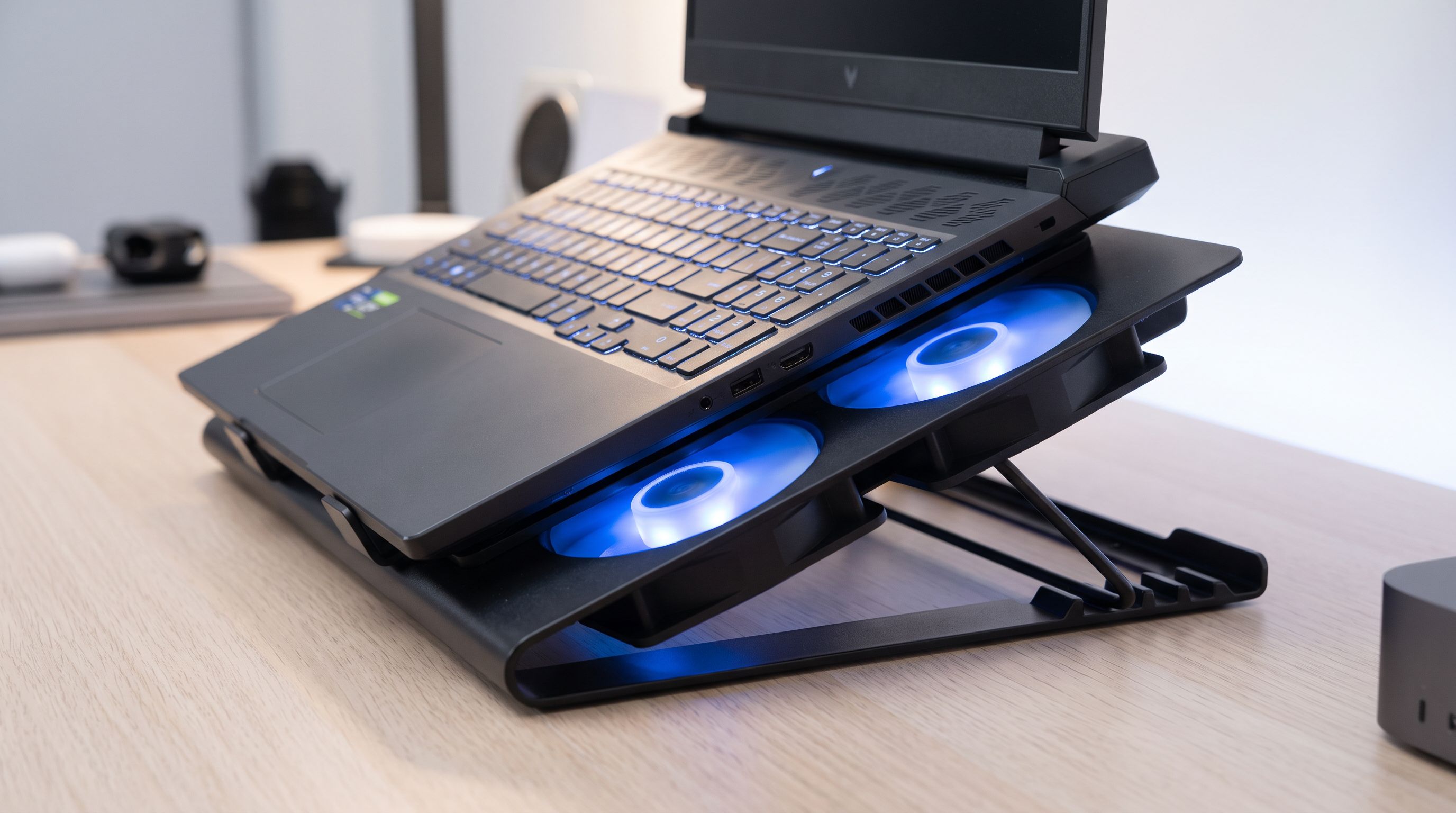
Laptop cooling pads have one of the widest credibility gaps in PC accessories. Some owners report their gaming laptop dropping 10°C and holding boost clocks longer. Others buy a glowing plastic slab, feel a breeze on their knees, and see literally no change in HWiNFO.
Both experiences are real. The difference comes down to how your laptop moves air — and whether the pad you bought interacts with that path at all.
We researched the current 2026 field using manufacturer specs, independent review measurements, and verified owner feedback, then ranked the options by the situations they actually help in. Here's what's worth buying, and when you should skip the fans entirely.
The short answer: do cooling pads work?
Yes — conditionally. Here's the honest breakdown of what the evidence supports:
- Bottom-intake laptops benefit most. Most gaming and workstation laptops pull cool air in through vents on the underside. Sitting flat on a desk (or worse, a duvet) partially chokes that intake. Raising the chassis and blowing air at it can meaningfully improve intake temperature.
- Vacuum/turbofan coolers usually produce the biggest measured drops. Instead of pushing air at a sealed plastic underside, they clamp onto a side or rear exhaust vent and actively extract hot air, increasing flow through the heatsink. Reviewers and owners consistently report the largest deltas here — often high single digits to low double digits in Celsius under sustained load.
- Thin, sealed ultrabooks benefit least. A MacBook Air has no fan at all; a MacBook Pro or Dell XPS vents through a hinge gap. A fan blowing at the flat aluminium bottom does very little beyond chassis surface cooling — which matters for lap comfort, not clock speeds.
- Nothing beats repasting and dust removal. If your three-year-old laptop suddenly throttles, the pad is a band-aid. Compressed air through the exhaust fins and fresh thermal paste will outperform any accessory here.
A realistic expectation for a decent multi-fan pad under a gaming laptop is roughly a 3–7°C drop on CPU/GPU under sustained load; vacuum coolers can go further on the right chassis. That's often enough to keep a laptop just under its throttle ceiling, which is where the perceived "it feels faster" comes from.
Cooling pad types, compared
| Type | How it works | Typical benefit | Best for | Watch out for |
|---|---|---|---|---|
| Multi-fan mat | 3–6 small fans push air at the underside | Modest, reliable | Bottom-intake gaming laptops | Fan noise; blocked intakes if fans don't line up |
| Single large fan | One 180–200mm fan, low RPM | Modest, very quiet | 17-inch laptops, noise-sensitive users | Bulky; needs desk space |
| Vacuum / turbofan | Clamps to exhaust vent, extracts hot air | Largest drops | Thicker laptops with side/rear vents | Needs a compatible vent shape; can be loud at max |
| Passive stand | Elevates chassis, aluminium sinks heat | Small but real | Ultrabooks, MacBooks, office use | No airflow assist under heavy load |
Our picks for 2026
Best overall: llano Laptop Vacuum Cooler
 Best overall · llano Laptop Vacuum Cooler (RGB turbofan) — Check price on Amazon →
The llano vacuum coolers have quietly become the enthusiast default, and it's not marketing — it's physics. Rather than fighting a sealed bottom panel, the unit seals against your laptop's exhaust vent and pulls hot air out, which increases the volume of air moving across the heatsink fins. Across review coverage and owner reports, this style consistently delivers larger temperature reductions than mat-style pads on the same machine.
Two caveats before you buy. First, fit matters enormously: the seal needs a reasonably flat, unobstructed vent, which is why enthusiasts often note turbofan coolers work best on laptops around 22mm thick or more. Second, it's an active fan running near your ear — most models offer variable speed, and the top setting is audible. Check your laptop's exhaust layout against the mount before ordering.
Budget pick: Havit HV-F2056
The Havit HV-F2056 has been a bestseller for years for a simple reason: it's slim, light, gives you a comfortable typing incline, and adds real airflow for a small outlay. It won't transform a 150W gaming laptop, but for a mid-range machine that runs warm during long work sessions — or for anyone who uses their laptop on a bed or sofa where intakes get smothered — it solves the actual problem.
It's also the pad to buy if you travel. It's thin enough to slide into a laptop bag, which is not true of most of the big-fan options.
Premium pick: Razer Laptop Cooling Pad
 Premium pick · Razer Laptop Cooling Pad — Check price on Amazon →
Razer's cooling pad is the one to get if noise and build quality matter more than raw CFM. It uses multiple fans running at lower speeds rather than a couple screaming at high RPM, and reviewers have highlighted its restrained acoustics and low-profile design as its main advantages over cheaper mats. Chroma RGB and Synapse integration are there if you're in the ecosystem.
Be clear-eyed about what you're paying for: this is a well-engineered, quiet, good-looking pad, not the biggest temperature drop in this list. If you're chasing maximum thermals, the vacuum cooler wins. If you want something you'll leave on your desk permanently without hating the noise, this is it.
Best for 17-inch gaming laptops: Thermaltake Massive 20 RGB
Big laptops need broad, even airflow, and lots of small fans concentrated in the middle don't provide it. The Thermaltake Massive 20 takes the opposite approach with a single 200mm fan spinning slowly — a design that moves substantial air without the high-pitched whine of 80mm fans at full tilt. It's a large, desk-bound accessory rather than a travel item, but under a heavy 17-inch machine it's one of the more sensible layouts available.
Best non-fan alternative: Rain Design mStand
 Best non-fan alternative · Rain Design mStand Laptop Stand — Check price on Amazon →
Here's the recommendation most cooling pad guides bury. If you use a MacBook, an ultrabook, or a laptop docked to an external monitor, a solid aluminium stand is very often the better purchase. It lifts the chassis clear of the desk so any bottom or hinge venting can breathe, the metal acts as a modest heatsink, it makes your posture dramatically better, and it draws zero power and makes zero noise.
The Rain Design mStand is the classic execution — one piece of curved aluminium, no wobble, no cables. You won't see a big thermal delta on a fanless laptop, but you also won't see one from a fan pad on that machine either, so you may as well take the ergonomics and silence.
How to choose in 60 seconds
- Find your intakes. Flip the laptop over. Lots of underside grilles? A fan pad will help. Sealed bottom with only hinge vents? Buy a stand.
- Check your exhaust. Flat, accessible side or rear vent on a thicker chassis? A vacuum cooler is your best shot at a real drop.
- Decide your noise tolerance. Cheap pads with small high-RPM fans can be louder than the laptop itself, which defeats the point for many people.
- Confirm the power draw. Most pads run off USB from the laptop. If your machine only has two USB-C ports, factor in a pass-through hub — several pads include one.
- Do the free stuff first. Blow out the dust, raise the laptop on anything solid, and set a sensible power profile. Then buy the pad.
FAQ
Will a cooling pad stop thermal throttling? Sometimes. If your laptop is throttling by a few degrees, a good pad or vacuum cooler can keep it under the ceiling and hold higher sustained clocks. If it's throttling by 15°C+ due to dried paste, dust or an undersized cooling system, no accessory will fix it.
Are vacuum coolers safe for my laptop? Generally yes — they extract air from an exhaust vent, which is the direction air already flows. The risks are mechanical: a poor fit that stresses the chassis, or blocking an intake by mistake. Check compatibility with your specific model before buying.
Do cooling pads help MacBooks? Not much thermally. Apple silicon MacBook Airs are fanless and MacBook Pros vent through the hinge area, so a fan pointed at the bottom panel has little to work with. A stand is the better buy for elevation and ergonomics.
Are RGB pads just gimmicks? The lighting is cosmetic, yes. But several of the best-performing pads happen to include RGB because they target gamers. Judge on fan size, count, airflow layout and noise — treat lighting as a preference, not a feature.
Do I need a cooling pad for normal work use? Rarely, for performance. But if you work with the laptop on your lap or in bed, a pad or stand prevents soft surfaces from blocking intakes, which is a genuine cause of overheating and uncomfortable surface temperatures.
Our picks
llano V12 Gaming Laptop Cooling Pad Laptop Cooler Laptop Cooling Fan Stand | 5.5 Inch Turbofan, Airtight Pressure Chamber, for 15.6-19in Laptop, Adjustable Speed, Dustproof, 3-Port USB Hub, Black (RGB)
Vacuum-style extraction pulls hot air straight out of the exhaust vent — the biggest measurable temp drops.

havit HV-F2056 15.6"-17" Laptop Cooler Cooling Pad - Slim Portable USB Powered (3 Fans), Black/Blue | Three quiet USB-powered fans circulate air below the laptop, two height settings improve viewing and typing comfort
Slim three-fan mat that adds a comfortable typing angle and airflow for very little money.
Razer Laptop Cooling Pad Adaptive Smart, Intelligent Fan Control | Airtight Pressure Chamber, Fits Most Laptops & Macbooks 14" to 18", Preset & Custom Fan Curves, 3 Port USB Type A, Chroma RGB
Quiet, well-built 5-fan pad with Chroma lighting and a low-profile design that suits thin laptops.

Thermaltake Massive 20 RGB Steel Mesh Panel Single 200mm Fan 10"‐19" Laptop Notebook Cooling Pad CL‐N014‐PL20SW‐A
One huge 200mm fan moves lots of air quietly under big, heavy gaming machines.
Rain Design 10032 mStand Laptop Stand, Silver (Patented)
Solid aluminium stand that lifts intakes off the desk and doubles as a heatsink — silent, no cables.
Get the best tech deals in your inbox
Join the BytePlaza newsletter for hand-picked gadget deals and new buying guides. No spam, unsubscribe anytime.
Related reads
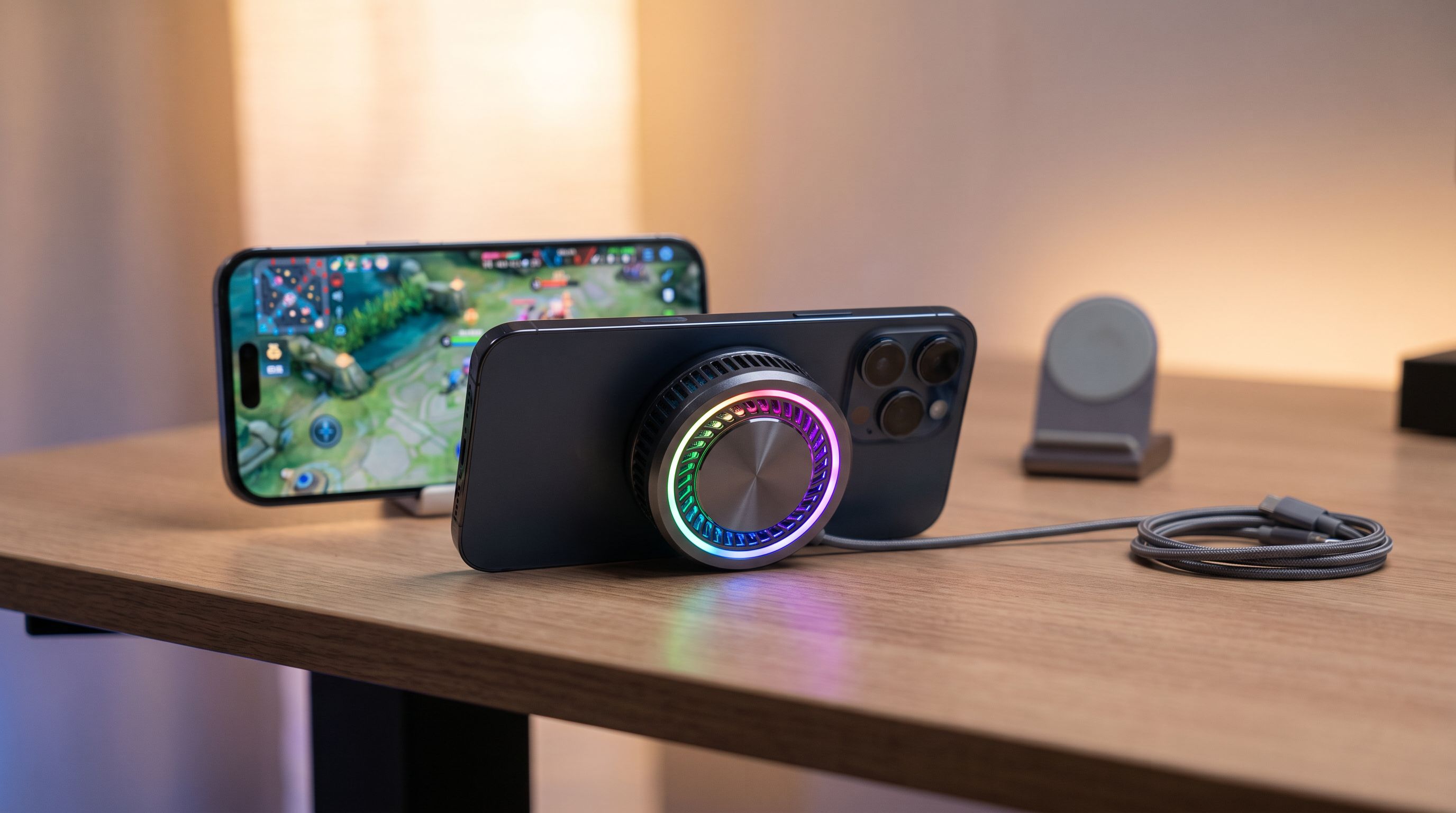
Phone Cooling Fans in 2026: 4 Picks That Hold Frame Rates
We compared clip-on and magnetic phone coolers on peak wattage, MagSafe fit, noise and owner-reported frame-rate stability. Here are the best phone cooling fans for 2026.

USB-C Cable Tester Picks for 2026: Find the Fakes Fast
Which usb-c cable tester actually reveals 240W EPR support, e-marker data and real data speeds? We compared four worth owning in 2026, from $15 meters to lab tools.

Portable Document Scanner 2026: Sheetfed vs Wand, Settled
Digitizing paperwork at home? We compare the best portable document scanner picks for 2026 on speed, duplex scanning, OCR software and cloud workflows.