Portable Document Scanner 2026: Sheetfed vs Wand, Settled
Digitizing paperwork at home? We compare the best portable document scanner picks for 2026 on speed, duplex scanning, OCR software and cloud workflows.
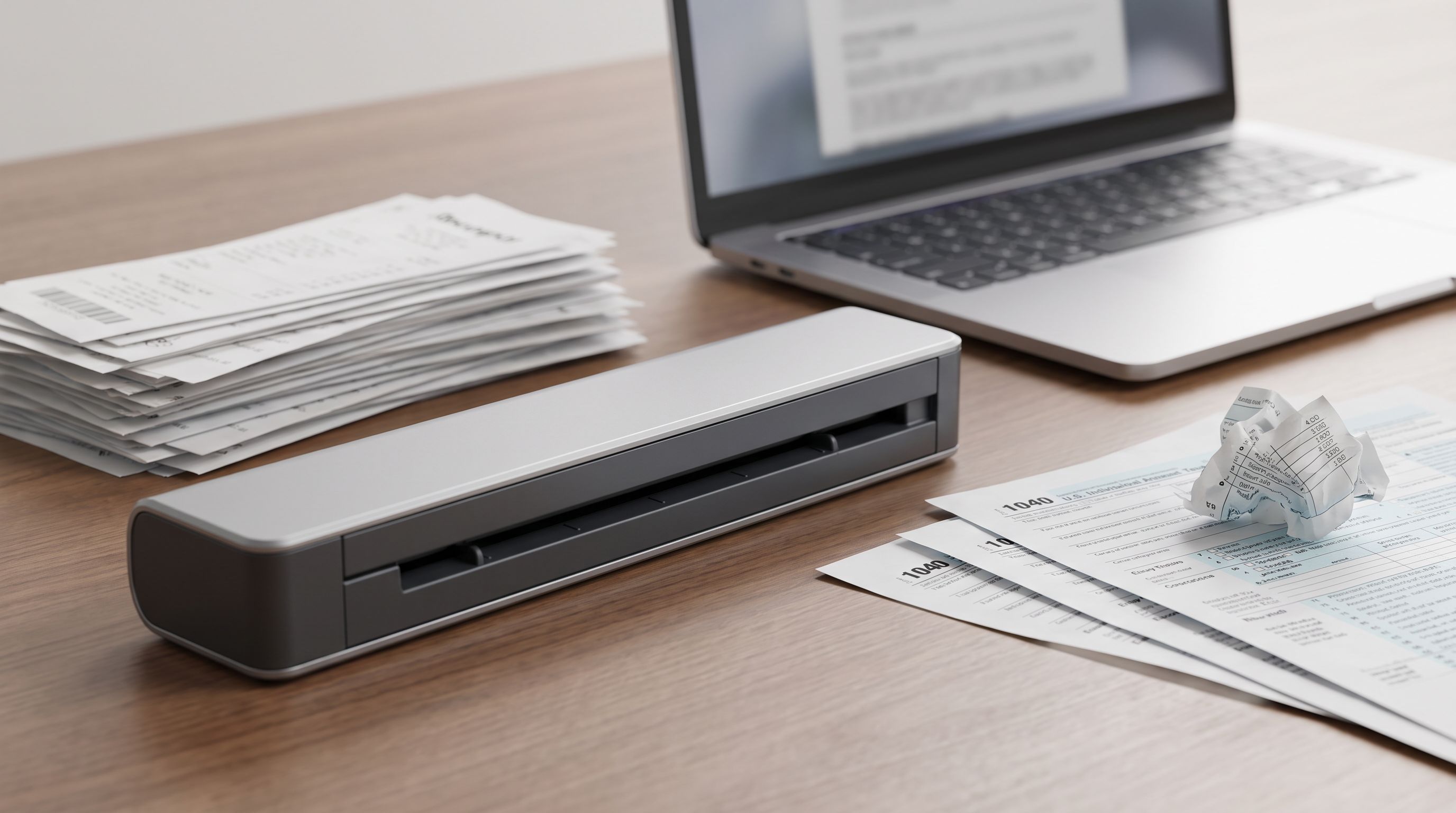
Reader-supported: we may earn a commission from links on this page, at no extra cost to you. It never affects our picks. Learn more.
Paper has a way of accumulating. Tax records, warranty cards, kids' school forms, a shoebox of receipts you swore you'd deal with — and at some point the fastest fix is a scanner that lives on your desk instead of a trip to the office copier.
The good news: portable document scanners in 2026 are genuinely capable. The bad news: "portable scanner" covers two very different tools, and buying the wrong one is the single most common mistake. Below we break down the real differences, then rank the models worth your money based on manufacturer specs, independent reviews and verified owner feedback.
Sheetfed vs. wand: pick your category first
Sheetfed scanners pull a page through a roller mechanism past a sensor. They're the default choice for home offices because they handle stacks, scan both sides in one pass (duplex), and produce consistently straight, evenly lit images. Most are roughly the footprint of a long cardboard tube; some run on battery, most need USB power.
Wand and handheld scanners — the IRIScan Book family being the best-known — require you to physically drag the device down the page. They're the only option for bound books, fragile documents, or anything you can't feed through rollers. But throughput is slow, results depend on a steady hand, and they're fundamentally a niche tool rather than a paperwork-clearing machine.
There's also a third category creeping into the conversation: your phone. Apps like Adobe Scan and the built-in iOS Files scanner do a surprisingly good job on a single page. If you scan fewer than ten pages a month, honestly, stop reading and use your phone. Scanners earn their keep at volume and on double-sided documents.
Verdict for most home offices: sheetfed, with duplex, and with an automatic document feeder (ADF) if you ever scan more than a couple of pages at a time.
How we evaluated
BytePlaza doesn't physically test units. We compared published specifications, cross-referenced independent review outlets and scanner-focused testing, and weighted verified owner feedback — particularly around the things spec sheets hide: driver reliability, how often the feeder misfeeds, and whether the bundled software is a help or a hostage situation.
We prioritized four things:
- Real-world pages per minute — manufacturer ppm figures are measured at 300 dpi in simplex black-and-white. Duplex colour at 300 dpi is slower, sometimes considerably.
- OCR quality — can you search the resulting PDF, and does the software get names and numbers right?
- Cloud workflow — does it push directly to Dropbox, Google Drive, OneDrive or SharePoint without a computer in the loop?
- Mechanical reliability — feed rollers wear; replaceable rollers and a clear jam path matter over years.
The picks
Brother ADS-1350W — best overall
 Best overall · Brother ADS-1350W — Check price on Amazon →
The ADS-1350W is the model most independent reviewers land on, and the reasoning holds up. It's a compact desktop sheetfed scanner with a 20-sheet automatic document feeder, single-pass duplex, and Wi-Fi so you can scan straight to network and cloud destinations. It's small enough to shelve when you're done but has enough feeder capacity to clear a genuine pile.
Its real advantage over battery-powered mobile scanners is throughput. Feeding 20 double-sided pages and walking away is a different experience from hand-feeding each sheet. Brother's iPrint&Scan software handles searchable-PDF OCR, and the device supports scanning to email, FTP, SharePoint and cloud services directly from its control panel.
Caveats: it's "portable" in the sense that it's light and compact, not pocketable. And like all ADF scanners, it dislikes stapled, crumpled or mixed-thickness stacks. Fan your pages first.
Brother DSmobile DS-940DW — best truly portable pick
 Best truly portable pick · Brother DSmobile DS-940DW — Check price on Amazon →
If the scanner needs to travel — field work, client sites, a desk you share with a dining table — the DS-940DW is the one. It's a slim roller-fed scanner that runs on an internal battery, scans in duplex, connects over Wi-Fi, and can save directly to a microSD card with no computer or phone present. That last feature is genuinely useful: you can digitize a folder of documents at someone else's office and sort it out later.
The trade-off is that there's no feeder. You insert pages one at a time. For ten pages that's fine. For two hundred, it's a chore.
Epson WorkForce ES-60W — budget pick
 Budget pick · Epson WorkForce ES-60W — Check price on Amazon →
The ES-60W covers similar ground to the DS-940DW with a simpler brief: wireless, battery-powered, single-sided, one page at a time. Epson's ScanSmart software is one of the more approachable bundles — it previews, auto-names files, and exports to common cloud destinations without a steep learning curve.
Choose it if your scanning is occasional and mostly single-sided. If you regularly scan double-sided documents, the extra cost of a duplex model pays for itself in time within weeks.
Epson RapidReceipt RR-70W — best for receipts and expenses
 Best for receipts and expenses · Epson RapidReceipt RR-70W — Check price on Amazon →
Mechanically this is a mobile duplex scanner in the same class as the DS-940DW. The difference is the software: Epson bundles RapidReceipt receipt-management software that reads receipts, extracts vendor, date and total, and exports to spreadsheet formats and common accounting packages.
If you're a freelancer or small-business owner whose scanning is 80% receipts, that data extraction is worth more than another page per minute. If you're mostly scanning letters and forms, a general-purpose scanner serves you better.
Ricoh ScanSnap iX1300 — premium pick for high volume
 Premium pick for high volume · Ricoh ScanSnap iX1300 — Check price on Amazon →
The iX1300 is the step up for anyone digitizing years of archives. It offers two paper paths — a U-turn path for ordinary stacks and a flat return path for thicker items like ID cards and photos — plus Wi-Fi and a one-button scan workflow.
The real draw is ScanSnap Home. It's consistently the best-regarded scanner software in this market: strong OCR, automatic document-type recognition, and clean routing to cloud services. Owner feedback flags occasional fussiness with mixed-size batches, but for sustained volume it's the most pleasant experience here.
Comparison table
| Model | Type | Duplex | Feeder | Power | Best for |
|---|---|---|---|---|---|
| Brother ADS-1350W | Compact sheetfed | Yes | 20-sheet ADF | USB/mains | Clearing stacks at a home desk |
| Brother DSmobile DS-940DW | Mobile sheetfed | Yes | No (single feed) | Battery + USB | Scanning on the move |
| Epson WorkForce ES-60W | Mobile sheetfed | No | No (single feed) | Battery + USB | Occasional, low-cost scanning |
| Epson RapidReceipt RR-70W | Mobile sheetfed | Yes | No (single feed) | Battery + USB | Receipts and expense tracking |
| Ricoh ScanSnap iX1300 | Desktop sheetfed | Yes | ADF + return path | Mains | Large archives, mixed media |
Getting the workflow right
Hardware is half the job. A few habits that separate a working paperless system from a folder of unsearchable JPEGs:
- Always save as searchable PDF, not image-only PDF. OCR runs once at scan time and makes everything findable later.
- Scan at 300 dpi for text. 600 dpi doubles file size for no searchability gain on ordinary documents.
- Pick one cloud destination and stick to it. Scanning to three places is how documents go missing.
- Set a naming convention —
YYYY-MM-DD-vendor-typeis boring and it works. - Clean the rollers and glass every few hundred pages. Most streaks and misfeeds are dust, not failure.
FAQ
Is a wand scanner ever the right choice? Yes — for bound books, stitched ledgers, fragile originals and oversized pages that can't be fed through rollers. The IRIScan Book line remains the standard here. Just don't buy one expecting to clear a filing cabinet with it.
Do I need duplex scanning? If you scan anything printed double-sided — bank statements, contracts, forms — yes. Single-pass duplex roughly halves your handling time and eliminates the page-reordering mess of manual two-pass scanning.
Will these work without a computer? The Wi-Fi models here can scan to a phone app, a cloud destination, or in the DS-940DW's case a microSD card, with no PC involved. Initial setup is easier with a computer, though.
How accurate is the OCR? On clean, printed text at 300 dpi, modern OCR is highly accurate. Handwriting, faded thermal receipts and heavily stylized fonts remain unreliable — always keep originals of anything legally important.
Mac or Windows — does it matter? Both Brother and Epson support macOS and Windows, and ScanSnap Home is well regarded on Mac. Check current driver support for your OS version before buying, especially after major OS updates.
Our picks
Brother ADS-1350W Wireless Compact Desktop Scanner | Scan Speeds of Up to 30ppm | Single Pass Double-Sided Scanning
Fast duplex sheetfed scanning with a 20-page feeder, Wi-Fi and direct-to-cloud destinations.
Brother DS-940DW Duplex and Wireless Compact Mobile Document Scanner
Battery-powered, duplex, Wi-Fi and microSD capture in a scanner that fits in a laptop bag.
Epson Workforce ES-60W Wireless Compact Mobile Document Scanner
Simple one-page-at-a-time wireless scanning with battery power and tidy Epson software.
Epson RapidReceipt RR-70W Compact Mobile Document Scanner Receipt
Mobile duplex scanner bundled with receipt-parsing software that exports to accounting apps.
ScanSnap iX1300 Wireless or USB Double-Sided Color Document Scanner, Black | Compact | Photos & Receipts | Auto Document Feeder | Manual Feeder | Mac or PC
Desk-friendly ADF scanner with a U-turn and return path, plus ScanSnap Home's excellent OCR workflow.
Get the best tech deals in your inbox
Join the BytePlaza newsletter for hand-picked gadget deals and new buying guides. No spam, unsubscribe anytime.
Related reads
Under Desk Drawer Organizer Picks for 2026: Clear the Deck
The best under desk drawer organizer options for 2026, plus headphone hangers, cable trays and rolling carts that clear clutter without a full desk upgrade.
Under-Desk Cable Management in 2026: 4 Kits That Actually Hold
Looking for the best cable management kit in 2026? We compared under-desk trays, sleeves and clips for standing desks and multi-monitor rigs — here's what works.
Best Standing Desk 2026: Sit-Stand Picks Ranked
The best standing desk 2026 picks compared on lift capacity, stability at standing height, warranty and desktop material — plus small-room and dual-monitor options.