Home NAS in 2026: Should You Buy 2 Bays or 4?
Picking the best home NAS in 2026? We compare 2-bay vs 4-bay models from Synology, UGREEN, QNAP and TerraMaster on capacity, transcoding, apps and noise.
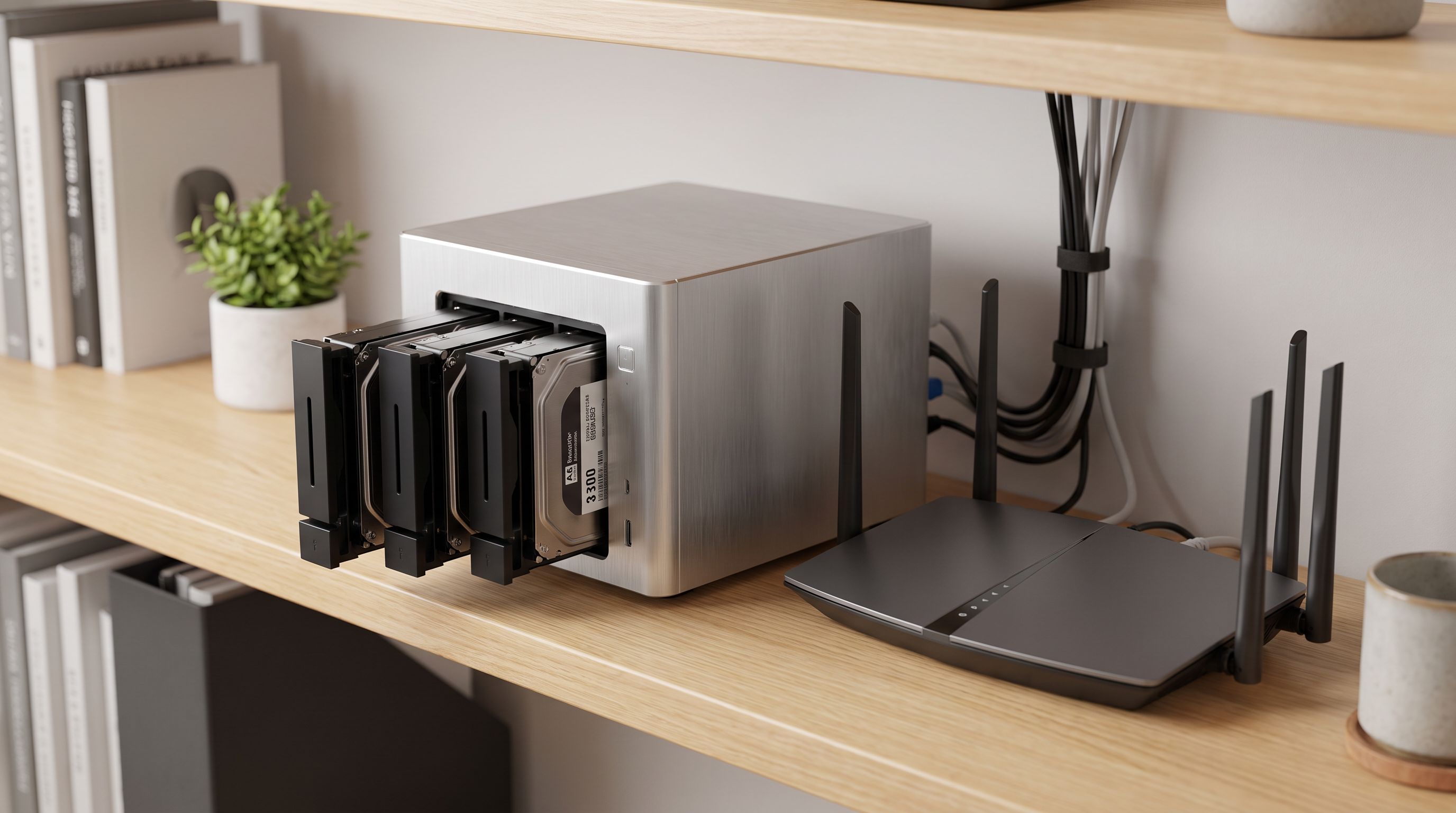
Reader-supported: we may earn a commission from links on this page, at no extra cost to you. It never affects our picks. Learn more.
Cloud storage keeps getting more expensive per terabyte, and the photo libraries, 4K home videos and game captures piling up on your devices are not getting smaller. That is why network-attached storage has quietly become a mainstream home gadget in 2026 rather than a hobbyist curiosity.
The hard part isn't whether to buy one. It's choosing between a tidy two-bay box and a four-bay unit that costs more, takes more space and hums a bit louder. We compared current models on drive capacity, transcoding ability, app ecosystems and reported noise levels, using manufacturer specs, independent reviews and owner feedback, to help you land on the right one the first time.
Who actually needs a home NAS in 2026?
You'll get real value from a NAS if you recognise yourself in two or more of these:
- You're paying monthly for cloud photo storage and the library keeps growing. A NAS with Synology Photos or UGREEN's equivalent gives you phone auto-backup on your own hardware.
- You have more than one computer and want a single place for documents, projects and Time Machine / File History backups.
- You run Plex, Jellyfin or Emby and are tired of leaving a laptop on to serve movies.
- You care about the 3-2-1 backup rule. A NAS is the "2" (second copy, different medium); cloud sync from the NAS handles the "1" offsite.
- You tinker. Docker containers, Pi-hole, Home Assistant, a Minecraft server — modern NAS boxes run all of it.
If none of that applies and you just want one shared folder of files, a single-drive appliance like Synology's BeeStation or a plain external USB drive will serve you better and cheaper.
The 2-bay vs 4-bay decision, in plain terms
This is really a decision about usable capacity after redundancy, not raw drive count.
With two drives in RAID 1 (mirroring), you get the capacity of one drive. Two 12TB disks give you roughly 12TB usable. With four drives in RAID 5 or Synology SHR, you get roughly the capacity of three. Four 12TB disks give you roughly 36TB usable — triple the space for double the drives.
The sting with a 2-bay is expansion. When it fills, your only path is replacing both drives with bigger ones, one at a time, waiting through a rebuild each time. A 4-bay lets you start with two or three disks and add more later. Owner reports are remarkably consistent on this point: people who bought two bays and filled them within a year regret it; people who bought four bays and only ever used two don't.
Rule of thumb: estimate your data today, double it, and if that number is above about 8–10TB, buy four bays.
Transcoding and media
If Plex or Jellyfin is a core use case, the CPU matters more than the bay count. Boxes built on recent Intel chips with Quick Sync — including the UGREEN NASync DXP4800 Plus and the TerraMaster F4-424 Pro — handle hardware-accelerated transcoding of H.264 and HEVC streams comfortably. ARM-based budget units like the QNAP TS-233 are fine for direct play (where the client device does the decoding) but will struggle the moment a remote phone on a weak connection forces a transcode.
 Best value 4-bay · TerraMaster F4-424 Pro — Check price on Amazon →
 Budget pick · QNAP TS-233 — Check price on Amazon →
 Best for Plex and media · UGREEN NASync DXP4800 Plus — Check price on Amazon →
A practical shortcut: if all your playback devices are a modern smart TV, Apple TV or Nvidia Shield on your home network, direct play covers you and almost any NAS works. If you share a library with family across the internet, buy Intel.
App ecosystem
This is where Synology still leads. DSM 7 has a decade of refinement behind it, and apps like Synology Photos, Drive, Hyper Backup and Active Backup for Business (free, and genuinely good for imaging a Windows PC) are the reason people pay the Synology premium. The caveat worth knowing in 2026: Synology has tightened drive compatibility on several Plus-series models, so check the compatibility list before buying third-party disks.
UGREEN's UGOS Pro has matured fast and is now a credible alternative with a cleaner-looking photo app, though its third-party package library is thinner. QNAP's QTS has more features than almost anyone needs but a busier interface. TerraMaster's TOS is the weakest of the four — serviceable, improving, and the main reason its hardware is cheaper. Any of these units can also be wiped and loaded with TrueNAS SCALE or Unraid if you want full control.
Noise and placement
Four-bay units generally use a larger, slower-spinning fan, which can actually be quieter than a small fan in a cramped two-bay chassis. The dominant noise source is the drives themselves: 7200 RPM enterprise-class disks clatter audibly during rebuilds and scrubs, while 5400-class NAS drives are much more discreet. If the NAS lives in a bedroom or living room, choose quieter drives and enable disk hibernation; if it lives in a closet or cupboard, prioritise airflow over silence.
Comparison table
| Model | Bays | CPU class | Networking | Hardware transcoding | Best for |
|---|---|---|---|---|---|
| Synology DS925+ | 4 | AMD Ryzen embedded, quad-core | Dual 2.5GbE | No (no iGPU) | Backups, photos, all-round home use |
| UGREEN NASync DXP4800 Plus | 4 | Intel Core i5 (Quick Sync) | 10GbE + 2.5GbE | Yes | Plex / Jellyfin media servers |
| TerraMaster F4-424 Pro | 4 | Intel Core i3 (Quick Sync) | Dual 2.5GbE | Yes | Value-focused four-bay builds |
| Synology DS225+ | 2 | Intel dual-core | Dual 2.5GbE | No | Compact home office, DSM apps |
| QNAP TS-233 | 2 | ARM quad-core | 1GbE | No | First NAS, backups, file sharing |
 Best 2-bay · Synology DS225+ — Check price on Amazon →
 Best overall · Synology DS925+ — Check price on Amazon →
Note that the DS925+ moved to an AMD platform without integrated graphics, so it's an excellent file and backup server but not the right pick if transcoding is your priority. That's the single most common mismatch we see in owner reviews.
How to choose, quickly
- Just want backups and a private photo cloud, modest library? Synology DS225+. Two bays, the full DSM app suite, quiet enough for a desk.
- Tightest budget, first NAS? QNAP TS-233. Accept 1GbE and no transcoding; it still does the core job well.
- One box for the next five-plus years? Synology DS925+. The extra bays and SHR flexibility mean you grow into it rather than out of it.
- Plex is the whole point? UGREEN NASync DXP4800 Plus, or the TerraMaster F4-424 Pro if you want similar capability for less and don't mind rougher software.
Whatever you pick, budget separately for drives — they usually cost more than the enclosure — and buy NAS-rated disks (WD Red Plus, Seagate IronWolf, Toshiba N300). And remember: RAID protects against a drive failing, not against ransomware, fire or you deleting the wrong folder. Pair the NAS with a cloud backup target or a rotating external drive.
FAQ
Is RAID a backup? No. RAID keeps your NAS running when a drive dies. It copies deletions and encryption instantly to every disk. Always keep a second copy elsewhere.
Can I start a 4-bay NAS with only two drives? Yes, on every model listed here. With Synology SHR or standard RAID expansion you can add drives later and grow the volume, which is the main argument for buying four bays up front.
How much power does a home NAS use? Typically in the range of a lightbulb at idle and modestly more under load, with four-bay Intel units drawing more than small ARM boxes. Drive hibernation and scheduled power on/off reduce it further.
Do I need 2.5GbE or 10GbE? Only if your router/switch and computers support it. Gigabit tops out around 110MB/s, which is fine for streaming and backups. 2.5GbE helps noticeably when moving large video projects; 10GbE is for editing directly off the NAS.
Can I run Plex and a photo app at the same time? Yes, assuming adequate RAM. 8GB is a comfortable floor for a four-bay media server, and most current models let you upgrade memory yourself.
Our picks
Synology 4-Bay DiskStation DS925+ (Diskless)
Four bays, dual 2.5GbE and the most polished NAS software for backups, photos and sync.
UGREEN DXP4800 Plus 4-Bay NAS for Families, Creators & Small Teams
Intel CPU with quick-sync video, 10GbE-class networking and generous RAM headroom for transcoding.
Synology DS225+ 2-Bay Diskstation NAS (Intel Celeron J4125 Quad-Core, 2 GB Non-ECC DDR4 SODIMM 1 x 2,5 GbE und 1 x 1 GbE RJ-45 LAN-Port) 8TB Bundle with 2X 4TB Seagate Ironwolf
Compact, quiet two-bay box that runs the same DSM apps as its bigger siblings.
QNAP TS-233-US 2 Bay Desktop NAS
Inexpensive 2-bay entry point for backups and file sharing without a subscription in sight.
TERRAMASTER F4-425 Pro NAS 4-Bay, Intel N305 8-Core, 8GB RAM (Diskless)
Intel Core i3 power and dual 2.5GbE for less than most name-brand four-bay boxes.
Get the best tech deals in your inbox
Join the BytePlaza newsletter for hand-picked gadget deals and new buying guides. No spam, unsubscribe anytime.
Related reads
USB4 vs Thunderbolt 5 Enclosures in 2026: Which SSD Case?
USB4 vs Thunderbolt 5 NVMe enclosures in 2026: real speed ceilings, heat, and Mac/PC compatibility — plus which case is worth the money for your workflow.
USB-C Hubs Under $50 in 2026: 4 That Stay Cool
The best USB C hub under $50 in 2026, ranked on port mix, heat, and real throughput — compact picks from Anker, UGREEN, Hiearcool and Wavlink for laptops and tablets.
Internal SSDs in 2026: Is PCIe 5.0 Worth It Yet?
The best internal SSD 2026 picks compared: PCIe 5.0 speed demons vs. value Gen 4 drives, plus heatsinks, DRAM cache, PS5 fit and real price-per-terabyte advice.