USB-C Hubs Under $50 in 2026: 4 That Stay Cool
The best USB C hub under $50 in 2026, ranked on port mix, heat, and real throughput — compact picks from Anker, UGREEN, Hiearcool and Wavlink for laptops and tablets.
Reader-supported: we may earn a commission from links on this page, at no extra cost to you. It never affects our picks. Learn more.
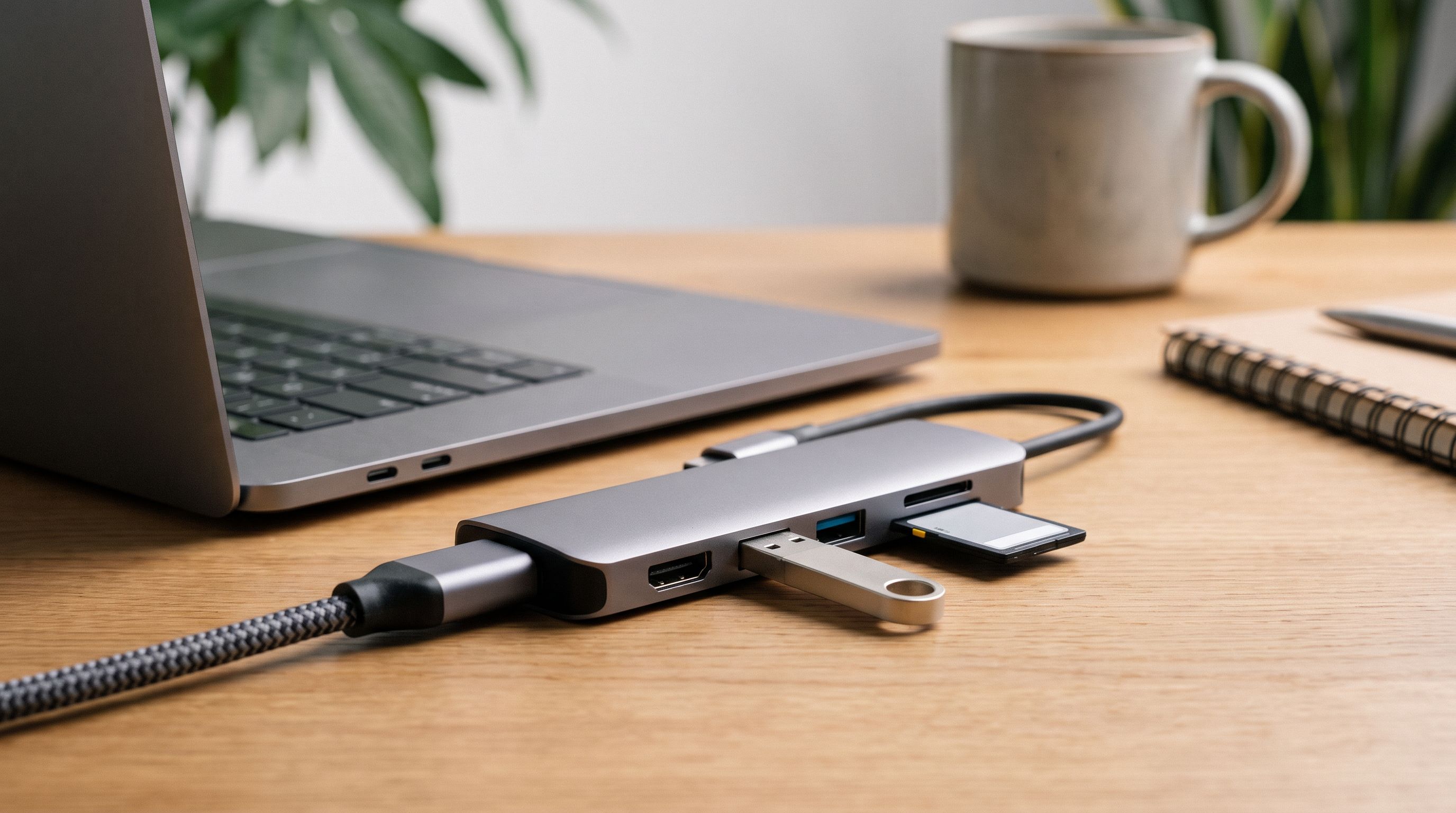
A USB-C hub is the cheapest fix for the most annoying design decision in modern laptops: two ports, and one of them is busy charging. You don't need a $200 Thunderbolt dock to plug in a monitor, a mouse and an SD card. You need a slab of aluminium the size of a stick of gum that doesn't cook itself, doesn't drop your external drive mid-transfer, and doesn't cost more than the accessories plugged into it.
We compared the most-recommended sub-$50 hubs from Anker, UGREEN, Hiearcool and Wavlink against manufacturer spec sheets, independent review testing, and long-term owner feedback — focusing on three things budget hubs routinely get wrong: the port mix, heat, and real-world throughput versus the number printed on the box.
What actually separates a good cheap hub from a bad one
The 5Gbps ceiling is normal — and usually fine
Almost every hub in this price bracket runs on a USB 3.2 Gen 1 (5Gbps) controller. In practice that means roughly 400–450 MB/s of shared bandwidth across all the downstream ports. Copy from an SD card to an external SSD on the same hub and both are drawing from the same pool. That's plenty for mice, keyboards, webcams, flash drives and ordinary portable HDDs. It's a bottleneck only if you regularly move large video files off a fast NVMe enclosure — that's where a 10Gbps port (like the one on the UGREEN Revodok Pro 6-in-1) earns its keep.
 Best for laptops with few ports · UGREEN Revodok Pro 6-in-1 USB-C Hub — Check price on Amazon →
Be sceptical of "10Gbps hub" claims where only one port is actually 10Gbps. That's normal and honest on better models; the problem is listings that imply every port is.
Display output is where corners get cut
Under $50, HDMI is near-universal and DisplayPort is rare. The number to check is refresh rate: many cheap hubs cap at 4K at 30Hz, which looks fine for spreadsheets and genuinely awful for a mouse cursor. Look for 4K60 explicitly — the Wavlink 4K@60Hz hub and Anker's 341 are examples of budget models that state it clearly.
Two more caveats worth knowing before you buy:
- Single-display only. Sub-$50 hubs use DisplayPort Alt Mode, not DisplayLink, so they mirror or extend to one screen. Two monitors from a $30 hub is not a thing (unless your host supports MST, which macOS does not).
- Host support matters more than the hub. Base-model M-series MacBooks drive one external display regardless of what you plug in. iPads and many Chromebooks also have their own limits. If your laptop's USB-C port doesn't do Alt Mode video at all — common on older budget Windows machines — no hub will conjure it.
Power delivery passthrough: watch the tax
Most hubs advertise 100W PD input but deliver roughly 15–20W less to the laptop after conversion losses. A "100W" hub typically charges an 85W-class laptop fine, but if you're running a 16-inch workstation at full tilt, expect slower charging under load. Check that the charging port is labelled PD-in only — plugging a drive into it does nothing.
Heat is the quiet failure mode
This is the "bone-dry desk" test. Aluminium-shelled hubs get warm — that's the housing doing its job as a heatsink. What you don't want is a plastic hub running a 4K60 display plus a bus-powered SSD, because that's the scenario where thermal throttling shows up as dropped USB devices, flickering video, or an SD card that unmounts halfway through an import. Owner reviews are the best signal here: search a model's reviews for "disconnect" and "hot" before buying. Metal bodies from Anker and UGREEN consistently fare better in long-session feedback than the cheapest unbranded plastic dongles.
The comparison
| Hub | Ports | Video | Standout | Best for |
|---|---|---|---|---|
| Anker 341 (7-in-1) | HDMI, 2x USB-A, USB-C data, USB-C PD, SD, microSD | 4K support via HDMI | Most complete port mix at this price; solid aluminium body | Most people, most laptops |
| UGREEN Revodok 105 (5-in-1) | HDMI, 3x USB-A, USB-C PD | 4K HDMI | Simplicity and price; runs cool with light loads | Adding USB-A ports cheaply |
| Hiearcool 7-in-1 | HDMI, 3x USB-A, USB-C PD, SD, microSD | 4K HDMI | Often the cheapest credible 7-in-1 | Bag spare / second desk |
| UGREEN Revodok Pro (6-in-1) | HDMI, Gigabit Ethernet, USB-A, USB-C data, USB-C PD | 4K60 HDMI | Ethernet + a genuinely fast USB-C data port | Hybrid workers, hotel Wi-Fi refugees |
 Best value · UGREEN Revodok 105 5-in-1 USB-C Hub — Check price on Amazon →
Port counts and features reflect manufacturer specifications; exact configurations vary by SKU and region — check the listing for the model number before ordering.
The picks
Best overall: Anker 341 USB-C Hub (7-in-1)
 Best overall · Anker 341 USB-C Hub (7-in-1) — Check price on Amazon →
The 341 is the default recommendation for a reason. It packs HDMI, two USB-A ports, a USB-C data port, 100W-class PD passthrough, and both SD and microSD slots into a compact aluminium body with a short captive cable — the cable matters, because rigid-dongle hubs put leverage on your laptop's port every time you nudge them. Anker's reputation on firmware and controller quality shows in owner feedback: fewer complaints about random disconnects than typical for the category, and support that actually honours the warranty. If you want one hub that handles a monitor, a camera card and a mouse without thinking about it, this is it.
Best value: UGREEN Revodok 105 5-in-1
The Revodok 105 does one thing well: it turns a single USB-C port into HDMI plus three USB-A ports, with PD passthrough so you don't lose your charger. No card slots, no Ethernet, nothing to overheat. It's the hub for people whose real problem is "I have a mouse, a keyboard and a flash drive and one port." Because it's doing less work, it runs cooler than more ambitious hubs at the same price — and it's small enough to live permanently in a laptop sleeve.
Budget pick: Hiearcool USB C Hub 7-in-1
 Budget pick · Hiearcool USB C Hub 7-in-1 Multiport Adapter — Check price on Amazon →
Hiearcool has become the default "cheapest thing that isn't junk" in this space, and it's a regular budget pick in round-ups. You get an ambitious port list — HDMI, three USB-A, PD input, SD and microSD — in a slim shell for meaningfully less than the Anker. The trade-offs are real: build feel is a step down, and heat under sustained 4K-plus-storage loads is more of a question mark. Buy it as a travel spare or a second-desk hub rather than the one thing your whole workflow depends on.
Best for laptops with few ports: UGREEN Revodok Pro 6-in-1
Wirecutter singles out the Revodok Pro as the cheaper alternative to full-featured hubs, and the trade it makes is smart: it drops the card readers in favour of Gigabit Ethernet and a faster USB-C data port. If you work from cafés, hotels or a hot-desking office, a wired connection is the single biggest reliability upgrade you can make — and 4K60 HDMI means a plugged-in monitor doesn't feel laggy. Photographers should look elsewhere; everyone else should look here first.
The ultra-cheap alternative
If your only need is video, the Wavlink USB-C 4K@60Hz hub shows up in budget round-ups at around half the price of the Anker. It's a reasonable buy for a spare bag hub, but the port mix is thinner and support is less consistent — treat it as a backup rather than a daily driver.
How to choose in 30 seconds
- Do you need a monitor? If yes, confirm the hub says 4K60, not just "4K."
- Do you need Ethernet? Only the Revodok Pro on this list has it.
- Do you shoot photos? Card slots rule out the Revodok Pro — go Anker 341.
- Do you charge through it? Confirm PD passthrough and expect ~15–20W of overhead.
- Do you carry it daily? Prefer a captive short cable over a rigid dongle.
FAQ
Is a USB-C hub the same as a docking station? No. Hubs are bus-powered, split one host port's bandwidth, and typically drive one display. Docks have their own power supply, often use DisplayLink or Thunderbolt, and can run multiple monitors plus charge a laptop at full speed. Under $50, you're buying a hub.
Will a hub work with an iPad or a phone? Usually yes for USB-C iPads and most modern Android phones, but power is the catch: without PD passthrough the tablet powers the hub off its own battery, and bus-powered drives may fail to mount. Plug a charger into the PD port and reliability improves dramatically.
Why does my external SSD slow down when it's on a hub? Because bandwidth is shared. On a 5Gbps hub, an SSD copying while a card reader is active will split the same ~400 MB/s pool. Connect fast storage directly to the laptop when speed matters, or choose a hub with a dedicated 10Gbps port.
Are these hubs safe for my laptop? Reputable brands like Anker and UGREEN build to spec with proper power negotiation. The risk sits with no-name listings that misreport charging capability. Stick to named models with a real model number and a warranty.
Do I need to unplug the hub when I'm done? Not for safety, but Alt Mode video and Ethernet controllers draw a small idle current. If your laptop lives on battery, unplugging the hub buys back a little runtime.
Our picks
Anker USB C Hub, 7-in-1 Multi-Port USBC Hub, 4K HDMI USB-C Adapter | 1 USB-C and 2 USB-A 5Gbps Ports, 85W Max PD, SD/TF, for MacBook Air, MacBook Pro, XPS and More (Charger Not Included)
The best port mix under $50: HDMI, 2x USB-A, USB-C data, 100W PD passthrough, SD and microSD.
UGREEN USB C Hub for Laptop Revodok 7 in 1 Dock 4K HDMI to USB C Adapter | 100W PD Charging, USB-C & 2 USB-A 5Gbps Data Ports, SD/TF Card Reader for MacBook Neo/Pro/Air, iPad Pro, XPS, Thinkpad
Cheap, cool-running and dead simple — HDMI plus three USB-A ports for desks that just need more sockets.
Hiearcool USB C Hub, USB C Dock, 4K@60Hz HDMI, 1Gbps Ethernet, Space Gray | 100W PD, USB 3.0 5Gbps ports and SD/TF slots in a durable plug-and-play aluminum hub for offices, coffee shops and travel
Frequently the cheapest credible 7-in-1, with HDMI, card slots and PD passthrough in a slim shell.
UGREEN Revodok Pro USB-C Hub 6 in 1 10Gbps 4K 60Hz HDMI | 100W PD charging, compatible with MacBook Neo/Pro/Air, iPad Pro, Thinkpad Rog Ally and More
Adds Ethernet and 10Gbps-class USB-C data in a compact body — the pick for hybrid workers.
Get the best tech deals in your inbox
Join the BytePlaza newsletter for hand-picked gadget deals and new buying guides. No spam, unsubscribe anytime.
Related reads

Laptop Backpack With USB Charging Port 2026: 5 Worth It
We compared commuter laptop backpacks with USB charging ports on padding, capacity and reported durability. Five picks for 2026, plus what the port really does.
Portable Monitors Under $200 in 2026: 4 Travel Picks
We compared budget 15.6-inch USB-C portable monitors for 2026 — panel type, brightness claims, port layout and weight — to find the best portable monitor under $200.

16-Inch Laptop Backpacks in 2026: 5 Picks That Actually Protect
We compared 16-inch laptop backpacks on padding, suspended sleeves, USB pass-through and carry-on fit. Here are five picks that protect your machine in 2026.