75% Keyboards in 2026: 5 Picks for Every Budget
Looking for the best 75 percent keyboard in 2026? We compared top gasket-mount, wireless, hot-swap models from Keychron, Lemokey, ASUS, and more.
Reader-supported: we may earn a commission from links on this page, at no extra cost to you. It never affects our picks. Learn more.
Why the 75% Layout Keeps Winning
The 75% keyboard layout sits in a sweet spot that's hard to argue with. You keep your function row and a cluster of navigation keys (Home, Page Up/Down, Delete) while shaving off roughly 25% of the desk space a full-size board demands. For coders, writers, and gamers who actually use F-keys and arrow keys but hate wasted real estate, it's the most practical compact format available in 2026.
The category has matured significantly. Gasket-mount construction—once an enthusiast luxury—is now standard even at mid-range prices. Tri-mode wireless (USB-C wired, Bluetooth, and 2.4 GHz dongle) is expected. And hot-swap sockets let you change switches without soldering, so you're never locked into one feel. Below, we break down the five boards worth your attention this year.
What We Looked For
We compared these keyboards across manufacturer specs, expert reviews, and verified owner feedback. Here's what mattered most:
- Mount style: Gasket mount delivers a softer, more cushioned typing feel compared to rigid tray mounts.
- Wireless connectivity: Tri-mode (USB-C + Bluetooth + 2.4 GHz) is the gold standard; some boards skip the 2.4 GHz dongle.
- Hot-swap sockets: The ability to swap switches without soldering is a must for anyone who likes to experiment.
- Build quality: Aluminum cases resonate differently than plastic—generally deeper and more satisfying.
- Software/firmware: QMK and VIA support gives you near-unlimited remapping; proprietary software varies in quality.
The Picks, Compared
| Feature | Keychron Q1 Max | Lemokey P1 HE | ASUS ROG Azoth Extreme | NuPhy Air75 V3 | AULA F75 Pro |
|---|---|---|---|---|---|
| Mount | Gasket | Gasket | Gasket | Low-profile gasket | Gasket |
| Connectivity | Tri-mode | Tri-mode | Tri-mode | Tri-mode | Tri-mode |
| Hot-swap | Yes (MX-style) | Yes (Hall-effect) | Yes (MX-style) | Yes (low-profile) | Yes (MX-style) |
| Case material | Aluminum | Aluminum | Machined aluminum | Aluminum + plastic | Plastic |
| Firmware | QMK / VIA | QMK / VIA | Armoury Crate | NuPhy Console | Proprietary |
| Rotary knob | Yes | Yes | Yes (OLED display) | No | Yes |
| Battery | ~4,000 mAh | ~4,000 mAh | ~4,000 mAh | ~2,500 mAh | ~3,750 mAh |
| Key highlight | Versatile daily driver | Adjustable actuation | Premium build + OLED | Ultra-slim for travel | Budget gasket mount |
 Budget pick · AULA F75 Pro — Check price on Amazon →
 Best low-profile · NuPhy Air75 V3 — Check price on Amazon →
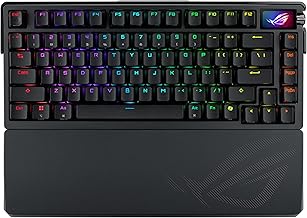 Premium pick · ASUS ROG Azoth Extreme — Check price on Amazon →
 Best for gaming · Lemokey P1 HE — Check price on Amazon →
 Best overall · Keychron Q1 Max — Check price on Amazon →
Keychron Q1 Max — Best Overall
The Keychron Q1 Max remains the board most reviewers and keyboard communities point to as the all-rounder to beat. Its full-aluminum, gasket-mounted construction produces a satisfying, dampened keystroke with very little case ping. Tri-mode wireless means you can connect to up to three Bluetooth devices, a dedicated 2.4 GHz dongle for low-latency work, and USB-C when you want zero compromise on response time.
QMK and VIA firmware support is the real differentiator for power users. You can remap every key, create complex macros, and tweak RGB behavior per-layer—all through an open-source interface rather than bloated proprietary software. The included rotary knob (volume by default, but fully programmable) is a small luxury that becomes indispensable fast.
Lemokey P1 HE — Best for Gaming
The Lemokey P1 HE has emerged as one of the best 75 percent keyboard options in 2026 for competitive gamers, largely thanks to its Hall-effect magnetic switches. These allow adjustable actuation points—set a hair-trigger 0.2 mm actuation for rapid keypresses in shooters, or dial it back for comfortable typing. Multiple review sources, including RTINGS, rank it as the top 75% pick for most people.
Like its Keychron sibling (Lemokey is a sub-brand), it supports QMK/VIA and tri-mode wireless. The aluminum case and gasket mount keep it feeling premium, and hot-swap sockets mean you can change to different Hall-effect switches down the line. If you split time between gaming and productivity, the P1 HE handles both without compromise.
ASUS ROG Azoth Extreme — Premium Pick
For enthusiasts willing to invest in a flagship, the ASUS ROG Azoth Extreme justifies its premium positioning with a meticulously machined aluminum case, per-key RGB backlighting, and a small OLED display that shows system info, custom animations, or quick settings. Build quality is exceptional—reviewers consistently praise the heft and zero-flex chassis.
It supports tri-mode wireless and hot-swap MX-style sockets. The gasket mount is tunable via included dampening pads. ASUS's Armoury Crate software isn't as elegant as VIA, but it offers deep customization including per-key actuation adjustments on supported ROG switches. If you want a conversation-piece keyboard that also performs at a high level, this is the one.
NuPhy Air75 V3 — Best Low-Profile
Not everyone wants a thick, heavy keyboard. The NuPhy Air75 V3 is a slim, low-profile 75% board designed for portability and clean desk aesthetics. It uses low-profile mechanical switches (hot-swappable) with surprisingly good tactile feedback for their size, and connects via Bluetooth, 2.4 GHz, or USB-C.
The trade-off is keycap compatibility—standard MX-style caps won't fit—and the smaller battery means slightly less wireless endurance. But for anyone who carries a keyboard between the office and home, or pairs it with a tablet, the Air75 V3 is the lightest, sleekest option in this roundup.
AULA F75 Pro — Budget Pick
The AULA F75 Pro proves you don't need to spend a premium to get a genuinely good gasket-mounted, hot-swap 75% keyboard. It offers tri-mode wireless, a rotary knob, and pre-lubed switches in a package that dramatically undercuts the competition. Multiple reviewers flag it as the best value in the 75% space for 2026.
The plastic case is the obvious cost-cutting measure, and the proprietary software is basic compared to QMK/VIA. But the typing experience—thanks to that gasket mount and decent stock stabilizers—punches well above its weight class. If you're keyboard-curious but not ready to invest heavily, start here.
How to Choose Between Them
- Daily driver / work + light gaming: Keychron Q1 Max gives you the broadest feature set with the best firmware ecosystem.
- Competitive gaming: Lemokey P1 HE's adjustable Hall-effect switches are purpose-built for fast, precise inputs.
- Enthusiast / premium build: ASUS ROG Azoth Extreme delivers flagship materials and features.
- Portability: NuPhy Air75 V3 is the only low-profile option here and the easiest to travel with.
- Tight budget: AULA F75 Pro delivers 80% of the premium experience at a fraction of the cost.
FAQ
Is a 75% keyboard good for programming?
Yes. You retain the function row (essential for IDE shortcuts and debugging) and arrow/navigation keys, while freeing up mouse space. Most programmers find 75% to be the smallest practical layout.
Do gasket-mount keyboards feel different from tray-mount?
Noticeably. Gasket mounts suspend the plate on soft gaskets, resulting in a slight flex and a softer bottom-out. Tray mounts feel stiffer and can produce more case ping.
Can I use any MX-style switch in a hot-swap 75% keyboard?
In standard hot-swap boards like the Keychron Q1 Max or AULA F75 Pro, yes—any 3- or 5-pin MX-compatible switch will work. Hall-effect boards like the Lemokey P1 HE require magnetic switches. Low-profile boards like the NuPhy Air75 V3 need low-profile switches only.
Is 2.4 GHz wireless noticeably faster than Bluetooth for gaming?
Generally yes. 2.4 GHz dongles typically deliver 1 ms polling rates with consistent latency, while Bluetooth varies between 5–15 ms depending on the implementation. For competitive gaming, 2.4 GHz or wired is recommended.
Are 75% keyboards too small for office work?
Not for most people. The only keys you lose compared to a full-size board are the number pad and some redundant navigation keys. If you do heavy data entry with numbers, consider a separate number pad rather than a larger keyboard.
Our picks
Keychron Q1 Max 75% QMK/VIA Wireless Custom Mechanical Keyboard with Knob | Full Aluminum, QMK/VIA, Hot-Swappable, 2.4 GHz/Bluetooth/Wired, 1000 Hz, RGB, Knob, Jupiter Red, Shell White
Full-aluminum gasket mount with tri-mode wireless, QMK/VIA, and a rotary knob. Hard to beat.
LEMOKEY P1 HE 75% Wireless Hall Effect Magnetic Gaming Keyboard with Knob
Hall-effect switches with adjustable actuation make this a competitive gaming powerhouse.
ASUS ROG Azoth Extreme Wireless Mechanical Gaming Keyboard – 75% TKL, ROG NX Snow Linear Switches, PBT Keycaps, Aluminum Chassis, Carbon Fiber, Gasket Mount, Color OLED Screen, PC/Mac Support - Black
Machined aluminum case, OLED display, and per-key RGB for enthusiasts who want it all.
nuphy Air75 V3 Low Pofile Mechanical Keyboard with Multi-Function Knob
Sleek low-profile design with wireless connectivity—ideal for travel and slim desk setups.
AULA F75 Pro Wireless Mechanical Keyboard,75% Hot Swappable Custom Keyboard with Knob,RGB Backlit,Pre-lubed Reaper Switches,Side Printed PBT Keycaps,2.4GHz/USB-C/BT5.0 Mechanical Gaming Keyboards
Gasket mount and hot-swap sockets at a fraction of the price. Incredible value.
Get the best tech deals in your inbox
Join the BytePlaza newsletter for hand-picked gadget deals and new buying guides. No spam, unsubscribe anytime.
Related reads
65% Keyboards in 2026: 5 Compact Picks That Earn Desk Space
Looking for the best 65% keyboard in 2026? We compare hot-swap compact boards, explain what you lose versus TKL, and rank five layouts worth the desk savings.
TKL Keyboards in 2026: 5 Picks That Earn Their Desk Space
Looking for the best tenkeyless keyboard in 2026? We compared five TKL mechanical boards on switches, hot-swap, wireless, and build quality.
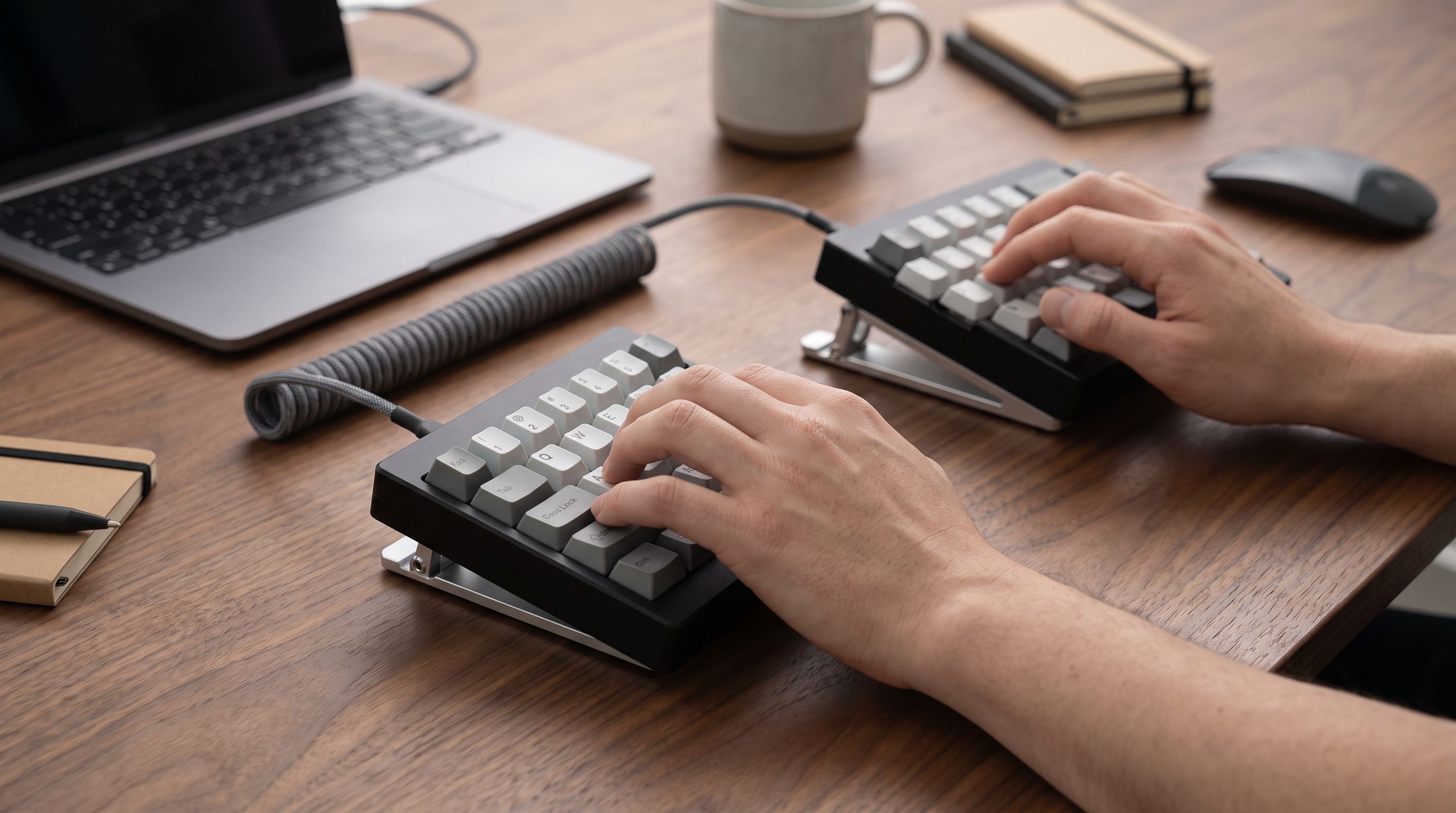
Split Ergonomic Keyboards in 2026: 5 Picks for Wrist Pain
The best split ergonomic keyboard for 2026, compared on tenting range, learning curve and wireless support — from beginner-friendly splits to full columnar boards.