4K Webcams in 2026: 5 AI-Framing Picks That Actually Hold Up
Looking for the best 4K webcam in 2026? We compared AI framing, sensor size, low-light handling and mounts across five top models for hybrid workers.
Reader-supported: we may earn a commission from links on this page, at no extra cost to you. It never affects our picks. Learn more.
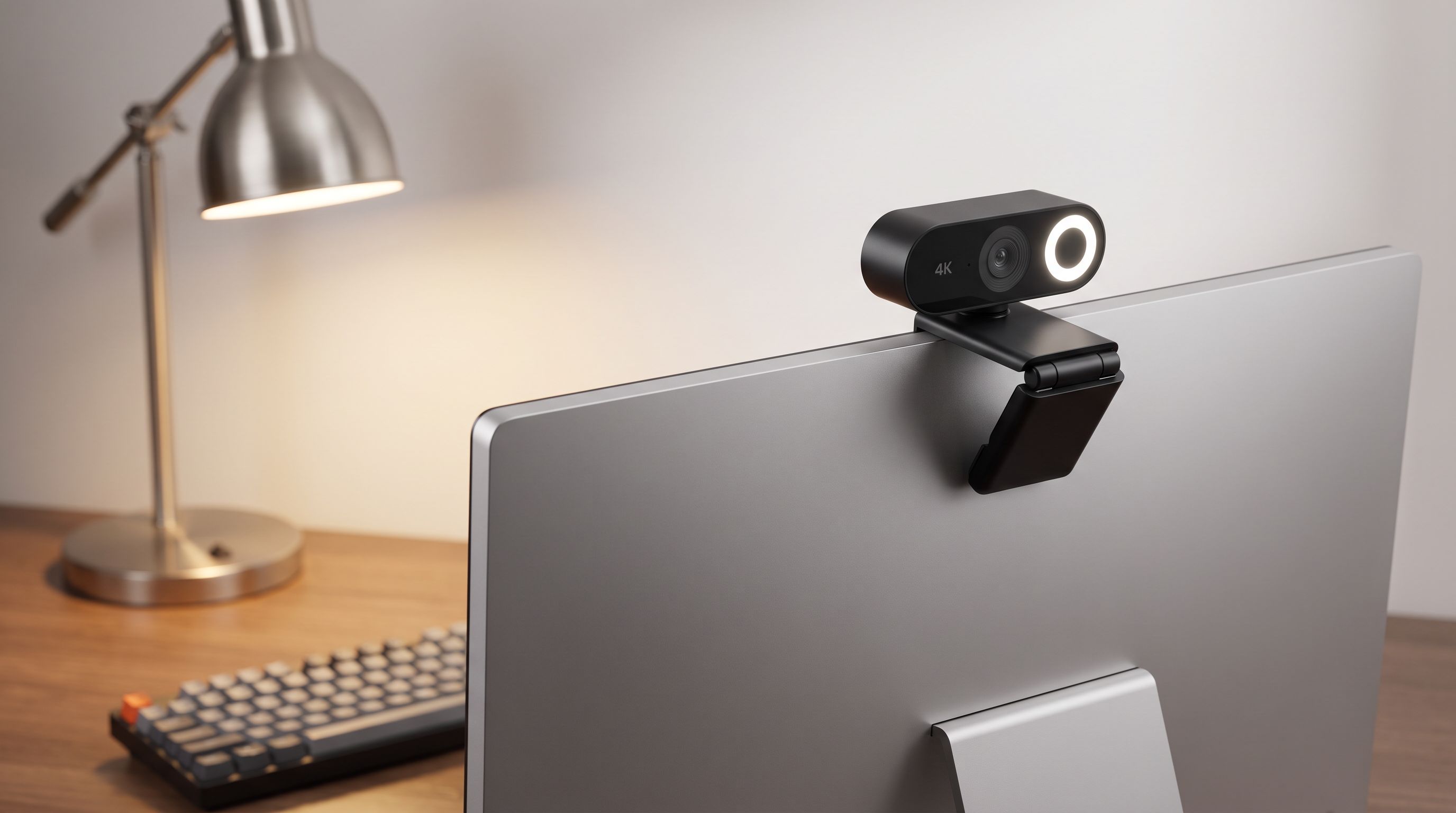
Most "4K webcam" marketing is about pixel count. In practice, the thing that makes you look competent on a 10 a.m. call is not resolution — it's sensor size, exposure logic, and whether the camera's AI framing keeps you centered without lurching around every time you reach for coffee.
BytePlaza researches and compares gear using manufacturer specifications, independent lab reviews and verified owner feedback; we don't physically test units ourselves. For this guide we cross-referenced current 2026 reviews, spec sheets and long-term owner comments to figure out which AI-framing 4K webcams actually earn the upgrade from the camera in your laptop lid.
What "AI framing" actually means in 2026
Three different implementations get sold under the same label, and they behave very differently:
- Digital crop framing (Logitech RightSight, most budget cams): the sensor captures a wide field, software crops to you, and the crop pans as you move. No moving parts, silent, but every bit of "zoom" costs resolution. This is why a big sensor matters — a 4K sensor cropped to a head-and-shoulders frame is roughly a 1080p feed.
- Motorized gimbal tracking (OBSBOT Tiny 2): the camera physically pans and tilts. You keep full sensor resolution at any framing and can walk a whiteboard. Downside: audible motors, bulkier body, more to go wrong.
- Hybrid / scene AI (Insta360 Link 2C Pro, Logitech MX Brio 705 for Business): framing plus gesture triggers, whiteboard modes, desk-view flips and AI noise reduction on the mic.
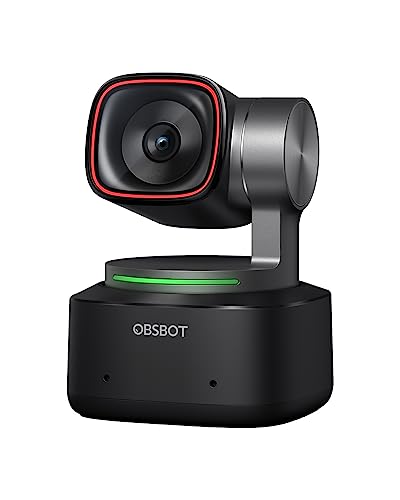 Best AI tracking · OBSBOT Tiny 2 — Check price on Amazon →
 Best for hybrid work · Logitech MX Brio 705 for Business — Check price on Amazon →
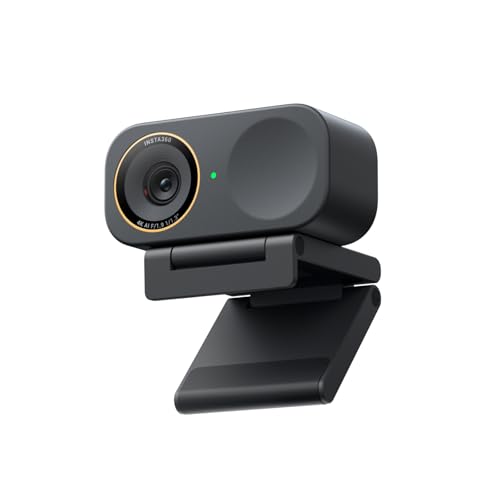 Best overall · Insta360 Link 2C Pro — Check price on Amazon →
For a hybrid worker who mostly sits still, digital framing is fine and less distracting. For anyone who presents standing up or teaches, gimbal tracking is the only one that genuinely works.
How we ranked these
We weighted four things, in this order:
- Sensor and low-light behavior. Home offices are lit badly. A larger sensor with bigger pixels beats a higher megapixel count every time.
- Exposure and white balance stability. The single most common complaint in owner reviews isn't softness — it's a camera that hunts for exposure whenever a window brightens.
- Framing behavior under real use. Does tracking feel like a camera operator or a nervous squirrel? Can you turn it off per-app?
- Mount and software. Thin monitor bezels, 1/4"-20 tripod threads, firmware stability, and whether the config app runs on both macOS and Windows without drama.
The comparison at a glance
| Model | Framing type | Max video | Standout strength | Watch out for |
|---|---|---|---|---|
| Insta360 Link 2C Pro | AI digital tracking + gesture control | 4K | Best all-round image and mic quality for the money | No motorized gimbal; tracking is crop-based |
| Logitech MX Brio 705 for Business | RightSight digital framing + Show Mode | 4K | Large 8.5MP sensor, business device management | Business SKU often sold through channel, not always on shelves |
| OBSBOT Tiny 2 | Motorized 2-axis gimbal | 4K | Genuine room-scale tracking with gestures | Motor noise; larger footprint on a laptop lid |
| Elgato Facecam Pro | Manual / fixed focus, no tracking | 4K at 60fps | Uncropped 4K60 and deep manual control | Fixed focus demands a set distance; needs good light |
| Logitech Brio 505 | RightSight digital framing | 4K | Rock-solid auto-exposure at a sane price | Smaller sensor than the MX Brio; softer in dim rooms |
 Best value · Logitech Brio 505 — Check price on Amazon →
 Best for 4K60 video · Elgato Facecam Pro — Check price on Amazon →
The picks
Insta360 Link 2C Pro — best overall
Across 2026 round-ups, the Link 2C Pro keeps landing at or near the top for image quality, and reviewers consistently single out its microphone and design as a cut above the usual webcam standard. For a hybrid worker, that combination matters more than headline specs: a clean mic means you can skip a headset for internal calls, and reliable skin tones mean you're not fiddling with a settings app before every meeting.
Its AI tracking is crop-based rather than gimbal-driven, which has a real upside — it's silent and it doesn't look like a surveillance device staring at you. Gesture controls let you start and stop tracking or zoom without touching the keyboard. The clip is low-profile enough for a thin-bezel monitor, and there's a tripod thread if you'd rather mount it properly. If you want one camera that's great at the default thing most people do (sit at a desk and talk), this is it.
Logitech MX Brio 705 for Business — best for hybrid work
The MX Brio 705 is Logitech's answer to "my IT department has opinions." It pairs a notably large 8.5MP sensor with RightSight auto-framing, AI-assisted exposure that holds up against backlit windows, and Show Mode — a hinge flip that turns the camera into a top-down desk cam for sketching or showing a document. Current working-from-home round-ups routinely name it the best balance of 4K quality and AI features for office use.
The "for Business" part is not just branding: it's manageable through Logitech's device management tooling, which matters if you're buying for a team rather than yourself. The trade-off is availability — the business SKU moves through channel partners and stock can be inconsistent.
OBSBOT Tiny 2 — best AI tracking
If you actually move, the Tiny 2 is the one. A physical 2-axis gimbal with a 1/1.5-inch sensor means you can stand up, walk to a whiteboard and stay framed at full resolution instead of a progressively degraded digital crop. Gesture control — raise a palm to start tracking, make an L-shape to zoom — is the rare gimmick that people keep using months later, judging by owner feedback.
It's the pick for trainers, teachers, demo-heavy salespeople and anyone who presents on their feet. It's not the pick if you want something discreet: it's chunky, the motors are quietly audible in a silent room, and it needs OBSBOT's software for the good stuff.
Elgato Facecam Pro — best for 4K60 video
The Facecam Pro is the odd one out here because it deliberately doesn't do AI framing. It shoots uncropped 4K at 60fps with a fixed-focus lens and hands you full manual control of exposure, ISO, white balance and shutter through Camera Hub — settings that save to the camera's onboard memory, so they follow you across machines.
That makes it the right tool for streaming, recorded video and anyone who wants a camera that behaves identically every single day. Fixed focus means you need to sit at a consistent distance, and like any webcam it rewards decent lighting. If you own a key light already, this is the quality ceiling in a non-interchangeable-lens body.
Logitech Brio 505 — best value
Wirecutter's current pick for best webcam overall is the Brio 505, and the reasoning is sensible: 4K capture, RightSight auto-framing, and genuinely reliable exposure in a package that costs far less than the flagships. It has a privacy shutter built into the mount, works across Windows and macOS without a bespoke app, and clips securely to laptop lids and monitors alike.
You give up the MX Brio's larger sensor, so it's softer and noisier in dim rooms, and the AI framing is basic compared with the Insta360 or OBSBOT. For most hybrid workers upgrading from a laptop camera, that's still a night-and-day improvement.
Buying notes that matter more than specs
Check your mount before you buy. Ultra-thin monitor bezels and some curved ultrawides defeat clip mounts. A 1/4"-20 thread plus a small desk arm solves this permanently and usually gets the camera to eye level, which is a bigger flattery upgrade than any sensor.
4K isn't always 4K on the call. Teams, Zoom and Meet compress aggressively and often cap at 1080p or lower. The real benefit of a 4K sensor on calls is oversampling — more data for cleaner 1080p — plus headroom for digital framing crops. If you record or stream, 4K matters directly.
One lamp beats one upgrade. A diffused light source at roughly eye level will do more for your on-camera appearance than moving up a tier. Budget for it alongside the camera.
Watch USB bandwidth. 4K60 and some uncompressed modes want a USB 3.x port directly on the machine. Hubs and long cables are a frequent source of "my new webcam only offers 1080p" support tickets.
FAQ
Is a 4K webcam worth it if my meetings are capped at 1080p?
Usually yes, but for indirect reasons. Downsampling a 4K sensor to 1080p produces a cleaner, less noisy image than a native 1080p sensor, and it leaves resolution in reserve when AI framing crops in on you.
Does AI framing work in Zoom, Teams and Google Meet?
Framing happens on the camera or in its companion app, so the video conferencing software just sees a normal webcam feed — it works everywhere, including browser-based calls. Gesture controls and extras like Show Mode generally need the vendor's app installed.
Gimbal tracking or digital framing?
Digital framing if you sit at a desk: it's silent, smaller and less distracting. Gimbal tracking, like the OBSBOT Tiny 2, if you stand, move or present — it keeps full resolution at any framing instead of cropping into the sensor.
Do I still need a separate microphone?
For client-facing or recorded work, yes — a dedicated mic will always beat a webcam array. For internal calls, the mics on the Insta360 Link 2C Pro and MX Brio 705 are good enough that most people stop reaching for a headset.
Will a webcam fix bad lighting?
No. Larger sensors like those in the MX Brio 705 and OBSBOT Tiny 2 tolerate dim rooms better, but every webcam in this guide looks dramatically better with a single soft light in front of you.
Our picks
Insta360 Link 2C Pro – 4K Webcam for PC/Mac, 1/1.3” Sensor, Low-Light, Auto Framing, HDR, Directional Noise-Canceling Mics, Supports Stream Deck, Zoom, Teams, Twitch for Streaming or Meetings
Gimbal-free AI tracking, strong 4K detail and a mic that holds up in untreated home offices.
Logitech MX Brio 705 for Business 4K Webcam - Graphite | Auto Light Correction, Ultra HD, Framing, Show Mode, USB-C, Works with Microsoft Teams, Zoom, Google Meet
Large 8.5MP sensor, Show Mode desk view and enterprise-grade device management.
OBSBOT Tiny 2 Webcam 4K Voice Control PTZ, AI Tracking Multi-Mode & Auto Focus, Web Camera with 1/1.5" Sensor, Gesture Control, 60 FPS, HDR Light Correction, Webcam for PC, Streaming, Meeting, etc.
Motorized gimbal with gesture control and a 1/1.5-inch sensor for real room-scale tracking.
Elgato Facecam 4K, 4K60 Studio Webcam, DSLR-Like Control | Sony STARVIS 2 sensor, 49mm lens filter support, Uncompressed video, HDR support, Eco-friendly build, USB-C
True uncropped 4K at 60fps with fixed-focus optics and deep manual control in Camera Hub.
Logitech Brio 505 Full HD 1080p Business Webcam with Auto Light Correction | Auto framing, dual noise reduction mics, integrated privacy shutter, compatible with Teams, Meet, and Zoom, TAA compliant
Reliable auto-exposure, RightSight framing and a privacy shutter at a far friendlier price.
Get the best tech deals in your inbox
Join the BytePlaza newsletter for hand-picked gadget deals and new buying guides. No spam, unsubscribe anytime.
Related reads
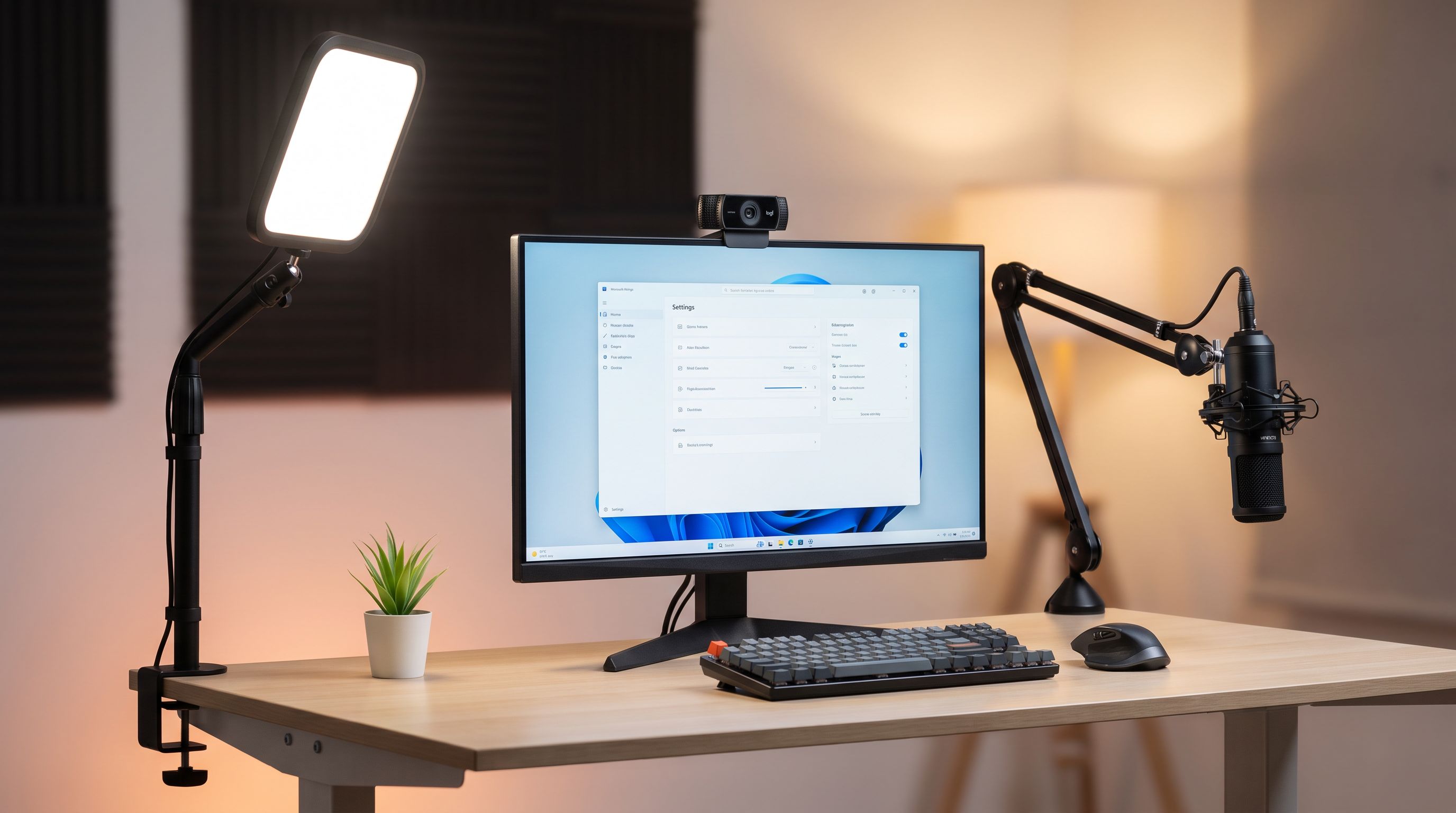
Streaming Webcam Setup 2026: Camera, Light, Mount
Build a complete streaming webcam setup in 2026: the best 4K cams paired with key lights and mounts that actually match, so nothing looks mismatched on stream.
Laptop Stands in 2026: 5 Risers That Actually Fix Posture
The best laptop stand 2026 picks compared: aluminum risers, adjustable arms and travel-friendly folders, ranked by posture, cooling and desk footprint.
Which Webcam Should You Buy in 2026? 4K vs 1080p
The best webcam in 2026 depends on light, not megapixels. We compare 4K and 1080p picks on autofocus, low-light noise, mics and AI framing for calls and streams.