Which Chromebook Should Students Buy in 2026?
We compared Chromebook Plus laptops on screen quality, battery life, AI features and AUE support dates to find the best Chromebook 2026 picks for students.
Reader-supported: we may earn a commission from links on this page, at no extra cost to you. It never affects our picks. Learn more.
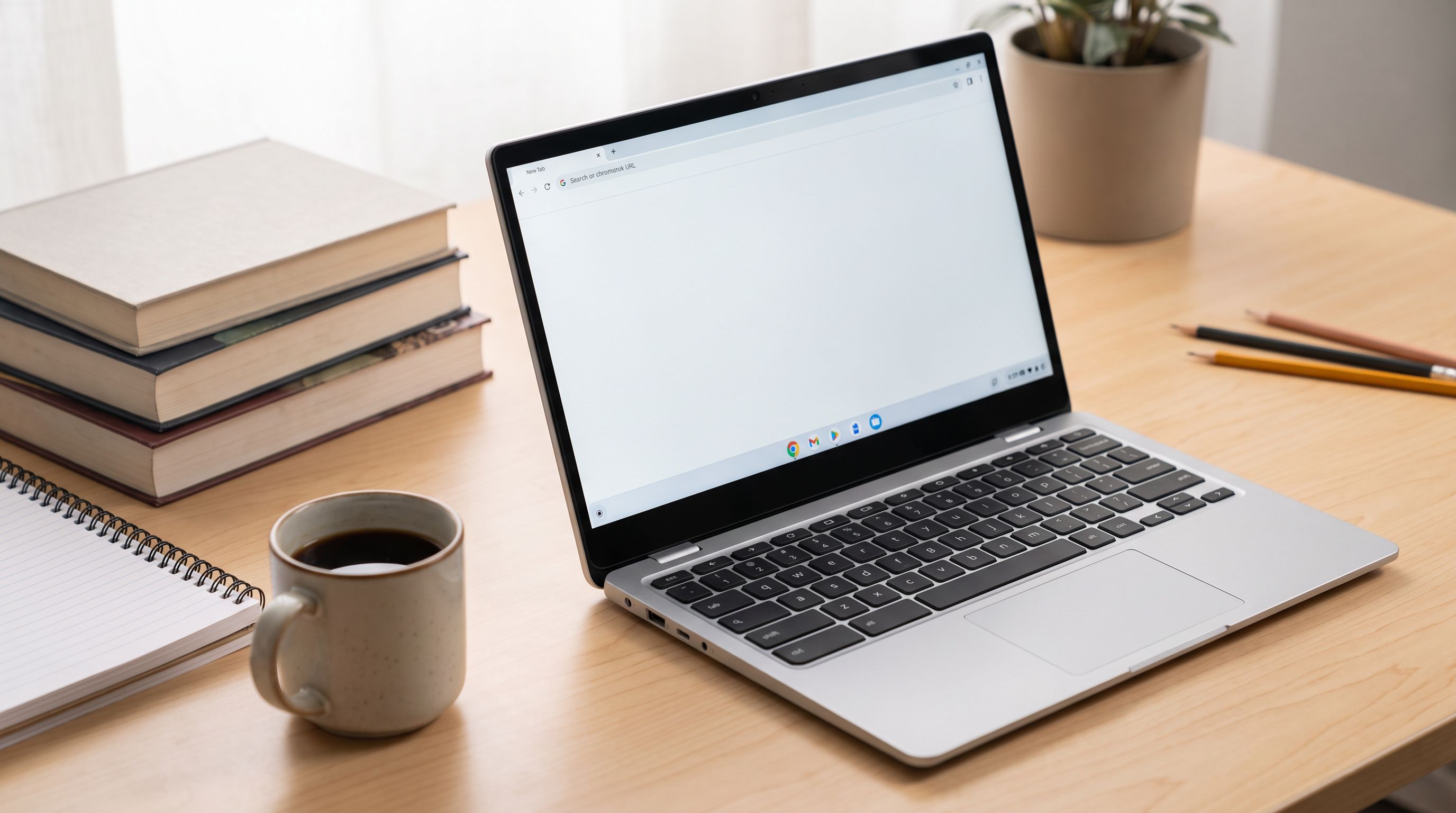
Chromebooks stopped being "the cheap laptop you settle for" somewhere around the launch of the Chromebook Plus standard, and 2026 is the year that shift finally feels complete. A Chromebook Plus isn't a brand — it's a minimum spec bar Google enforces: a 12th-gen Intel Core i3 (or better), AMD Ryzen 3 7000-series or equivalent, at least 8GB of RAM, 128GB of storage, a 1080p-or-better display, and a 1080p webcam with noise reduction. That one rule change wiped out the worst Chromebook experience of the past decade: 4GB of RAM and a washed-out 768p screen.
For students and families, that makes shopping easier. You mostly need to answer three questions: how long will it get updates, is the screen good enough to stare at for four years, and does it survive a full day of classes on one charge?
How we picked
BytePlaza doesn't physically test units. We compared manufacturer specifications, independent review outlets (including Wirecutter, Engadget and PCMag's 2026 roundups), Google's published Auto Update Expiration data, and verified owner feedback on durability, hinge wear and real-world battery life. Where review outlets disagreed, we weighted long-form testing over short impressions.
The thing nobody checks: AUE dates
Every Chromebook has an Auto Update Expiration date — the point where Google stops shipping ChromeOS and security updates. Google now commits to 10 years of automatic updates from the platform's release date for devices launched since 2021, which is genuinely excellent. The catch: the clock starts from when the hardware platform shipped, not when you bought the laptop.
So a clearance Chromebook from a 2022 platform might have six years left, not ten. Before you buy anything — especially a discounted model — look up the exact model on Google's ChromeOS Auto Update policy page. A $100 saving isn't a saving if it costs you three years of support.
Screen quality matters more than chip speed
For typical student work — Docs, Slides, browser tabs, Zoom, maybe Linux for a CS class — almost any Chromebook Plus has enough CPU. What you actually feel every day is the panel. Look for:
- 1080p minimum (guaranteed by Chromebook Plus), and 1200p / 16:10 if you can get it — that extra vertical space is real on a document.
- Brightness around 300 nits or higher. Below that, a library window or an outdoor bench becomes unusable.
- Matte vs glossy. Touchscreen models are usually glossy and reflective; non-touch matte panels are kinder in bright rooms.
The 2026 picks
Acer Chromebook Plus Spin 714 — best overall
 Best overall · Acer Chromebook Plus Spin 714 — Check price on Amazon →
This is the Chromebook most reviewers converge on, and PCMag has it as their top overall pick. It's a convertible with an aluminium chassis, a bright 14-inch touchscreen, a garaged stylus on most configurations, and Intel Core Ultra-class silicon that makes it feel more like a mainstream Windows ultrabook than a budget machine. It's also one of the few Chromebooks with enough headroom to run multiple Linux containers without complaint.
It costs noticeably more than the rest of this list. The argument for spending it: a long AUE runway plus genuinely premium build means this is a four-year machine for a student who'll actually lean on it.
Asus Chromebook Plus CX34 — best value
 Best value · Asus Chromebook Plus CX34 — Check price on Amazon →
Wirecutter's current top pick, and for good reason. The CX34 does the fundamentals without drama: a 14-inch 1080p display, a comfortable keyboard with proper travel, enough ports that you don't immediately need a dongle, and Chromebook Plus internals. It's not exciting and the plastic chassis won't win awards, but for a high schooler or an undergrad who mostly lives in a browser, it's the smartest allocation of money on this list.
Lenovo Chromebook Plus 2-in-1 14 — best for note-taking
 Best 2-in-1 for note-taking · Lenovo Chromebook Plus 2-in-1 14 — Check price on Amazon →
If your student handwrites notes, annotates PDFs or sketches diagrams, the convertible form factor earns its keep. Lenovo's 14-inch 2-in-1 flips flat into tablet mode, has a touchscreen that handles stylus input well, and reviewers consistently call out strong battery life. It's the pick for lecture-heavy courses where you're switching between typing and drawing.
Acer Chromebook Plus 516 GE — best big screen
 Best big screen · Acer Chromebook Plus 516 GE — Check price on Amazon →
A 16-inch, 1200p, high-refresh panel is unusual at this price point in any operating system. The 516 GE was built with cloud gaming in mind (GeForce NOW, Xbox Cloud), but that same spec sheet makes it a great stationary dorm-desk machine: more screen for split-view research, a numeric keypad, and RGB keyboard lighting if that's your thing. It's heavier and less portable — treat it as a desktop replacement rather than a backpack laptop.
Acer Chromebook 314 — budget pick
 Budget pick · Acer Chromebook 314 — Check price on Amazon →
Not a Chromebook Plus, and we're honest about that trade-off: lower screen quality and less headroom for multitasking. But if the budget ceiling is firm and the use case is genuinely light — Google Docs, YouTube, a handful of tabs — the 314 is a durable, lightweight, long-battery machine that won't frustrate a younger student. Check its AUE date carefully before buying.
Comparison table
| Model | Screen | Form factor | Best for | Watch out for |
|---|---|---|---|---|
| Acer Chromebook Plus Spin 714 | 14" touchscreen, bright, 16:10 | Convertible 2-in-1 | Power users, CS students, Linux apps | Highest price here |
| Asus Chromebook Plus CX34 | 14" 1080p | Clamshell | Everyday school work on a budget | Plain plastic build |
| Lenovo Chromebook Plus 2-in-1 14 | 14" 1080p touchscreen | Convertible 2-in-1 | Handwritten notes, PDF annotation | Glossy screen reflects |
| Acer Chromebook Plus 516 GE | 16" 1200p, high refresh | Clamshell | Dorm desk, cloud gaming, multitasking | Heavy for daily carry |
| Acer Chromebook 314 | 14" standard panel | Clamshell | Light use, youngest students | Not a Chromebook Plus |
What the AI features actually do
Chromebook Plus unlocks Google's on-device and cloud AI layer, and it's worth knowing what's real versus marketing. The genuinely useful bits for students: "Help me write" in text fields across the OS, live captions and translation on any audio or video, Google Photos Magic Editor included, and Gemini integration in the launcher for quick summarising and drafting. Some Chromebook Plus purchases also bundle a trial of Google AI Pro — useful, but a trial, not a permanent feature.
What's less useful: AI wallpaper generators and video-call background effects. Don't let them drive the buying decision. Buy for screen, keyboard, battery and support window; treat AI as a bonus.
Battery claims vs reality
Manufacturers quote battery life from a standardised test with a dimmed screen and light workload. Independent reviewers routinely measure 2–4 hours less than the claim with brightness at 50% and a normal tab load. A practical rule: take the advertised figure, subtract about 25–30%, and ask whether what's left covers a day of classes. Most of the Chromebook Plus models here clear a full school day comfortably; the 16-inch 516 GE is the one most likely to need a charger in the bag.
FAQ
Is a Chromebook enough for university coursework? For most humanities, business and social science programmes, yes — everything runs in the browser, and ChromeOS has solid Linux support for development work. The exception is any course that mandates specific Windows or macOS software, such as certain engineering CAD, architecture or professional audio and video tools. Check your department's software list first.
What's the difference between Chromebook and Chromebook Plus? Chromebook Plus is a certification requiring stronger minimum hardware (at least 8GB RAM, 128GB storage, 1080p screen and webcam, and a qualifying processor) plus access to Google's AI feature set. Any Chromebook Plus will feel meaningfully faster and look better than a base Chromebook.
Can Chromebooks run Microsoft Office? The web versions of Word, Excel and PowerPoint work well and are free with a Microsoft account. The full desktop apps don't install. For most student documents, this is a non-issue.
How much RAM should a student get? 8GB is the Chromebook Plus floor and is fine for typical use. Step up to 16GB if you keep 20-plus tabs open, run Linux containers, or plan to keep the machine for four years or more.
Do Chromebooks work offline? Yes. Google Docs, Sheets, Slides, Gmail and many Android apps have offline modes, but you need to enable offline access before you lose connection. Set it up on day one.
Our picks
Acer Plus Spin 714 14" WUXGA Touch 2-in-1 Chromebook, Intel Core Ultra 5 115U, 8GB LPDDR5, 1.25TB Storage(256GB SSD&1TB Dock Station), Intel Graphics, Backlit Keyboard, DTS Audio, Chrome OS, Gray
Premium 2-in-1 build, bright 14-inch touchscreen and Core Ultra-class power that holds up for years.
ASUS Chromebook Plus CX34 CX3402CBA-DH388-GR 14" Chromebook - Full HD - Intel Core i3 12th Gen i3-1215U - 8 GB - 128 GB Flash Memory - Rocky Gray - Intel Chip - 1920 x 1080 - ChromeOS - UHD Graphics -
A no-drama 14-inch 1080p Chromebook Plus that covers school work without overspending.
Lenovo Chromebook Plus 2-in-1 - Lightweight Laptop - Google Gemini - Intel® N355 CPU - 14" WUXGA IPS Touchscreen Display - 8GB RAM - 256GB UFS Storage - Integrated Graphics - Fingerprint Reader
Flips into a tablet with a responsive touchscreen and strong battery life for lecture days.
acer Chromebook Plus 516 Laptop, 16" WUXGA IPS Display, Intel Core i3-1315U, 8GB LPDDR5 RAM, 128GB UFS Storage, Wi-Fi 6E, FHD Webcam, Google AI Ready, HDMI, USB-A&C, ChromeOS, Steel Gray
A 16-inch 1200p panel with a 120Hz-class display that doubles as a cloud gaming machine.
Acer Gateway Chromebook 314 CBO314-1H-C476 Laptop | Intel Celeron N4500 | 14" Full HD (1920 x 1080) Display | 4GB LPDDR4X | 64GB eMMC | Wi-Fi 5 802.11ac | Chrome OS | Star Black
Cheapest sensible option for light browsing and Google Docs when Chromebook Plus is out of budget.
Get the best tech deals in your inbox
Join the BytePlaza newsletter for hand-picked gadget deals and new buying guides. No spam, unsubscribe anytime.
Related reads
14-Inch Laptops in 2026: 5 Picks That Actually Commute
The best 14 inch laptop 2026 picks compared on weight, battery, ports and screen — Windows, Mac and Chromebook ultraportables ranked for real commuters.
Prime Big Deal Days 2026: Laptop Deals Worth The Wait
Prime Big Deal Days 2026 runs Oct 6–7. Here's which budget, everyday and gaming laptops are worth watching, what a real discount looks like, and how to spot fake "was" prices.
Portable Monitors for MacBook in 2026: 5 One-Cable Picks
The best portable monitor for MacBook in 2026, ranked by brightness, weight and stand design — plus which models truly run off a single USB-C cable.