Tablet Stands in 2026: Desk, Bed and Floor Picks That Hold
Looking for the best tablet stand in 2026? We compare desk, gooseneck bed and floor stands by tablet weight, viewing angle and stability — plus who each one suits.
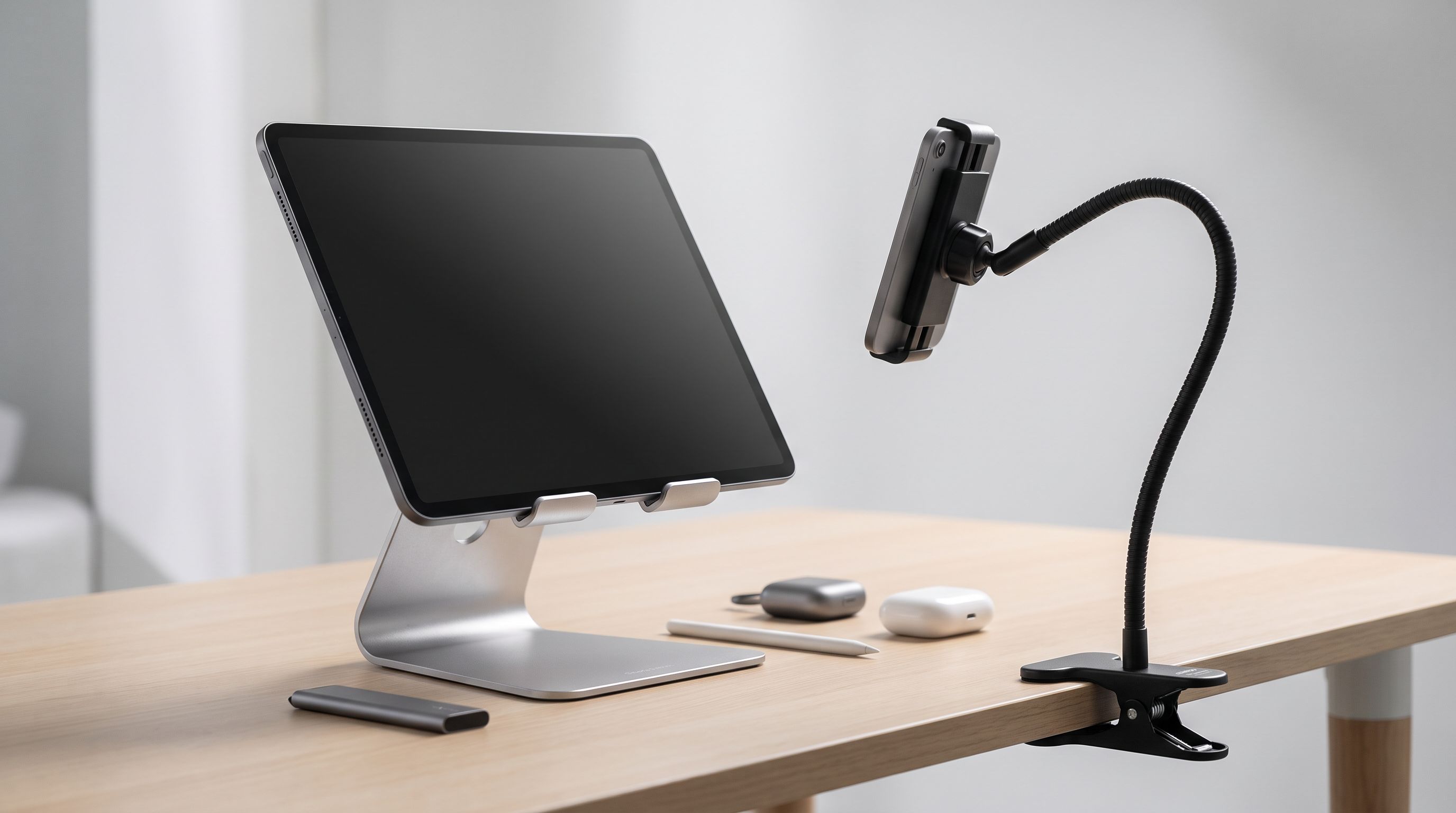
Reader-supported: we may earn a commission from links on this page, at no extra cost to you. It never affects our picks. Learn more.
Tablet stands look like the most boring accessory you can buy — right up until you own the wrong one. A stand that wobbles every time you tap the screen, droops under a 12.9-inch iPad Pro, or can't tilt far enough back for reading in bed turns a great tablet into a mildly irritating one.
We compared the most widely recommended desk, gooseneck and floor stands against manufacturer specs, independent review roundups and verified owner feedback to work out which style suits which job — and where the failure points are. Below: how to match a stand to your tablet's weight and your viewing angle, plus five picks worth your money in 2026.
The three stand types, and who each one is for
Desk stands (weighted cradle)
The default. A heavy base, an adjustable hinge, and a lip that cradles the bottom edge of the tablet. Best for video calls, second-screen use, recipes, sheet music and drawing at a shallow angle.
Strengths: cheap, stable, no assembly, fold-flat models travel well. Weakness: the tablet sits low. If you're using one for hours, you'll still be looking down — pair it with a taller riser if neck strain is the issue you're actually trying to solve.
Gooseneck arms (clamp mount)
A clamp grips a desk edge, bed frame or headboard, and a flexible or multi-joint arm suspends the tablet wherever you want it — including directly overhead.
Strengths: the only realistic option for lying flat in bed; frees up the surface entirely. Weakness: droop. This is the number one complaint across owner reviews for the whole category. Long arms plus heavy tablets equals slow sag, and cheap goosenecks bounce for a second or two after every tap. Buy one rated above your tablet's weight, not at it.
Floor stands
A pole on a weighted base, height-adjustable, usually with a rotating tablet head. Made for couches, beds, treadmills, kitchens and workshops.
Strengths: positions a screen at eye level anywhere in a room. Weakness: physics. A tall pole with a tablet on top is a lever. Base weight is the single spec that matters — the Lamicall floor stand's 5lb metal base is roughly the minimum for confident use with a large tablet, and lighter bases tip.
Match the stand to your tablet's weight
Most stand listings quote a size range ("4–13 inches") but size isn't what breaks a stand — mass and leverage are. A modern 11-inch tablet is around 460–480g; a 13-inch model with a keyboard case attached can pass 1.3kg. Keyboard folios roughly double the load and shift the centre of gravity backwards.
Rules of thumb we'd apply:
- Under 600g, no case: almost any aluminium desk stand works, including budget models like the OMOTON Adjustable Tablet Stand.
- 600g–1kg, or a folio case: you want a genuinely weighted base with stiff friction hinges — the UGREEN Adjustable Tablet Stand or the Lamicall Adjustable Tablet Stand.
- Over 1kg, or overhead use: clamp mount or heavy floor base only. Check the clamp jaw opening against your actual desk or bed frame thickness before buying.
 Budget pick · OMOTON Adjustable Tablet Stand — Check price on Amazon →
 Best for heavy tablets · UGREEN Adjustable Tablet Stand — Check price on Amazon →
 Best overall · Lamicall Adjustable Tablet Stand — Check price on Amazon →
Also check the cradle depth. Thick rugged cases (OtterBox-style) and keyboard cases often won't seat in shallow lips. Stands with an open-bottom or hook-style cradle handle cased tablets better.
Viewing angle: the spec nobody lists properly
Three angle bands cover most use:
- 15–30° — drawing, handwriting, typing on the screen. Needs a low, shallow stand that won't slide under palm pressure.
- 45–70° — video calls, recipes, second monitor. The everyday range; nearly every desk stand covers it.
- 75–120° — reading, streaming, overhead in bed. Desk stands almost never reach past vertical. This is gooseneck or floor stand territory.
If you want one stand to do both drawing and video, prioritise hinge friction over maximum range. A stand that reaches 15° but creeps under your hand is worse than one that starts at 25° and stays there.
Our picks compared
| Product | Type | Best for | Key strength | Watch out for |
|---|---|---|---|---|
| Lamicall Adjustable Tablet Stand | Desk cradle | Everyday desk use | Wide angle range, weighted base, consistently top-ranked | Sits fairly low for long sessions |
| Lamicall Tablet Floor Stand (5LB base) | Floor | Couch, bed, kitchen | Heavy metal base, height + rotation | Needs assembly; pole flex at full height |
| UGREEN Adjustable Tablet Stand | Desk cradle | Heavy/cased tablets | Stiff hinges, chunky base | Bulkier, less travel-friendly |
| Tounee Gooseneck Tablet Holder | Clamp gooseneck | Lying in bed | Long reach, overhead positioning | Clamp needs a suitable edge; some bounce |
| OMOTON Adjustable Tablet Stand | Desk cradle | Budget / travel | Folds flat, very light | Not for 13-inch tablets with keyboards |
 Best for bed · Tounee Gooseneck Tablet Holder — Check price on Amazon →
Lamicall Adjustable Tablet Stand — best overall
Lamicall dominates the best-seller lists and expert roundups for a reason: the aluminium build, rubberised contact points and hinge tension are a step above generic stands at similar money, and the angle range covers everything from shallow typing to near-upright video. It's the stand we'd buy without thinking for a home office or kitchen counter. Owner feedback is consistent that it handles 12.9-inch tablets without tipping — the common caveat is simply that, like all cradle stands, it keeps the screen low.
Lamicall Tablet Floor Stand with 5LB Metal Base — best floor stand
 Best floor stand · Lamicall Tablet Floor Stand with 5LB Metal Base — Check price on Amazon →
The floor stand category is full of flimsy poles; the 5lb base here is what separates it. Height adjusts for seated or standing use and the head rotates between portrait and landscape, which makes it genuinely useful for following recipes, workout videos or watching something from a bed. Expect some flex at maximum extension — that's true of every telescoping floor stand, and it's the trade-off for portability.
UGREEN Adjustable Tablet Stand — best for heavy tablets
UGREEN's stand gets repeatedly singled out in owner discussions for sheer sturdiness. The base is heavier and the hinges firmer than most, which is exactly what you want when a 13-inch tablet in a keyboard case is leaning back on it. It's less elegant and less packable than the Lamicall, so choose it if the stand lives permanently on one desk.
Tounee Gooseneck Tablet Holder — best for bed
If you read or watch lying flat, no desk stand will help you. A clamp gooseneck will. Tounee's arm is long enough to reach across a bed from a headboard or frame clamp, and the multi-section design holds position better than a single flexible tube. Measure your clamp point first — round tubular bed frames and thick headboards defeat some clamps — and accept that any arm this long will sway briefly when you touch the screen.
OMOTON Adjustable Tablet Stand — budget pick
A simple fold-flat aluminium cradle that does the fundamentals: adjustable angle, non-slip pads, works with phones too. It's the right answer for a travel bag, a spare stand for the kitchen, or a smaller tablet. It is not the answer for a large tablet in a heavy case.
Buying checklist
- Weigh your tablet with the case on. That's the number that matters.
- Check cradle depth if you use a thick or keyboard case.
- Measure your clamp surface before buying any gooseneck.
- Decide the angle band you actually need — past-vertical means gooseneck or floor.
- Look for cable pass-through at the cradle if you charge while docked.
- Aluminium over plastic at almost any price; it's stiffer and heavier where it counts.
FAQ
Will a tablet stand hold a 13-inch iPad Pro with a Magic Keyboard? Most desk cradles will physically hold it, but many won't hold it steadily. Look for a wide, weighted base and stiff hinges — the UGREEN and Lamicall desk stands are the safer bets. Also check the cradle is deep enough for the keyboard case's thickness.
Why do gooseneck stands droop? Because a long arm multiplies the tablet's weight at the joint. Pick an arm rated well above your tablet's weight, keep the arm as short as practical, and prefer multi-joint designs over a single flexible tube.
Can I use a tablet stand as a laptop stand? Small laptops sometimes fit a large cradle, but the balance is wrong and the lip usually blocks the keyboard. Buy a dedicated laptop riser instead.
Do I need portrait and landscape rotation? Only if you read documents, sheet music or comics. For video and calls, a fixed-landscape cradle is fine — and usually more rigid.
Is a floor stand better than a gooseneck for bed use? A gooseneck clamped to the bed frame is more stable and takes no floor space; a floor stand is easier to move between rooms and needs no clamp point. Choose by whether the stand stays in one place.
Our picks
Lamicall Phone Tablet Stand for Desk - White Desktop Holder for iPad Kindle
Weighted aluminium desk stand with a wide angle range that stays put with 12.9-inch tablets.
Lamicall Kindle Stand Tablet Holder 55" Height Adjust Extend Flexible Arm
Height-adjustable floor holder with a heavy metal base — stable enough for couch and kitchen use.
UGREEN Tablet Stand Holder for Desk Dual Rod Support Aluminum Tablet Holder Adjustable Multi-Angle Home Office Accessories Compatible with iPad Pro 13 12 11 10.5 Air Mini 5 4 3 2 Phone E-Reader Silver
Chunky weighted base and stiff hinges make it the steadiest simple desk stand for big tablets.
Lamicall Gooseneck Tablet Holder for Bed, Unique Tapered Flexible Arm
Long clamp-mounted gooseneck arm that positions a tablet overhead without drooping.
OMOTON T2 Tablet Stand for Desk, Aluminum Holder for iPad Pro/Air, Silver
Simple, compact fold-flat aluminium cradle that handles phones and mid-size tablets for little money.
Get the best tech deals in your inbox
Join the BytePlaza newsletter for hand-picked gadget deals and new buying guides. No spam, unsubscribe anytime.
Related reads
Monitor Arm vs Riser in 2026: Which Wins Small Desks?
Monitor arm vs riser in 2026: we compare clamp depth, VESA limits, cable routing and desk reclaim on small desks, with picks for arms and fixed risers.
Keyboard Wrist Rest Buying Guide 2026: Height Beats Hype
The best keyboard wrist rest for 2026 depends on height, firmness and board size. We compare memory foam, gel and wooden rests using specs and owner reviews.
Ultrawide Monitor Arms in 2026: 4 Picks That Hold 34"–49"
Choosing a monitor arm for an ultrawide monitor? We compare VESA weight limits, clamp depth and gas vs mechanical springs, with heavy-duty picks for 34–49" screens.