Portable Monitors for MacBook in 2026: 5 One-Cable Picks
The best portable monitor for MacBook in 2026, ranked by brightness, weight and stand design — plus which models truly run off a single USB-C cable.
Reader-supported: we may earn a commission from links on this page, at no extra cost to you. It never affects our picks. Learn more.
Apple made the MacBook the best laptop for working anywhere — and then gave you one screen to do it on. A portable monitor fixes that, but only if it behaves the way a Mac expects: video and power over a single USB-C cable, a panel that doesn't look washed out next to a Liquid Retina display, and a stand that survives being shoved in a backpack twice a day.
We compared current 2026 models against manufacturer specs, independent lab measurements from outlets like RTINGS and PCMag, and verified owner feedback from MacBook users specifically. Here's what actually matters, and the five displays worth your money.
What makes a portable monitor "MacBook-ready"
One cable, both jobs
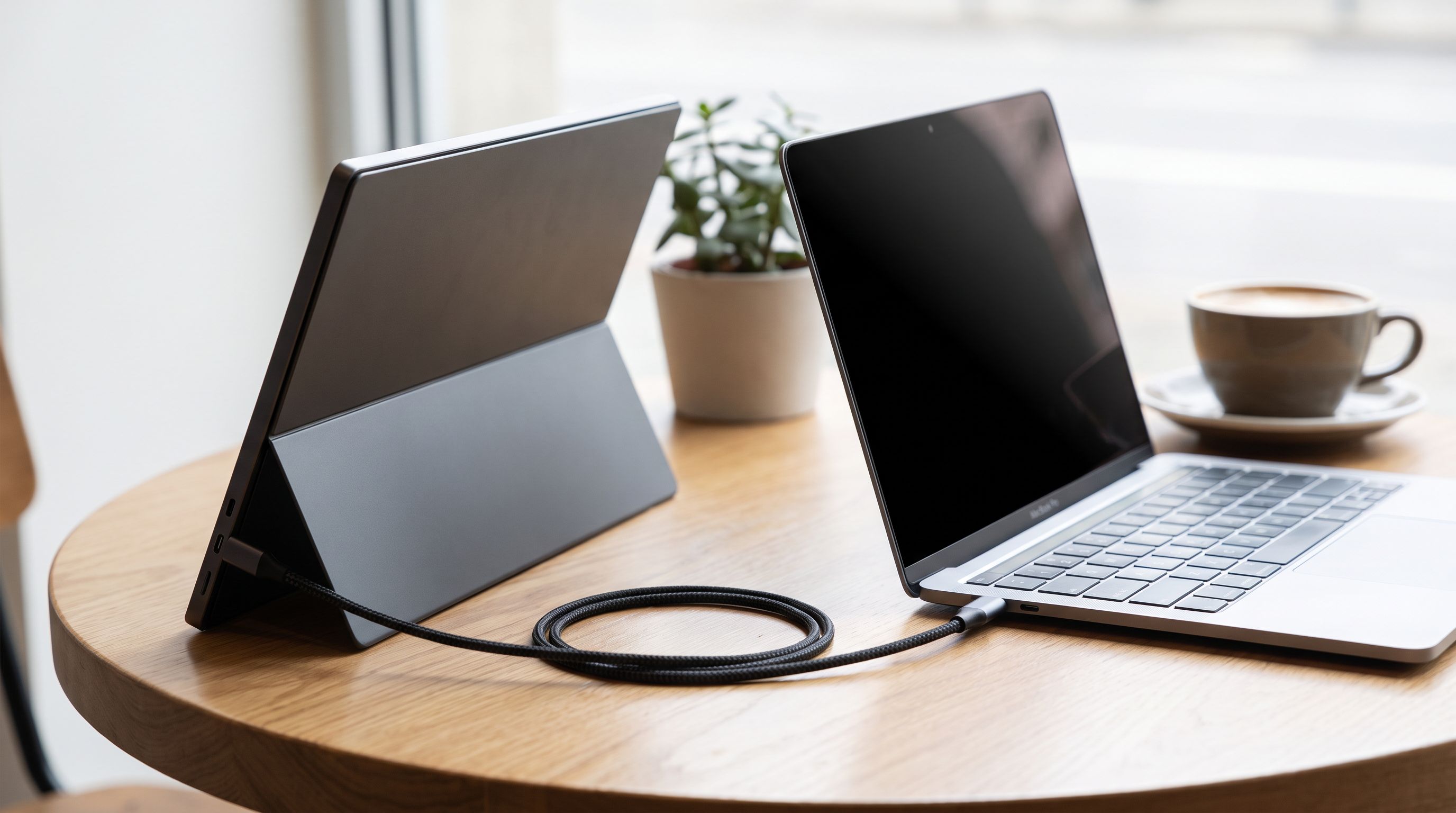
Every modern MacBook — Air and Pro, M-series across the board — outputs DisplayPort video over its Thunderbolt/USB-C ports and can supply bus power at the same time. That means a well-designed portable monitor needs exactly one cable.
The catch: a 15.6-inch panel at full brightness typically draws around 7–10W. Your MacBook will supply it, but it comes straight out of your battery. Expect a noticeable hit to runtime — often a third or more — when you're unplugged. Monitors with a second USB-C port let you pass power in from a charger, which is the setup you want at a desk or in a hotel room.
A practical rule: if a monitor only lists a mini-HDMI input plus a USB-C power port, it's a Windows-first design and you'll be juggling a dongle. Look for "USB-C DP Alt Mode" in the spec sheet.
Aspect ratio matters more than you'd think
MacBook screens are 16:10. Most cheap portable monitors are 16:9. Put them side by side and the mismatch is mildly annoying; stack them vertically and it's worse. This is a big part of why the ViewSonic TD1656-2K lands at the top of our list — its 2560x1600 16:10 panel mirrors the shape of your Mac's display, and the extra vertical pixels are genuinely useful for code, documents and long web pages.
 Best overall · ViewSonic TD1656-2K — Check price on Amazon →
Brightness is the spec people underestimate
A MacBook Pro's XDR display hits 1,000 nits sustained in SDR content. No portable monitor comes close. Most sit between 250 and 400 nits, which is fine indoors and unusable in direct sun. If you work outdoors or in bright coffee shops, prioritise measured brightness and a matte or anti-glare coating over resolution — a 400-nit 1080p screen beats a dim 4K one every time in real conditions.
Stands are where budget monitors fail
Folio covers that double as stands are the norm. They're light and they protect the panel, but they offer one or two fixed angles and slide on smooth desks. Built-in kickstands (like the hinged design on the MSI PRO MP165 E6) give continuous adjustment and don't need to be unfolded like origami. Magnetic systems — espresso's approach — are the most elegant and the most expensive.
 Best for flexible mounting · MSI PRO MP165 E6 — Check price on Amazon →
Reddit MacBook owners are near-unanimous on one point: buy something with an integrated cover. Portable monitors are thin, unprotected glass, and a bare panel in a bag is a panel with a crack in it.
The five picks compared
| Model | Size / Resolution | Best for | Stand type | Touch |
|---|---|---|---|---|
| ViewSonic TD1656-2K | 16" / 2560x1600 (16:10) | Overall MacBook match | Folio cover | Yes |
| Arzopa A1 Gamut | 15.6" / 1920x1080 | Lightest travel setup | Magnetic folio | No |
| Espresso Displays 15 Pro | 15.6" / 1920x1080 | macOS-first design | Magnetic stand system | Yes |
| MSI PRO MP165 E6 | 15.6" / 1920x1080 | Desk + travel hybrid | Kickstand + VESA | No |
| JSAUX FlipGo Horizon Pro | Dual 2.5K panels | Serious multitasking | Integrated folding | Varies by config |
 Best dual-screen · JSAUX FlipGo Horizon Pro — Check price on Amazon →
 Premium pick · Espresso Displays 15 Pro — Check price on Amazon →
 Budget pick · Arzopa A1 Gamut 15.6 1080p Portable Monitor — Check price on Amazon →
The picks in detail
ViewSonic TD1656-2K — best overall
This is the one we'd buy for a MacBook Pro. The 2560x1600 16:10 IPS panel is the closest thing to a second Mac screen in the portable category: sharp enough that text doesn't look soft next to Retina, and shaped correctly so window snapping feels natural. PCMag rates it among the strongest portable displays currently available.
Touch works with macOS in a limited way — macOS has no native touch support, so treat it as a bonus for iPad-style sketching apps that do their own handling, not a core feature. Two USB-C ports mean you can run video from the Mac and power from a charger simultaneously. It's heavier than a basic 15.6-inch panel, and the folio stand is the weakest part of the package.
Arzopa A1 Gamut — budget pick
If you want the simplest possible answer, this is it. Around 1.7 lb, single-cable USB-C operation, a magnetic cover that folds into a stand, and a price that doesn't make you nervous about tossing it in a bag. It's 1080p and 16:9, brightness is ordinary, and the colour gamut won't satisfy anyone doing print work — but for a second window of Slack, Docs or a terminal, it does the job with zero fuss. It's the model we'd recommend to someone unsure whether they'll actually use a portable monitor.
Espresso Displays 15 Pro — premium pick
Espresso builds for Mac users first, which shows. The chassis is machined aluminium and remarkably thin, the magnetic Stand system snaps on with real satisfaction, and the company's own software adds gesture and pen support that macOS otherwise lacks. It's the best-looking option here by a wide margin.
The trade-offs are honest: it costs considerably more than mainstream alternatives, it's 1080p rather than 2.5K, and the magnetic accessories are sold separately, which adds up. Buy it if the industrial design and the touch/pen workflow matter to you; skip it if you just need more pixels.
MSI PRO MP165 E6 — best for flexible mounting
The differentiator is VESA compatibility, which almost no portable monitor offers. That means this one screen can clamp to a monitor arm at your desk, sit on a stand at a hot desk, and fold into a bag for the flight. The integrated kickstand is more adjustable than a folio, and MSI's build quality is a step above generic no-name panels at similar money. Straightforward 1080p IPS, USB-C and mini-HDMI in — nothing exotic, and that's the point.
JSAUX FlipGo Horizon Pro — best dual-screen
Two 2.5K panels stacked vertically in one folding unit. For traders, developers, or anyone who genuinely runs three windows at once, it turns a MacBook into a workstation anywhere. Be realistic about the cost: it's heavy for the category, it draws more power than a single MacBook port can comfortably sustain (plan on external power), and the folded footprint is chunky. If you need it, nothing else does the job.
Practical setup notes for MacBook users
- Cable quality matters. Use a USB-C cable rated for USB 3.2 or Thunderbolt with video support. Charge-only cables are the number one cause of "my portable monitor doesn't work" complaints.
- Check port count. The M-series MacBook Air has two USB-C ports. A monitor plus a charger uses both. A small hub or a monitor with power passthrough solves it.
- Arrangement in System Settings. Go to Displays → Arrange and drag the external panel to match its physical position, or the cursor will exit the wrong edge.
- Turn brightness down on battery. Dropping a portable monitor from 100% to around 50% brightness meaningfully extends MacBook runtime and is usually plenty indoors.
FAQ
Will a portable monitor drain my MacBook battery? Yes, noticeably. Running a 15.6-inch panel off bus power typically cuts unplugged runtime by roughly a third, depending on brightness. Plug a charger into the monitor's second USB-C port when you can.
Do I need Thunderbolt, or is USB-C enough? Regular USB-C with DisplayPort Alt Mode is enough. Every MacBook port supports it. Thunderbolt only matters for daisy-chaining multiple high-resolution displays.
Does touch work on macOS? Not natively. macOS has no system-level touchscreen support, so touch input on models like the TD1656-2K or espresso 15 Pro depends on manufacturer software. Espresso does the most here; treat touch as a secondary reason to buy, not the main one.
Is 4K worth it on a 15-inch portable screen? Rarely. At that size, 2.5K already looks sharp, and 4K panels draw more power and cost more. The 2560x1600 middle ground on the ViewSonic is the sweet spot for Mac users.
How much weight should I plan for? Budget 1.5–2.2 lb for a 15.6-inch monitor, plus the cover and cable. Dual-screen units like the FlipGo Horizon Pro are substantially heavier — closer to carrying a second laptop.
Our picks
ViewSonic TD1656-2K 16 Inch 1600p Touch Screen Portable Monitor, USB C | 10-Point Touchscreen, 65W USB C, 16:10 WQXGA, Dual Speakers, Built In Stand, Mac, PC, Laptop, Travel, 3 Year Warranty
2560x1600 16:10 touch IPS that matches macOS aspect ratio — the sharpest all-rounder for MacBook users.
ARZOPA Portable Monitor 15.6'' FHD 1080P - Ultra-Slim Portable Laptop Monitor with Kickstand - IPS Display for PC, MAC, Phone, Xbox, PS5 - USB C & HDMI Connectivity - A1 Gray
Under two pounds, single USB-C power and video, and a magnetic folio stand — the easy travel default.
espresso Displays Pro 15 – 4K Premium 15-Inch Touchscreen Display | Ultra-Thin, High-Performance Monitor for Professionals & Creatives | 100% Adobe RGB | 550 nits
Ultra-thin aluminium touchscreen built around macOS, with magnetic stands and proper gesture support.
msi Pro MP165 E6 Ultra Slim & Light Portable Monitor,15.6" FHD IPS 1080p, USB Type-C, HDMI, Built-in Speakers, Tripod Mount Support, Perfect for PC, Mac, PS5, PS4, Xbox, Mobile, Metal Gray
Rare VESA mounting on a 15.6" travel panel, so it works on arms and stands as well as in a bag.
JSAUX FlipGo Pro 16" Dual Portable Monitor, 2.5K IPS Laptop Extender | One-cable dual-screen setup with 2.5K IPS displays, magnetic design and DisplayLink; supports Windows, Linux and macOS
Two stacked 2.5K panels in one folding chassis for people who need real multitasking on the road.
Get the best tech deals in your inbox
Join the BytePlaza newsletter for hand-picked gadget deals and new buying guides. No spam, unsubscribe anytime.
Related reads
Portable Monitors Under $200 in 2026: 4 Travel Picks
We compared budget 15.6-inch USB-C portable monitors for 2026 — panel type, brightness claims, port layout and weight — to find the best portable monitor under $200.
Best Portable Monitor 2026: 4K, OLED & USB-C Picks
The best portable monitor picks for 2026, from OLED travel screens to budget USB-C panels — ranked by panel quality, weight and single-cable power.
Video Editing Laptops Under $1,500 in 2026: 4 Real Picks
The best laptop for video editing 2026 under $1,500: we compared GPU power, RAM headroom, colour-accurate displays and 4K export performance across Windows and Mac.