Budget Tablets for Reading in 2026: 4 Picks Under $250
The best budget tablet for reading in 2026: we compared screen ratios, weight, and eye-strain notes across sub-$250 Android and Fire tablets — plus when a Kindle wins.
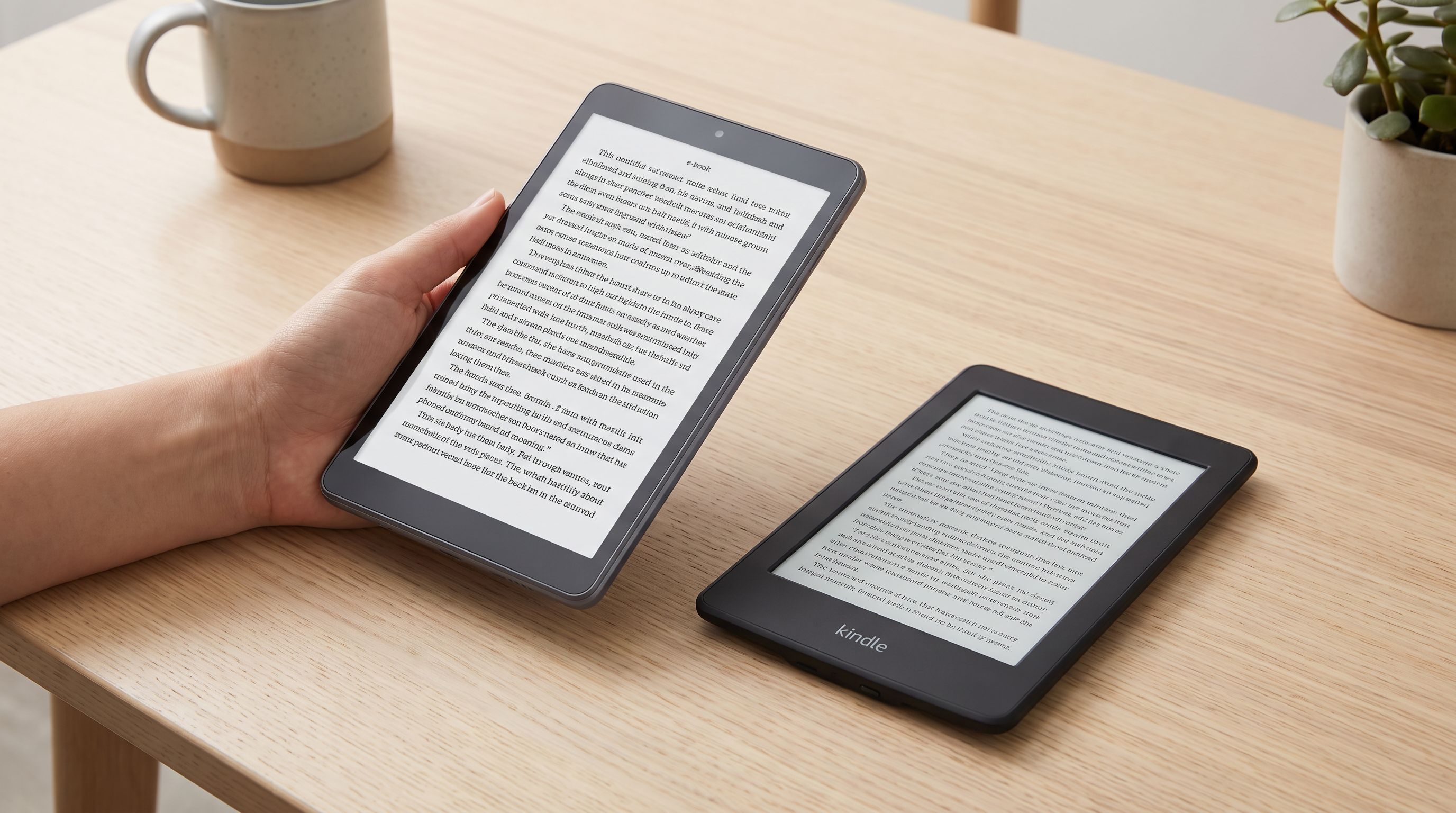
Reader-supported: we may earn a commission from links on this page, at no extra cost to you. It never affects our picks. Learn more.
If your reading list is mostly novels, a Kindle is still the honest answer. But plenty of people read a messy mix — EPUBs, library loans, PDFs with figures, manga, full-colour comics, technical docs — and that's where a cheap tablet earns its keep. E Ink can't render a two-page comic spread at any useful speed, and it can't handle a 40MB architectural PDF without complaining.
The good news: the sub-$250 tablet class in 2026 is unusually strong. The bad news: most of these tablets are marketed on video and gaming specs that tell you almost nothing about whether they're pleasant to read on. We compared the current crop on the things that actually matter for reading — aspect ratio, weight, panel brightness and flicker behaviour, and app ecosystem — using manufacturer specs, independent reviews, and verified owner feedback.
What actually matters in a reading tablet
Aspect ratio beats screen size
A 10-inch 16:10 tablet and a 10-inch 4:3 tablet are not the same reading device. Held in portrait, a tall 16:10 panel gives you a narrow, letterbox column of text with big margins — fine for a novel, cramped for a comic page. A squarer ratio (closer to 4:3 or 3:2) maps far better onto a printed page or a standard comic panel, which is why iPads have long been the default for comics readers.
Among budget Android tablets, almost everything is 16:10 or 16:9. That's workable, but it means comics usually display letterboxed with black bars top and bottom, wasting screen. If comics are your main use, prioritise raw diagonal size over cleverness — an 11-inch 16:10 panel still shows a bigger comic page than a 9-inch one.
Weight is the spec nobody lists first
You will hold this thing above your face in bed. Anything approaching 500g gets tiring within half an hour; the lightest budget tablets sit meaningfully below that, and small tablets around the 8-inch mark are dramatically easier to hold one-handed. If you read long-form for an hour or more at a time, weight matters more than processor.
Eye strain: the honest version
Reviewers frequently flag two things on cheap LCDs. First, PWM flicker — many budget panels dim the backlight by rapidly switching it, and a minority of people perceive this as eyestrain or headaches at low brightness. Second, minimum brightness: some budget tablets simply don't dim far enough for a dark room, which is worse for late-night reading than any blue-light setting.
Practical mitigations that work on any tablet: turn on the reading/greyscale mode, enable a warm colour filter after sunset, and use a dark or sepia theme in your reading app. None of that makes an LCD equivalent to E Ink, but it closes a lot of the gap. If you read three hours of plain text a night, buy a Kindle Paperwhite and stop fighting physics.
Ecosystem lock-in
Amazon's Fire tablets run Fire OS with the Amazon Appstore. Your Kindle library, Comixology-migrated purchases and Audible titles all work beautifully out of the box. Google Play apps — Libby, Kobo, Moon+ Reader, Tachiyomi-style readers — do not officially. Sideloading the Play Store is a well-documented, widely-performed tweak, and several reviews recommend it explicitly, but it's a step you should be willing to take. Android tablets from Xiaomi, Samsung and Lenovo ship with Play Store and no such caveat.
The comparison
| Tablet | Screen | Best for | Reading notes |
|---|---|---|---|
| Amazon Fire HD 10 (2023) | 10.1-inch, 1080p LCD, 16:10 | Kindle-library readers | Flawless Kindle/Audible integration; Play Store needs sideloading |
| Xiaomi Redmi Pad 2 | 11-inch LCD, 16:10 | Comics and manga | Largest page area here; full Google Play; high refresh scrolling |
| Samsung Galaxy Tab A11 | Compact LCD | One-handed novel reading | Lightest to hold; longest software support of the Android picks |
| Lenovo Tab M11 | 11-inch LCD, 16:10 | Mixed reading + streaming | Widevine L1, solid stereo audio, clean Android |
| Kindle Paperwhite (2024) | 7-inch E Ink, warm light | Pure text, eye comfort | No flicker, weeks of battery; useless for colour comics |
 Budget all-rounder · Lenovo Tab M11 — Check price on Amazon →
 Best lightweight pick · Samsung Galaxy Tab A11 — Check price on Amazon →
 Best for comics and manga · Xiaomi Redmi Pad 2 — Check price on Amazon →
 Best overall for reading · Amazon Fire HD 10 (2023, 13th Gen) — Check price on Amazon →
Our picks, and who each one is for
Amazon Fire HD 10 — best overall for reading
It keeps winning these round-ups for a reason. The Fire HD 10 pairs a large 1080p screen with the lowest effective cost of entry in the category, and if your books already live in Amazon's ecosystem, there is nothing to configure. Reviews consistently describe it as an "almost-perfect cheap tablet" provided you're willing to sideload the Play Store to escape the Amazon Appstore's gaps. It's not the fastest tablet here and the build is plasticky, but for reading — a workload that stresses nothing — that barely registers. Set a dark theme, drop the brightness, and it's a fine nightly companion.
Xiaomi Redmi Pad 2 — best for comics and manga
If your reading is visual, go bigger. The Redmi Pad 2 leads most 2026 budget-tablet rankings on general merit, and for comics it has the two things that count: a large 11-inch panel and a smooth, high-refresh-rate scroll that makes long vertical webtoon strips feel fluid rather than juddery. Full Google Play access means Tachiyomi forks, Perfect Viewer, Libby and Kobo all install normally. The trade-off is heft — this is a two-hands-or-a-stand tablet, not a one-hand-in-bed tablet.
Samsung Galaxy Tab A11 — best lightweight pick
The Tab A11 is the pick for people whose reading is 90% text and who want a device they can actually hold up comfortably. It's compact, light, and Samsung's software support cycle is the longest among budget Android makers, which matters if you intend to keep a reading device for five years. Reading Mode plus the eye-comfort shield gets you a usable warm, dim night setting. It won't wow you at comics — the panel is simply smaller — but as a book-shaped Android device it's the easiest to live with.
Lenovo Tab M11 — budget all-rounder
Choose the Lenovo Tab M11 if the tablet has a second job. Widevine L1 certification means Netflix and Prime Video stream in HD rather than potato-quality, the stereo speakers are better than the price suggests, and the near-stock Android build stays out of the way. For reading it's a competent 11-inch 16:10 panel — good for PDFs and fine for comics — rather than a standout, but the versatility is real.
Kindle Paperwhite — best for eye comfort
We're including it deliberately. If you found yourself nodding along to the eye-strain section, buy the Paperwhite instead of any tablet on this list. E Ink is reflective rather than emissive, the front light doesn't flicker, battery life is measured in weeks, and it's the single most comfortable way to read a novel at 1am. It is genuinely bad at comics, colour, PDFs and anything interactive. Many committed readers own a Paperwhite and a cheap tablet, and honestly that combination costs less than one mid-range tablet.
How to set any of these up for comfortable reading
- Turn on the system reading/greyscale mode for text; it reduces colour fringing and, subjectively, strain.
- Schedule the warm-light filter to ramp up after sunset rather than toggling it manually.
- In your reader app, pick a sepia or true-black theme and increase line spacing — margins matter more than font size.
- Buy a light case or a stand. Weight savings from a slim case are worth more than any spec upgrade.
- Lock screen rotation. Nothing ruins a reading session faster than a page flipping to landscape as you roll over.
FAQ
Is a budget tablet bad for my eyes compared to a Kindle? Not harmful, but less comfortable for long text sessions. LCDs are backlit and some use PWM dimming that a minority of people perceive as flicker. For an hour of mixed reading it's a non-issue; for three hours of novels nightly, E Ink is measurably more restful.
Can I read Kindle books on a non-Amazon tablet? Yes. The Kindle app is on the Google Play Store and syncs your whole library, notes and progress. The reverse is harder: getting Google Play apps onto a Fire tablet requires sideloading.
What screen size is best for comics? Bigger is better, and 10–11 inches is the practical budget sweet spot. Below about 9 inches, full comic pages need zooming or panel-by-panel view. Squarer aspect ratios waste less space, but very few sub-$250 tablets offer them.
Is 4GB of RAM enough for reading? For reading apps, yes, comfortably. RAM becomes a constraint when you run heavy multitasking or keep many browser tabs open — not when you're paging through a book.
Should I buy a colour E Ink tablet instead? They exist and they're improving, but in 2026 colour E Ink is still dimmer, lower-resolution and considerably more expensive than these LCD tablets. For comics on a budget, an LCD remains the better value.
Our picks
Like-New Amazon Fire HD 10 Tablet (32GB Black) + Standing Cover (Black)
Roomy 10.1-inch 1080p screen, deep Kindle integration and a genuinely low price make it the default reader tablet.
Xiaomi Redmi Pad 2 Only WiFi (No Calls or Text) 11" 2.5K Octa Core 4 Speakers Global ROM 9000mAh Bluetooth 5.3 8MP Model 25040RP0AL (Graphite Gray, 128GB + 4GB)
An 11-inch, tall-ish LCD with a high refresh rate and full Google Play access for ComiXology-style readers.
Samsung Galaxy Tab A11 WiFi Model (International Version), 8.7 inches, 64GB + 4GB with Model Number SM-X133 (Gray)
Compact and easy to hold one-handed for long novel sessions, with Samsung's software support behind it.
Amazon Kindle Paperwhite (2024, 12th Gen)
If you mostly read text, E Ink and a warm front light beat any LCD tablet for marathon sessions.
Lenovo Tab M11, 11” Display, MediaTek Helio G88 Octa-Core, 4GB RAM, 128GB SSD, 1920x1200 px, Ambient Light-Sensor, 10 Hour Battery, Comes w/Folio Case, Luna Grey
Bright 11-inch panel, decent stereo audio and Widevine L1 for reading plus the occasional show.
Get the best tech deals in your inbox
Join the BytePlaza newsletter for hand-picked gadget deals and new buying guides. No spam, unsubscribe anytime.
Related reads
Which Tablet Under $500 Should You Buy in 2026?
The best budget tablet under 500 in 2026: OLED and high-refresh picks for reading, drawing and streaming — plus honest notes on stylus and keyboard support.

Cheap OLED Tablets in 2026: Which Ones Actually Look Good?
Looking for the best OLED tablet without flagship pricing? We compare affordable OLED and AMOLED slates for Netflix, HDR contrast, speakers and battery life in 2026.
Which Android Tablet Should You Buy in 2026?
Galaxy Tab vs OnePlus Pad vs the rest: we compare the best Android tablet options in 2026 for media, note-taking and light work, with stylus and price tiers explained.