Best NAS for Plex 2026: 2-Bay Picks That Actually Transcode
Looking for the best NAS for Plex in 2026? We compare 2-bay enclosures with real hardware transcoding power, RAM, and per-stream performance to find the top picks.
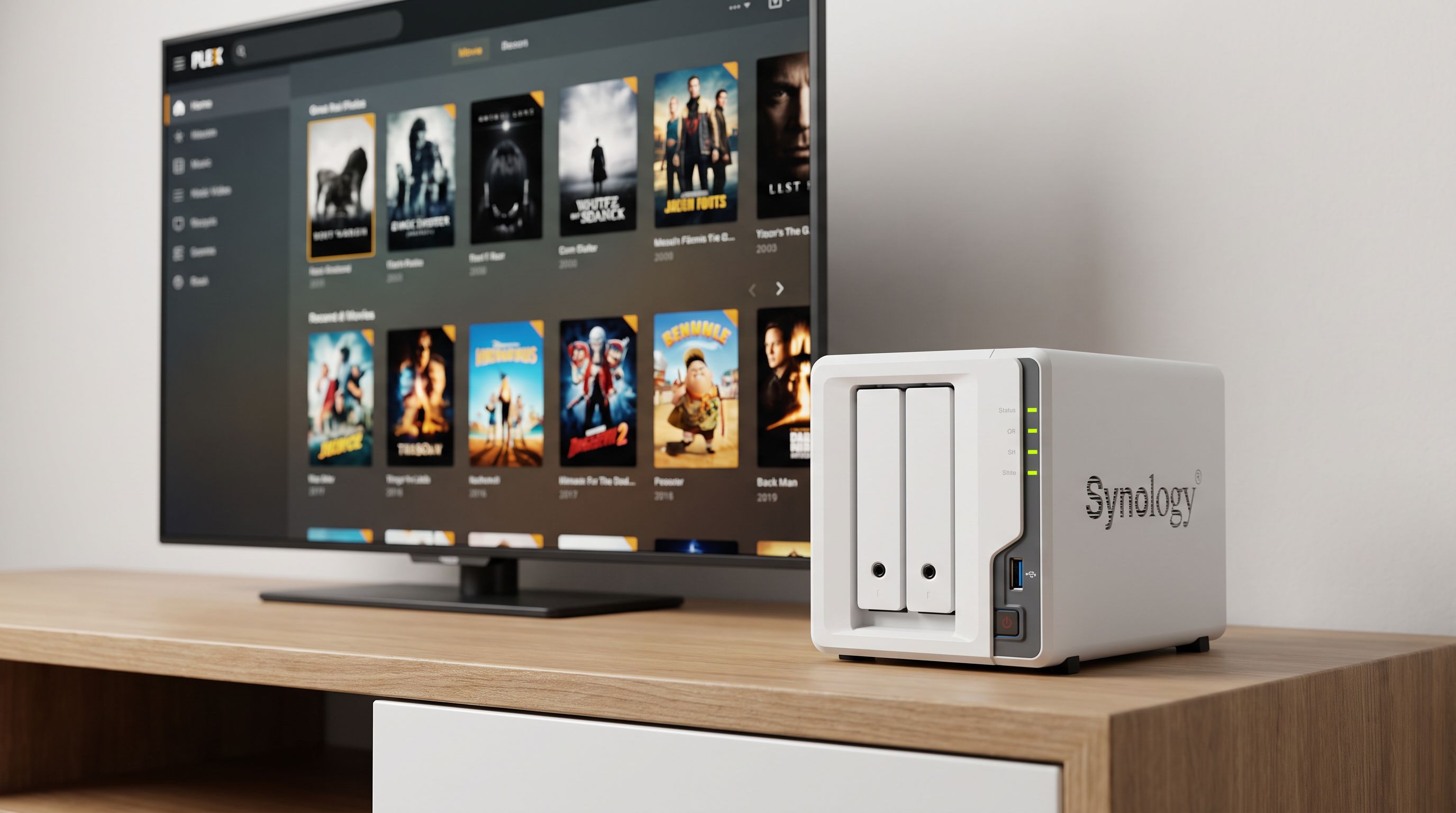
Reader-supported: we may earn a commission from links on this page, at no extra cost to you. It never affects our picks. Learn more.
Why a 2-Bay NAS Still Makes Sense for Plex in 2026
Not everyone needs a rack-mount server or a 4-bay beast to stream movies and TV shows. For most households running Plex — a couple of simultaneous streams, a few terabytes of media — a 2-bay NAS hits the sweet spot between footprint, noise, power draw, and capability. Modern 2-bay units now ship with Intel processors that support hardware-accelerated transcoding (Intel QuickSync), which is the single most important feature for a smooth Plex experience.
The catch? Not every 2-bay NAS has the CPU muscle to transcode even one 4K stream. Picking the wrong box means you're stuck with direct play only — fine until someone on a phone or a remote connection needs a lower bitrate. This guide focuses on the enclosures that can actually handle real-world Plex transcoding in 2026.
What to Look For in a Plex-Ready 2-Bay NAS
Hardware Transcoding Support (Intel QuickSync)
Plex Pass subscribers can offload transcoding to the GPU built into Intel CPUs. This is non-negotiable if you want smooth 4K-to-1080p conversion. ARM-based NAS units — common at the budget end — simply cannot do it. Every pick below uses an Intel (or compatible x86) chip with QuickSync.
RAM
Plex itself doesn't need much RAM, but your NAS runs an OS, indexing services, and possibly Docker containers alongside it. We recommend at least 4 GB, with 8 GB preferred if you plan to run anything beyond Plex. Several 2-bay units now ship with upgradeable SO-DIMM slots.
Per-Stream Transcoding Performance
A rough rule of thumb from independent benchmarks: Intel N100/N150-class chips can handle 2–3 simultaneous 4K-to-1080p transcodes via hardware acceleration. Older Celeron J4125 chips max out closer to 1–2. The newer the iGPU generation, the better the tone-mapping (HDR-to-SDR) quality.
Network Speed
Gigabit Ethernet bottlenecks at roughly 110 MB/s — enough for a single 4K remux but tight for multiple streams. Look for 2.5 GbE as a baseline, which every pick below includes.
Head-to-Head Comparison
| Feature | UGREEN DXP2800 | Synology DS225+ | TerraMaster F2-425 | ASUSTOR AS3302T v2 |
|---|---|---|---|---|
| CPU | Intel N150 (Alder Lake-N) | Intel Celeron J4125 | Intel N95 (Alder Lake-N) | Realtek RTD1619B (ARM) |
| iGPU QuickSync | Yes | Yes | Yes | No |
| Base RAM | 8 GB DDR5 | 2 GB DDR4 | 8 GB DDR4 | 2 GB DDR4 |
| RAM Expandable | Up to 16 GB | Up to 6 GB (unofficial) | Up to 32 GB | Up to 18 GB |
| Network | 2.5 GbE | 2.5 GbE | 2.5 GbE | 2.5 GbE |
| 4K Transcodes (est.) | 2–3 | 1–2 | 2–3 | Direct play only |
| OS | UGOS | Synology DSM 7 | TOS | ADM |
| M.2 SSD Slot | Yes | No* | Yes | No |
 Best value · TerraMaster F2-425 — Check price on Amazon →
 Best for beginners · Synology DS225+ — Check price on Amazon →
 Best overall · UGREEN DXP2800 — Check price on Amazon →
*DS225+ supports an optional USB adapter for SSD caching but lacks a native M.2 slot.
Our Picks Explained
UGREEN DXP2800 — Best Overall
UGREEN's second-generation 2-bay NAS has quickly become a community favorite for Plex. The Intel N150 chip brings a newer iGPU than the Celeron J-series, which translates to better AV1 hardware decode and smoother HDR-to-SDR tone mapping. Shipping with 8 GB of DDR5 means you have headroom for Docker containers (Sonarr, Radarr, etc.) alongside Plex without swapping RAM on day one. The built-in M.2 slot is a nice bonus for metadata caching. UGOS is still maturing compared to Synology's DSM, but it's functional and improving with regular updates. Based on owner feedback across forums and review sites, this is the 2-bay box to beat for Plex transcoding in 2026.
Synology DS225+ — Best for Beginners
If you value software polish over raw CPU grunt, the DS225+ remains the safest recommendation. DSM 7 is arguably the most intuitive NAS operating system available, and setting up Plex as a package takes minutes with zero Docker knowledge. The Celeron J4125 processor does support QuickSync, so hardware transcoding works — you'll just hit a ceiling sooner (1–2 4K transcodes vs. 2–3 on the N150). The 2 GB base RAM is the main limitation; upgrading to at least 4 GB is strongly advised. Multiple reviewers and owner reports confirm that for a single-user or small household Plex setup, the DS225+ is reliable and essentially maintenance-free.
TerraMaster F2-425 — Best Value
TerraMaster's F2-425 slots neatly between UGREEN and Synology. The Intel N95 processor is an Alder Lake-N chip, so you get the same generation of QuickSync as the DXP2800 with strong multi-stream transcoding. It ships with 8 GB of DDR4 and supports up to 32 GB, making it the most RAM-expandable option on this list — appealing if you plan to run virtual machines or heavy Docker stacks. TOS (TerraMaster's operating system) has historically been a step behind DSM in polish, but recent versions have closed the gap. If you're comfortable with a slightly less refined UI and want maximum hardware per dollar, the F2-425 is the value champion.
ASUSTOR Drivestor 2 Pro Gen2 (AS3302T v2) — Budget Pick
 Budget pick · ASUSTOR Drivestor 2 Pro Gen2 (AS3302T v2) — Check price on Amazon →
A necessary caveat: the AS3302T v2 uses an ARM-based Realtek processor, which means no hardware transcoding. So why is it here? Because many Plex users primarily direct play to smart TVs, Apple TVs, or Shields that decode everything client-side. If that describes your setup, you can save significantly and still get 2.5 GbE, upgradeable RAM, and ASUSTOR's ADM operating system with native Plex support. Just be aware that remote streaming at a lower resolution will be painfully slow or impossible without an Intel iGPU doing the heavy lifting.
Quick Setup Tips for Plex on a NAS
- Get a Plex Pass. Hardware transcoding requires a paid Plex Pass subscription — without it, transcoding falls back to the CPU and performance tanks.
- Use an SSD cache or metadata SSD. Storing Plex metadata on an NVMe drive (where supported) dramatically speeds up library scanning and thumbnail generation.
- Set your Plex clients to "Original" or "Maximum" quality whenever possible to avoid unnecessary transcoding.
- Enable HDR tone mapping in Plex settings if your server CPU supports it (all Intel picks above do).
- Consider RAID 1 (mirroring) in a 2-bay setup for redundancy — you lose half your raw capacity but gain protection against a single drive failure.
FAQ
Can an ARM-based NAS run Plex at all?
Yes, but only for direct play. ARM chips lack Intel QuickSync, so transcoding either doesn't work or relies on slow software encoding. If all your clients can play your files natively, an ARM NAS is fine.
Is 2 GB of RAM enough for Plex on a NAS?
It's functional for a bare Plex install with a small library, but you'll notice sluggish performance during library scans and when running background tasks. Upgrading to 4–8 GB is recommended.
How many 4K streams can a 2-bay NAS handle?
With an Intel N95 or N150 processor and hardware transcoding enabled, expect 2–3 simultaneous 4K-to-1080p transcodes. Direct play of 4K depends more on network bandwidth than CPU.
Should I buy a 2-bay NAS or build a mini PC for Plex?
A purpose-built NAS offers a turnkey experience — hot-swap bays, a dedicated OS, low power draw, and compact form factor. A mini PC (paired with something like a Jonsbo NAS case) offers more raw performance per dollar but requires more setup and maintenance. If simplicity matters, go NAS. If you enjoy tinkering, a mini PC build can be more cost-effective.
Do I need a Plex Pass for hardware transcoding?
Yes. Hardware (GPU-accelerated) transcoding is a Plex Pass–exclusive feature. Without it, the NAS CPU handles transcoding in software, which severely limits concurrent streams.
Our picks
UGREEN NAS DXP2800 2-Bay for Advanced Home Users, Remote Workers & Creators
Intel N150 with QuickSync handles 2–3 4K transcodes in a sleek, compact 2-bay chassis.
Synology DS225+ 2-Bay Diskstation NAS (Intel Celeron J4125 Quad-Core, 2 GB Non-ECC DDR4 SODIMM 1 x 2,5 GbE and 1 x 1 GbE RJ-45 LAN-Port) 8TB Bundle with 2X 4TB Seagate Ironwolf
Rock-solid DSM software with zero-fuss Plex hardware transcoding out of the box.
TERRAMASTER F2-425 2-Bay NAS Intel x86 Quad-Core CPU 4GB RAM (Diskless)
Intel N95 processor delivers strong transcoding at an aggressive price point.
Asustor Drivestor 2 Pro Gen2 AS3302T v2, 2 Bay NAS, Home Cloud Backup
Affordable entry with decent direct-play performance and expandable RAM.
Get the best tech deals in your inbox
Join the BytePlaza newsletter for hand-picked gadget deals and new buying guides. No spam, unsubscribe anytime.
Related reads
Laser Printers Under $200 in 2026: 5 Picks Ranked by Cost-Per-Page
Looking for the best laser printer under $200 in 2026? We compared monochrome and color models by cost-per-page, connectivity, and features for home offices.

Keyboard Wrist Rests in 2026: Gel vs Memory Foam vs Wood
Choosing the best keyboard wrist rest in 2026? We compare gel, memory foam, and wood options for ergonomic support, durability, and desk aesthetics.

Laser Engraver for Wood in 2026: 5 Diode Picks Worth Your Money
Looking for the best laser engraver for wood in 2026? We compared top diode lasers by power, speed, and software to help you pick the right one.