Ambient Computing 2026: Why Sensors Beat Screens
Ambient computing in 2026 explained: presence sensors, always-listening hubs, and local AI. What actually works today, what to skip, and the gear to start with.
Reader-supported: we may earn a commission from links on this page, at no extra cost to you. It never affects our picks. Learn more.
The most interesting thing happening in consumer tech right now isn't a new screen. It's the slow disappearance of screens from the places where they were never a great idea — hallways, bathrooms, kitchens, bedside tables.
Ambient computing is the umbrella term for technology that senses context and acts with little or no direct input. No tapping, no unlocking, no hunting for an app. Analysts put the global ambient computing market somewhere in the US$58–74 billion range for 2026, with forecasts stretching toward US$281 billion by 2033. Those numbers are broad and include industrial IoT and smart-city spending, so treat them as a direction, not a promise. But the direction is clear: sensing is where the money and the engineering are going.
Here's what that actually means for a home in 2026, and what's worth buying if you want to start.
What changed: motion sensors became presence sensors
For a decade, "smart home" meant PIR motion sensors — the little plastic eyes that detect heat moving across their field of view. They work fine for a hallway. They fail everywhere people sit still. If you've ever had the lights snap off while you were reading on the sofa, you've met the limits of motion detection.
The shift in 2026 is from motion to presence. Millimetre-wave (mmWave) radar sensors detect micro-movements — breathing, a shifting hand — so they know a room is occupied even when nobody is moving. Some can map a room into zones and report which zone is occupied.
The Aqara Presence Sensor FP2 is the device most people should start with here. It uses mmWave radar, supports multiple detection zones from a single unit, and can track more than one person in a room. Owner feedback consistently flags two things: it's genuinely transformative for living rooms and offices, and it needs careful placement and a patient setup session. That's the honest trade. Radar sensors reward people who are willing to spend twenty minutes drawing zones.
 Best overall · Aqara Presence Sensor FP2 — Check price on Amazon →
Once presence works, everything downstream gets better. Lights that never leave you in the dark. HVAC that heats rooms people are in. Security routines that stop false-triggering on the cat.
The hub problem: who does the thinking?
Sensors generate data. Something has to decide what the data means. In 2026 there are three realistic answers, and they have very different privacy and reliability profiles.
Cloud assistants. Amazon's Alexa and Google Assistant handle the interpretation remotely. Fast to set up, broad device support, and they keep improving as LLM-based assistants replace the older rule-based versions. The catch is dependency: internet goes down, your lights go dumb.
Local hubs. Home Assistant Green is the flagship of this approach — a small, ready-to-run box that stores automations and device state on your network. It speaks Matter, Zigbee (with a dongle), Thread, and a huge library of community integrations. If you care about your sensor data not leaving the house, or you just want routines that survive an ISP outage, this is the category. It is also the one with the steepest learning curve.
 Best local-first brain · Home Assistant Green — Check price on Amazon →
Bridge hubs. Devices like the SwitchBot Hub 3 sit in the middle: they consolidate infrared appliances, proprietary sensors, and Matter devices into one controllable layer. The Hub 3 is notable for leaning into physical controls — a rotary dial and buttons — rather than another touchscreen. That's a small but telling design choice for where ambient interfaces are heading.
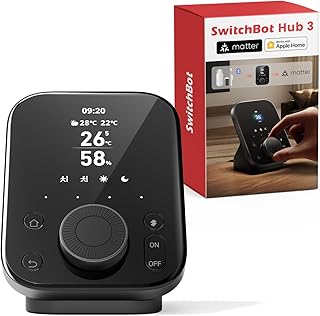 Best Matter bridge for mixed setups · SwitchBot Hub 3 — Check price on Amazon →
Always-listening, honestly assessed
Voice is still the main ambient input, and the cheapest entry point remains a screenless speaker. The Amazon Echo Dot (5th Gen) is worth mentioning not because the audio is remarkable but because it quietly doubles as a sensor node: it includes a temperature sensor and ultrasound-based motion detection that can trigger routines. For a small device, that's a lot of ambient capability per dollar.
The privacy question deserves a straight answer. These devices run a local wake-word detector and only stream audio after the wake word triggers — but false wakes happen, and audio handling policies have changed repeatedly across vendors. If that bothers you, the local-hub route with an offline voice pipeline is a real option in 2026, though it's noticeably less capable at open-ended questions.
Screens aren't dead — they're learning to hide
"Screens fade" doesn't mean screens vanish. It means the good ones stop demanding attention. The Google Nest Hub (2nd Gen) is the clearest example: its Soli radar chip enables contactless sleep tracking and simple gesture controls, and the display drops to an ambient glow or off entirely in a dark room. You glance at it; you don't operate it.
 Best screen that knows when to disappear · Google Nest Hub (2nd Gen) — Check price on Amazon →
That's the design pattern to look for in any 2026 purchase — does the device default to silence, or does it default to notifications?
How the main approaches compare
| Approach | Example device | Main sensing | Works offline? | Setup effort |
|---|---|---|---|---|
| Presence sensing | Aqara Presence Sensor FP2 | mmWave radar, zones, light level | Depends on hub | Medium–high (zone tuning) |
| Budget voice node | Amazon Echo Dot (5th Gen) | Far-field mics, temperature, ultrasound motion | No | Very low |
| Ambient display | Google Nest Hub (2nd Gen) | Soli radar, mics, ambient light | Limited | Low |
| Local-first brain | Home Assistant Green | None (aggregates others) | Yes | High |
| Bridge/consolidator | SwitchBot Hub 3 | IR, temp/humidity via accessories | Partial | Low–medium |
A sensible order to build this
You don't need everything. Based on how these systems are reported to behave in real homes, this sequence avoids the most common frustration:
- Pick a brain first. Choose cloud (Echo/Nest) or local (Home Assistant Green) before buying sensors. Retrofitting a hub around existing gear is the number one source of abandoned smart-home projects.
- Add one presence sensor to your worst room. The one where lights always turn off on you. Prove the concept in a single space.
- Automate exactly one thing. Lights on arrival, off on departure, with a generous timeout. Live with it a week.
- Then expand to comfort and energy. Temperature-aware fans, humidity-aware bathroom extraction, presence-aware heating.
- Add voice last. Voice is a fallback for when ambient automation guesses wrong, not the primary interface.
What to be sceptical about in 2026
A few claims are running ahead of reality. Contactless health monitoring from radar is promising but is not a medical device, and vendors say so in the fine print. "AI-powered" on a sensor box often means cloud processing with a latency penalty. And interoperability, despite Matter, is still uneven — Matter handles basics like on/off and brightness well, but advanced sensor features frequently require the manufacturer's own app.
Buy for the capability that works today, and treat firmware promises as a bonus.
FAQ
Is ambient computing just a new name for smart home? Partly. The smart home was about remote control — an app replacing a switch. Ambient computing is about removing the control step entirely, using sensors and context so the system acts first. The hardware overlaps; the design philosophy doesn't.
Do mmWave presence sensors work through walls? Sometimes, and that's usually a problem rather than a feature. Radar can penetrate thin partitions and detect people in the next room, causing false occupancy. Careful placement and zone exclusion — which the Aqara Presence Sensor FP2 supports — is how you fix it.
Can I run ambient automations without any cloud account? Yes. A local controller like Home Assistant Green combined with Zigbee, Thread, or Matter sensors can run entirely on your network. You lose some conversational voice quality and some vendor-specific features.
Does Matter mean everything just works together? It means the basics work together. Core functions are reliable across brands in 2026; niche sensor data, zone configuration, and firmware updates often still require the original app. Check the specific feature you care about, not just the Matter logo.
Is it worth buying an ambient display or just a speaker? If the device will live somewhere you glance at frequently — kitchen counter, bedside — a display like the Google Nest Hub (2nd Gen) earns its place. In a hallway or a bedroom corner, a screenless node like the Amazon Echo Dot (5th Gen) does the ambient job for less.
Our picks
Aqara Presence Sensor FP2, mmWave Radar Wired Smart Motion Sensor
mmWave radar that detects stillness and zones, so rooms react to where you actually are, not motion.
Amazon Echo Dot (5th Gen)
Cheap, screenless voice node with temperature and ultrasound motion sensing built in.
Nest Hub 7” Smart Display with Google Assistant (2nd Gen) - Chalk
Soli radar enables sleep sensing and gesture control, and the display dims to near-invisible.
TK Node Mini PC - Home Assistant, AMD R2314, 8GB RAM, 256GB SSD
Runs automations and Matter locally, so ambient routines keep working without the cloud.
SwitchBot Hub 3 (3rd Gen) Smart Home Command Center: Screen + Physical Dial, IR Remote Hub for TVs/ACS, Temp/Humidity Sensor (±0.2°C), Matter Bridge, Bluetooth 200m, Works on 2.4GHz WiFi
Pulls IR devices, sensors, and Matter gear into one place with a physical dial instead of a screen.
Get the best tech deals in your inbox
Join the BytePlaza newsletter for hand-picked gadget deals and new buying guides. No spam, unsubscribe anytime.
Related reads
AI Agents in the Smart Home, Explained (2026)
Alexa+, Gemini for Home and Home Assistant are turning rigid routines into AI agents. Here's what actually ships in 2026 — and what to buy now.
The Robot Vacuum Arms Race, Explained
Mopping, self-emptying docks, stair-climbing legs and literal robot arms: how home-cleaning robots got so capable, and what's actually worth buying now.
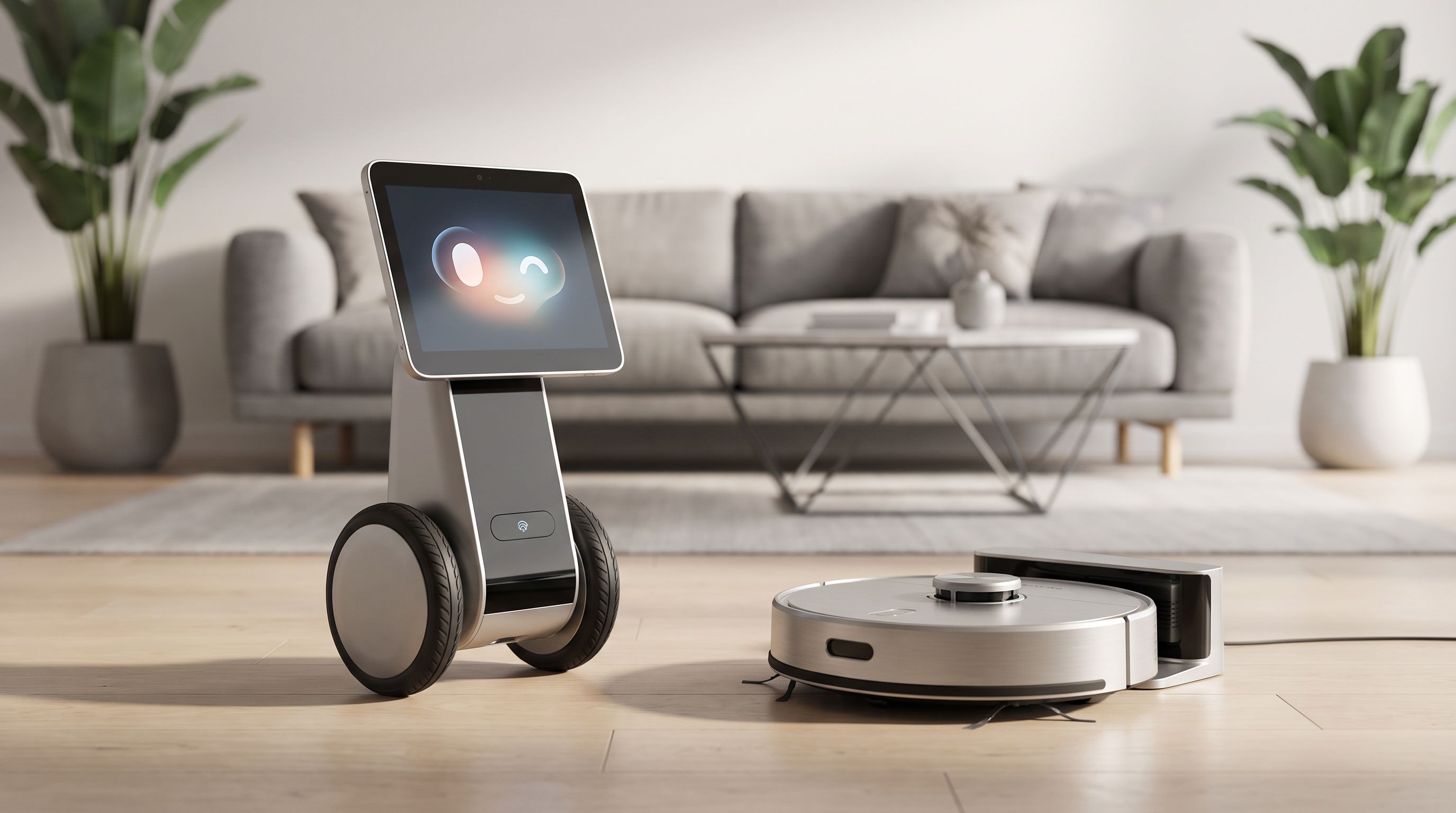
Home Robots in 2026: Are They Finally Actually Useful?
CES 2026 was packed with humanoid home robots. Here's what's actually shipping, what's still a concept, and which robots are genuinely worth buying right now.