240W USB-C Cables in 2026: Which EPR Cables Actually Hold Up
Looking for the best 240W USB-C cable? We compare EPR-rated, e-marked cables for 140W laptop charging — what the specs mean and which ones are worth buying in 2026.

Reader-supported: we may earn a commission from links on this page, at no extra cost to you. It never affects our picks. Learn more.
If you've bought a laptop in the last couple of years — a 16-inch MacBook Pro, a Framework, a Dell XPS, a ROG gaming laptop with USB-C charging — you've probably discovered that the cable in the box is doing something the $6 one in your drawer can't. That gap has a name: Extended Power Range (EPR), the USB Power Delivery 3.1 feature that pushes USB-C past the old 100W ceiling to 140W, 180W, and 240W.
The confusing part is that every cable looks identical. Same connector, same braid, same marketing photos. The difference is a chip inside the plug and the gauge of the copper — and that's exactly where cheap cables cut corners.
Here's what actually matters, and which cables are worth your money.
What "240W" really means on a USB-C cable
USB PD 3.1 raised the maximum from 20V/5A (100W) to 48V/5A (240W). The current didn't change — 5A is still the ceiling. What changed is voltage. That has two practical consequences:
- Any 240W cable is also a 140W cable. 140W is just 28V × 5A, one of the EPR voltage steps. There is no separate "140W cable" category in the spec; manufacturers market both numbers, but a properly built EPR cable handles the full range. If a cable says 240W, it covers a 140W MacBook Pro charger.
- The cable must carry 5A and be e-marked for it. Every USB-C cable rated above 3A contains an e-marker chip that tells the charger and device what the cable can safely handle. No e-marker, or a lying e-marker, and you either get throttled to 60W or you get heat where you don't want it.
A legitimate EPR cable also has to declare EPR capability specifically. Plenty of older 100W/5A cables have e-markers but predate PD 3.1 — a modern charger will negotiate them down to 100W. They're not dangerous, they're just slow.
The honest risk with cheap cables
The scary stories usually aren't about certified budget cables melting — they're about uncertified cables with an e-marker that overstates what the wire can do. The chip claims 5A; the conductors are thin enough that they run hot at 5A. In normal use you get a warm plug and a cable that stiffens and fails early. In a bad case, with a bent or strained connector, you get a scorched housing.
The practical defense is simple and doesn't require you to be an electrical engineer:
- Buy from a brand with a real support address and warranty (Anker, Belkin, Cable Matters, Apple, UGREEN, Nekteck).
- Prefer cables listed on the USB-IF certified product list where possible. Certification is voluntary and costs money, so some good cables skip it — but its presence is a strong positive signal.
- Be suspicious of anything advertising 240W and 40Gbps and 8K video for the price of a sandwich. Full-featured active cables cost real money to build.
Power vs. data: the split that saves you money
This is the single most useful thing to understand before you buy.
Most 240W cables are charge-only, or charge-plus-USB-2.0 (480Mbps). That's enough to power a laptop and sync a phone, and nothing else. They're cheap because they only need thick power conductors and an e-marker.
Cables that also do 10Gbps, 20Gbps, or 40Gbps need extra shielded high-speed pairs, and above about 0.8m they often need active signal conditioning. That's why a Thunderbolt 4 or USB4 cable costs several times what a charge cable does.
So: if the cable lives behind your desk feeding a laptop, buy the cheap charge-only 240W cable. Only pay for data when you're driving a display or an external SSD.
The picks
Best overall: Anker 765 USB-C to USB-C Cable (140W)
 Best overall · Anker 765 USB-C to USB-C Cable (140W, Nylon) — Check price on Amazon →
Anker's 140W braided cable is the default recommendation for a reason — the build quality is consistently reported as excellent in owner feedback, the strain relief is generous, and Anker actually honours warranty claims. It's rated for the EPR range that covers virtually every USB-C laptop shipping today, and the nylon jacket holds up to daily bag abuse better than the soft TPE on budget cables. If you want one cable you don't think about again, this is it.
Most trustworthy: Apple USB-C Charge Cable (240W, 2m)
 Most trustworthy · Apple USB-C Charge Cable (240W, 2m) — Check price on Amazon →
Apple's own 240W cable is unglamorous — charge-only, USB 2.0 data, no fast-transfer tricks — but it is a genuinely thick, well-shielded EPR cable with a woven jacket, and it's the cable Apple ships with high-wattage MacBook Pro chargers. Independent reviewers repeatedly land on it as the reference option for high-power laptop charging. Buy it if you want zero ambiguity, especially if you're pairing it with a 140W or larger adapter.
Best value: Cable Matters 240W USB-C Charging Cable (6 ft)
 Best value · Cable Matters 240W USB-C Charging Cable (6 ft) — Check price on Amazon →
Cable Matters occupies a useful middle ground: cheap enough to buy three, but the company publishes actual spec and certification details rather than vague Amazon bullet points. The 6-foot length is the sweet spot for desks and hotel rooms where a 1m cable leaves you charging from the floor. Reviewers have generally found its sustained high-wattage performance solid for the money.
Best for travel: Belkin BoostCharge USB-C to USB-C 240W
 Best for travel · Belkin BoostCharge USB-C to USB-C Cable 240W — Check price on Amazon →
Belkin's 240W BoostCharge cable is flexible, coils tidily, and is stocked nearly everywhere — including airport shops when you inevitably leave yours in a hotel. Belkin also backs its cables with a connected-equipment warranty, which is the sort of thing that only matters once, and then matters a lot.
Best do-everything: Apple Thunderbolt 4 Pro Cable (1.8m)
 Best do-everything cable · Thunderbolt 4 Pro Cable (Apple, 1.8m) — Check price on Amazon →
If you want one cable in your bag that charges a laptop at full EPR wattage and runs a 40Gbps dock or 6K display, this is the category. It's expensive, it's overkill for charging alone, and it's absolutely worth it if you're constantly plugging a single cable into a docking setup.
Comparison
| Cable | Max power | Data | Typical length | Best for |
|---|---|---|---|---|
| Anker 765 140W | 140W EPR | USB 2.0 | ~0.9m / 1.8m | Everyday laptop charging |
| Apple USB-C Charge Cable 240W | 240W EPR | USB 2.0 | 2m | MacBook Pro, max-wattage chargers |
| Cable Matters 240W | 240W EPR | USB 2.0 | 6 ft (~1.8m) | Cheap spares, desk + travel bag |
| Belkin BoostCharge 240W | 240W EPR | USB 2.0 | ~1m / 2m | Travel, warranty peace of mind |
| Apple Thunderbolt 4 Pro | 240W | 40Gbps | 1.8m | Docks, displays, external SSDs |
How to check a cable you already own
Three quick sanity checks before you trust an existing cable with a 140W laptop:
- Read the plug. Many e-marked cables have "240W" or "5A" printed or embossed on the connector shell. Absence isn't proof of failure, but presence is a good sign.
- Check what your laptop reports. On macOS, System Information → Power shows the wattage being drawn. On Windows, many OEM utilities (and most USB-C power meters) will show the negotiated contract.
- Feel the plug after 20 minutes at full load. Warm is normal. Uncomfortably hot at the connector is a cable telling you something.
A $15 inline USB-C power meter is honestly one of the better accessory purchases if you own several cables — it ends the guessing permanently.
FAQ
Is a 240W cable overkill for a phone? It works fine, but it's unnecessary. Phones top out well under 100W, and thicker 5A cables are stiffer and heavier. Use a slim 60W cable for phones and save the EPR cable for the laptop.
Will a 240W cable charge my laptop faster than a 100W one? Only if your charger and laptop both support EPR above 100W. If your laptop's brick is 100W or less, a 240W cable changes nothing. If it's a 140W or 180W adapter, the cable is what unlocks the extra speed.
Do I need USB-IF certification? It's the strongest available signal that a cable was independently verified, and if you're spending near the top of the market you should expect it. Some well-regarded budget cables aren't certified simply because the process is expensive — brand reputation and warranty become your fallback.
Can a bad cable damage my laptop? Modern chargers and laptops negotiate before delivering high voltage, so outright destruction is rare. The realistic failure modes are a cable that runs hot, degrades quickly, or silently throttles you to slow charging.
Does cable length reduce charging power? Longer runs mean more resistance and slightly more voltage drop, but a properly built EPR cable at 2m handles full power. Length matters far more for high-speed data than for charging.
Our picks
Anker Prime USB C to USB C Cable, 240W Fast Charging Durable Cable (6 ft) | USB 2.0 Upcycled Braided Nylon, 100-Year Bend Durability for iPhone 17 / 17 Pro / 17 Pro Max, MacBook, Galaxy, and More
USB-IF-style 140W EPR rating, tough braided jacket, and Anker's warranty support make it the safest default.
Apple 240W USB-C to USB-C Woven Charge Cable (2 m): Fast and Convenient Charging
Thick 240W EPR cable with woven jacket — boring, reliable, and exactly what MacBook Pro owners want.
Cable Matters Braided 240W USB C Fast Charging Cable, 6ft, Black | No Video Support, USB Type C Charging Cable, Works with iPhone 17/16, iPad Pro, MacBooks, Surface Pro
Cheap, long, properly e-marked 240W charge cable from a brand that publishes real certification details.
Belkin USB C to USB C 240W Cable 2 Pack, 6.6ft Fast iPhone Charger Cord | iPhone 15/16/17, Samsung Galaxy S26, Pixel 10, Airpods, iPad, Nintendo Switch 2, MacBook, Steam Deck, Travel, Chromebook
Compact, flexible, widely stocked 240W cable with Belkin's connected-equipment warranty behind it.
Apple Thunderbolt 4 (USB-C) Pro Cable (1.8 m) | Thunderbolt 4 USB-C Pro Cable with 40Gb/s speed and 100W charging for displays, docks and hard drives
40Gbps data plus 240W power in one cable — expensive, but it replaces two cables in your bag.
Get the best tech deals in your inbox
Join the BytePlaza newsletter for hand-picked gadget deals and new buying guides. No spam, unsubscribe anytime.
Related reads
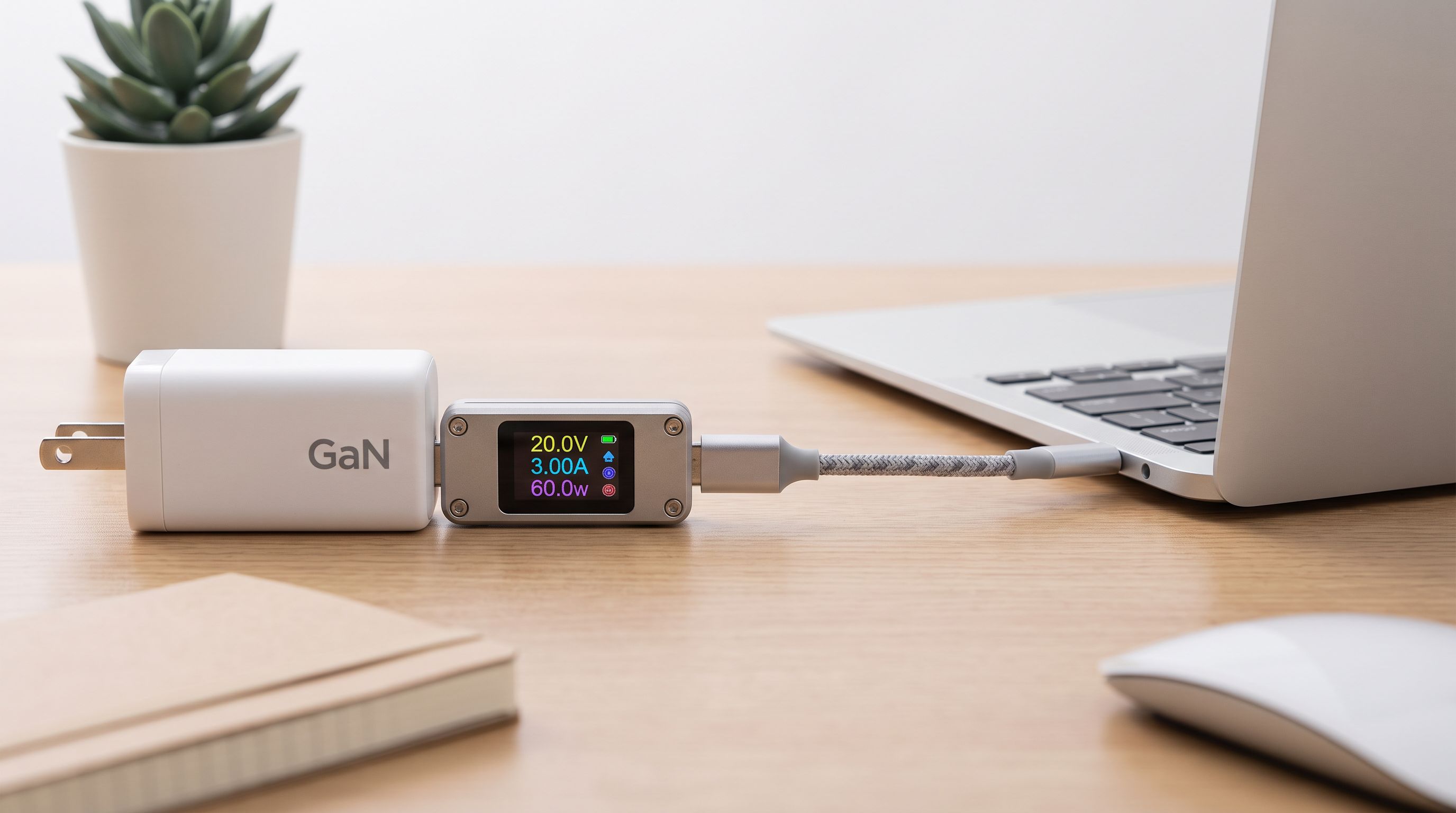
USB-C Cable Tester Picks for 2026: Find the Fakes Fast
Which usb-c cable tester actually reveals 240W EPR support, e-marker data and real data speeds? We compared four worth owning in 2026, from $15 meters to lab tools.
Bedside Charging Stations in 2026: 5 Picks That Kill Cable Clutter
The best bedside charging station for 2026: Qi2 magnetic docks, alarm-clock combos and USB-C hubs compared for speed, dimmable displays and nightstand footprint.
Which KVM Switch Should You Buy in 2026? Laptop + Desktop
The best KVM switch picks for 2026, from USB-C docking KVMs to 4K 144Hz DisplayPort models — how to run a work laptop and a personal desktop on one desk.