1440p 180Hz on a Budget: The Best Cheap Gaming Monitors 2026
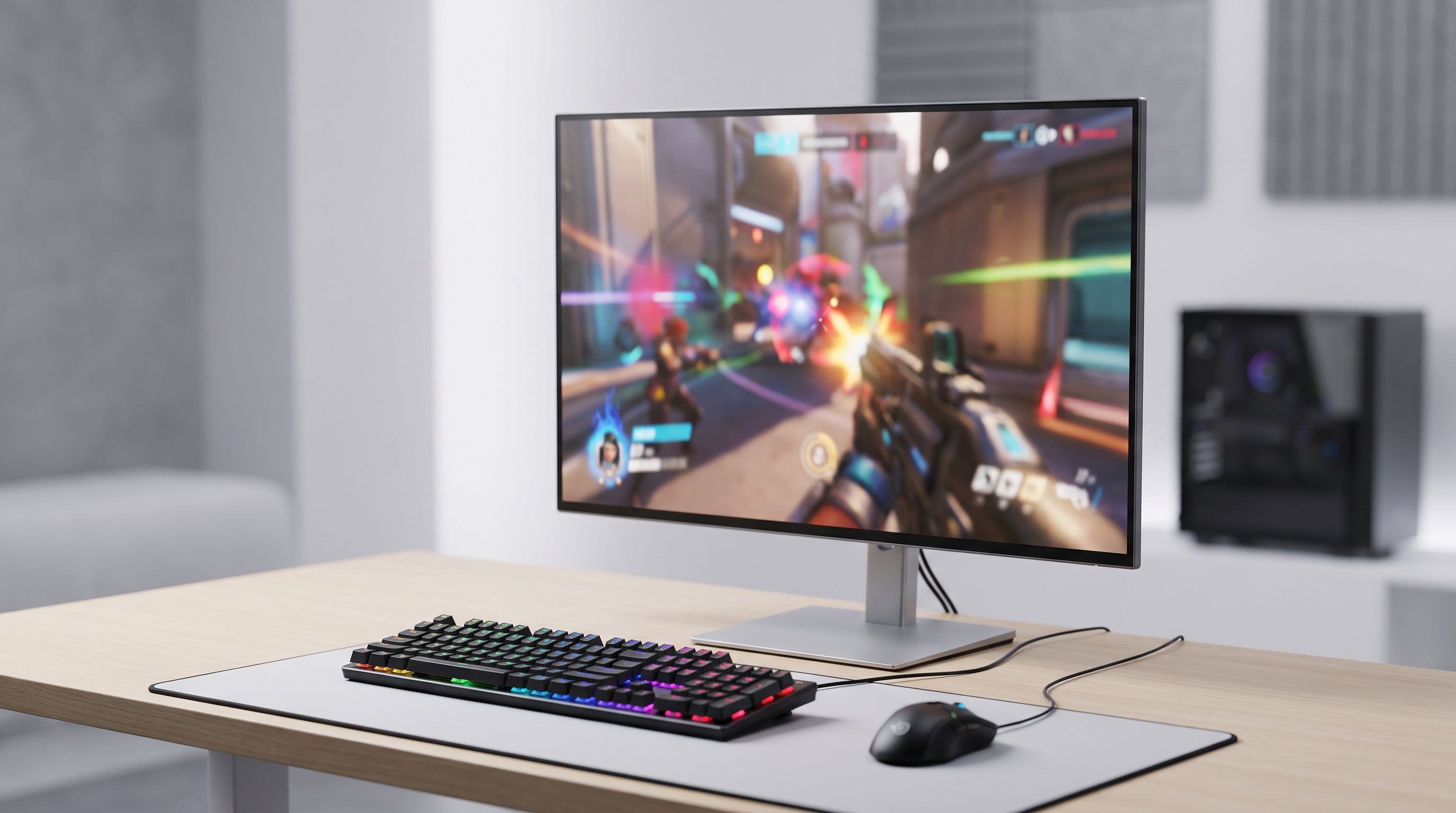
Looking for the best budget gaming monitor in 2026? We compared fast 1440p IPS panels at 165–200Hz to find the value picks worth buying instead of OLED.
Reader-supported: we may earn a commission from links on this page, at no extra cost to you. It never affects our picks. Learn more.
OLED gaming monitors got the headlines in 2025 and 2026 — and they deserve them. But they also start at roughly three times what a good 1440p IPS panel costs. The genuinely interesting story at the budget end is that 27-inch QHD at 165–200Hz has become the default, not the upgrade. Panels that cost a small fortune in 2021 are now the entry level.
We compared current 1440p budget models on manufacturer specs, independent lab measurements from outlets like RTINGS and Monitors Unboxed, and verified owner feedback, then ranked them on what actually matters at this price: motion clarity, factory colour accuracy, stand quality, and whether the backlight is uniform enough to enjoy dark scenes.
Why 1440p 180Hz is the value sweet spot in 2026
Three things converged to make this the best-value category right now.
GPUs caught up. A current midrange card — RTX 5060 Ti class, or a Radeon RX 9060 XT — pushes 1440p at high frame rates in most titles with upscaling on. You no longer need a flagship GPU to feed a QHD panel.
Fast IPS matured. Response times on good budget IPS panels now land in the 3–5ms grey-to-grey range in real measurements, not just marketing claims. That's fast enough that overshoot control, rather than raw speed, is the differentiator.
180Hz became the standard tier. The old 144Hz/165Hz plateau quietly shifted. Most new budget QHD models ship at 180Hz, and the jump from 144 to 180 is modest but free.
The honest caveat: budget IPS still has IPS contrast, typically around 1000:1. Blacks look grey in a dark room. Nothing in this price bracket fixes that — only VA (with its own smearing trade-offs) or OLED does.
How we ranked these
- Motion handling. Measured response times and, crucially, how much inverse ghosting appears at the recommended overdrive setting. A panel that's fast only in its worst overdrive mode isn't fast.
- Out-of-box colour. Budget monitors rarely ship calibrated, but some are far closer than others. sRGB clamp modes matter if you do anything besides game.
- Ergonomics. A tilt-only stand is the most common corner-cut. Height and pivot adjustment is worth real money.
- VRR behaviour. LFC support and whether flicker appears in low-framerate scenes — a recurring complaint on cheap adaptive-sync panels.
- Owner-reported reliability. Backlight bleed and dead-pixel complaint rates across large review samples.
The picks
Gigabyte GS27QA — best overall
Gigabyte's GS-series is the clearest example of how far budget QHD has come. The Gigabyte GS27QA gives you a 27-inch 1440p IPS panel at 180Hz with adaptive sync, and it consistently sits at the bottom of the price range for this spec. Reviews and owner reports point to respectable factory colour and a clean overdrive implementation, which is the thing most cheap panels get wrong.
What you give up is the stand — expect tilt-only adjustment, so budget for a VESA arm if your desk setup needs height. Build materials are plain plastic. Neither affects the picture.
Best for: anyone who wants the most pixels-per-hertz-per-dollar and doesn't mind a basic chassis.
LG UltraGear 27GS75Q-B — best all-rounder
 Best all-rounder · LG UltraGear 27GS75Q-B 27 QHD 180Hz — Check price on Amazon →
LG's UltraGear line has been the reliable choice in this bracket for years, and the LG UltraGear 27GS75Q-B continues it: 27-inch QHD, 180Hz, IPS, with a proper height-adjustable and pivoting stand — the thing most rivals cut. LG's panels typically post strong wide-gamut coverage, which matters if the monitor doubles as a photo or video display.
The trade-off is that LG's HDR implementation at this tier is essentially a checkbox; it accepts an HDR signal but lacks the brightness and local dimming to do anything with it. Ignore the HDR badge and judge it on SDR, where it's excellent.
Best for: people who want one monitor for gaming and work without compromising ergonomics.
ASUS TUF Gaming VG27AQ3A — best for competitive play
 Best for competitive play · ASUS TUF Gaming VG27AQ3A 27 1440p 180Hz — Check price on Amazon →
The ASUS TUF Gaming VG27AQ3A leans into motion clarity. It pairs a fast 1440p IPS panel at 180Hz with ELMB, ASUS's backlight-strobing mode, which reduces perceived motion blur beyond what refresh rate alone achieves. In fast shooters, strobing is a meaningfully different experience — though it costs brightness and can't run simultaneously with VRR on most implementations.
ASUS's on-screen menu is also the most mature of the group, with per-mode overdrive and a usable sRGB clamp. Owner feedback flags the usual IPS backlight bleed lottery, so buy from a retailer with an easy return window.
Best for: competitive FPS players who'll actually use strobing.
KOORUI G2411P — budget pick
If 1440p pushes past what you want to spend — or your GPU is a 3060-class card that's happier at 1080p — the KOORUI G2411P is the sensible step down. It's a 24-inch 1080p Fast IPS panel at 180Hz, and it's been widely recommended as the cheap-but-effective option. At 24 inches, 1080p still looks reasonably sharp (about 92 PPI), and competitive players often prefer the smaller viewport anyway.
Expect basic build quality, a tilt-only stand and no colour calibration to speak of. It's a lot of refresh rate for very little money.
Gigabyte MO27Q2A — premium upgrade
Included for context, not as a budget pick. The Gigabyte MO27Q2A is a 27-inch QD-OLED at 240Hz, and it demonstrates exactly what the extra money buys: effectively infinite contrast, near-instant pixel response, and colour volume no IPS panel can touch. If your budget can stretch, this is the jump worth making — not a 1440p IPS at a slightly higher refresh rate.
Comparison table
| Model | Size / Resolution | Refresh | Panel | Stand adjustment | Best for |
|---|---|---|---|---|---|
| Gigabyte GS27QA | 27" / 2560×1440 | 180Hz | IPS | Tilt only | Maximum value |
| LG UltraGear 27GS75Q-B | 27" / 2560×1440 | 180Hz | IPS | Height, tilt, pivot | Gaming + work |
| ASUS TUF VG27AQ3A | 27" / 2560×1440 | 180Hz | Fast IPS | Full ergonomic | Competitive FPS |
| KOORUI G2411P | 24" / 1920×1080 | 180Hz | Fast IPS | Tilt only | Tightest budgets |
| Gigabyte MO27Q2A | 27" / 2560×1440 | 240Hz | QD-OLED | Full ergonomic | Stretch upgrade |
 Premium upgrade · Gigabyte MO27Q2A 27 QD-OLED 240Hz — Check price on Amazon →
 Budget pick · KOORUI G2411P 24 1080p 180Hz — Check price on Amazon →
 Best overall · Gigabyte GS27QA 27 1440p 180Hz — Check price on Amazon →
Specs per manufacturer listings; verify the exact SKU before buying, as regional variants differ.
What to check before you click buy
Your GPU, honestly. 1440p at 180Hz is a real workload. If you're on an RTX 3060 or RX 6600, you'll hit 180fps in esports titles and roughly half that in modern AAA games. That's still fine — VRR smooths it — but don't buy QHD expecting your old card to saturate it.
Cable and port. DisplayPort 1.4 handles 1440p 180Hz comfortably. HDMI 2.0 does not at full refresh; if your source is a console, check whether the monitor has HDMI 2.1 and what refresh it supports over it.
The return policy. Backlight bleed and dead pixels are luck-of-the-draw on budget IPS. A retailer that accepts returns for panel defects is worth more than a small price saving.
Don't chase 27" 4K at this budget. A cheap 4K panel at 60–120Hz is a worse gaming experience than a good 1440p panel at 180Hz, and it demands far more GPU.
FAQ
Is 180Hz noticeably better than 144Hz? Marginally. The perceptual jump from 60 to 144 is dramatic; 144 to 180 is subtle and mostly visible in fast camera pans. Don't pay a premium for it — but since most new budget panels ship at 180Hz anyway, take it.
Should I get 27-inch 1440p or 24-inch 1080p? 27-inch 1440p if your GPU can drive it — the pixel density (roughly 109 PPI) is a clear step up in sharpness. 24-inch 1080p if you're on a tighter budget, an older GPU, or you play competitive shooters where a smaller viewport helps.
Is IPS or VA better for budget gaming? IPS for viewing angles, colour and motion consistency; VA for contrast in dark rooms. Budget VA panels often smear in dark transitions, which is why most value recommendations — including ours — land on IPS.
Do these monitors work with G-Sync and FreeSync? All the picks here support adaptive sync over DisplayPort, and NVIDIA cards work with FreeSync panels via G-Sync Compatible mode. Check for explicit "G-Sync Compatible" certification if you want a guarantee rather than a near-certainty.
Is HDR worth anything at this price? No. Budget monitors lack the peak brightness and local dimming zones for real HDR. Treat any HDR badge below the premium tier as a compatibility note, not a feature.
Our picks
GIGABYTE GS27QA SA 27" SuperSpeed IPS FHD 180Hz AMD Freesync Gaming Monitor
27-inch QHD IPS at 180Hz with adaptive sync and a genuinely low street price — the value sweet spot.
LG 27GS75Q-B 27-inch Ultragear QHD (2560x1440) Gaming Monitor, 180Hz (O/C 200Hz), 1ms, IPS, NVIDIA G-SYNC Compatible, AMD FreeSync, HDR10, Tilt/Height/Pivot Stand, HDMI, DisplayPort, Black
LG's Nano IPS-class panel, solid factory colour and a proper height-adjustable stand at a budget price.
ASUS TUF Gaming VG27AQ3A 27 Inch 1440p 180Hz G-SYNC Gaming Monitor
Fast IPS with ELMB backlight strobing and ASUS's mature OSD — the sharpest motion of the group.
KOORUI 24 Inch Gaming Monitor, 180Hz 1080P VA Display with 3000:1 Contrast
If 1440p stretches the budget, this 24-inch 180Hz Fast IPS keeps high refresh within reach.
GIGABYTE GO27Q24G 27" W-OLED 240Hz QHD Gaming Monitor
If you can stretch past budget, this QD-OLED shows exactly what your extra money buys.
Get the best tech deals in your inbox
Join the BytePlaza newsletter for hand-picked gadget deals and new buying guides. No spam, unsubscribe anytime.
Related reads
Wireless Game Controllers in 2026: 5 Picks for PC & Mobile
Hall-effect and TMR sticks, 2.4GHz vs Bluetooth latency, and multi-device pairing compared — our picks for the best wireless game controller in 2026 for PC and mobile.
Best OLED Gaming Monitor 2026: 240Hz Top Picks
The best OLED gaming monitor picks for 2026, from 4K 240Hz QD-OLED flagships to 1440p WOLED value buys — compared on brightness, burn-in cover and price.
Best Handheld Gaming PC 2026: ROG Ally vs Steam Deck
We compare the best handheld gaming PCs of 2026 — ROG Xbox Ally X, Steam Deck OLED, Legion Go S and more — on battery life, performance per dollar and screen quality.