USB-C Surge Protectors in 2026: 5 Desk Picks That Actually Deliver
Looking for the best USB-C surge protector in 2026? We compared joule ratings, PD ports, and cable lengths to find the top desk-friendly picks.
Reader-supported: we may earn a commission from links on this page, at no extra cost to you. It never affects our picks. Learn more.
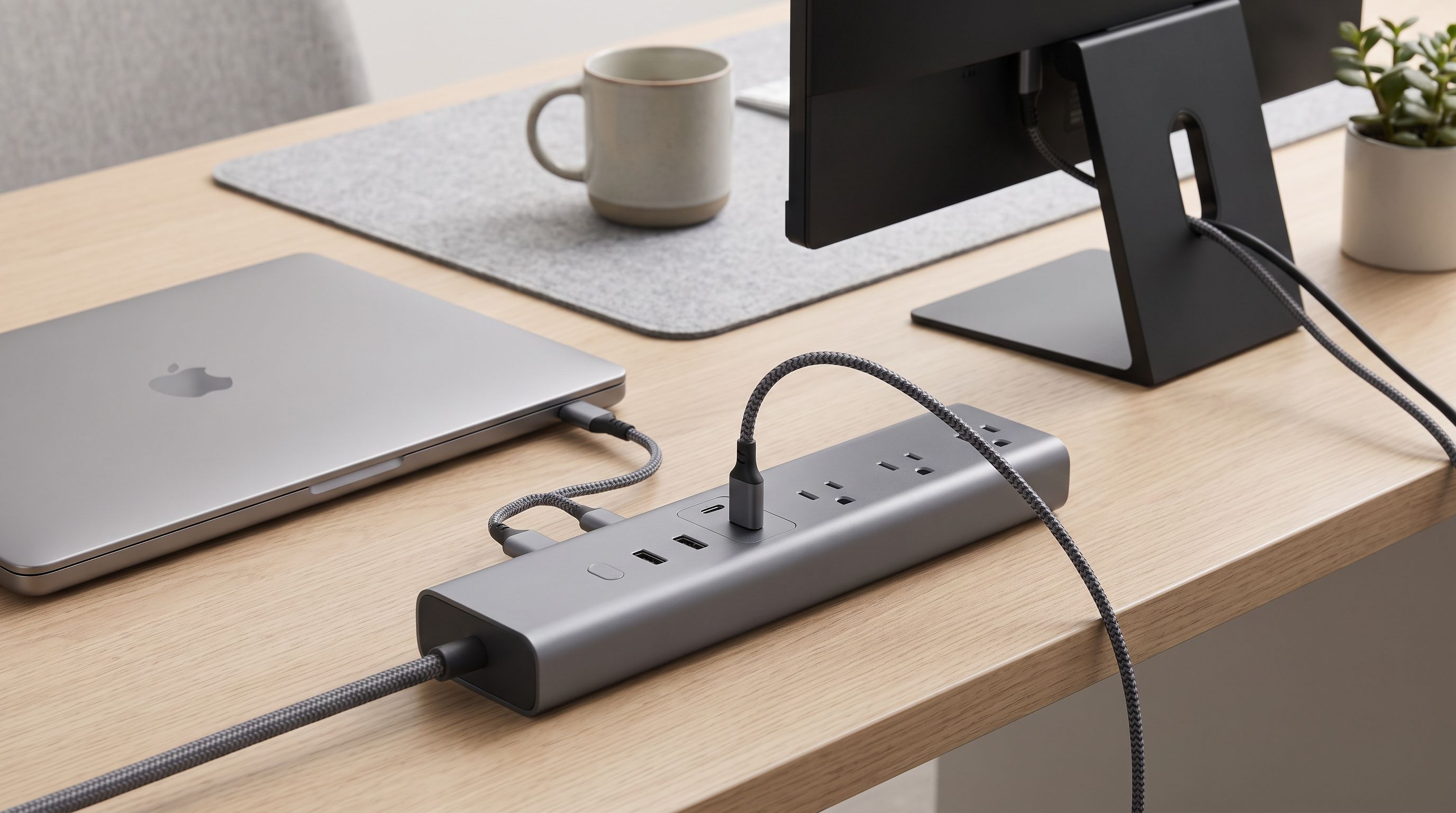
Your desk probably has more devices plugged in than ever — a laptop, a monitor, a phone charger, maybe a desk lamp and a pair of powered speakers. A standard power strip handles the outlet count, but it won't protect your gear from voltage spikes, and it definitely won't charge your MacBook over USB-C Power Delivery. A USB-C surge protector solves both problems in one strip.
We compared dozens of models across manufacturer specs, editorial reviews (including Wirecutter's 2026 picks and PCMag's roundup), and verified owner feedback to find the five that make the most sense for a multi-device desk in 2026.
What to Look for Before You Buy
Joule Rating
The joule rating tells you how much energy a surge protector can absorb before it fails. For a desk full of electronics, aim for at least 1,000 joules. Models in the 2,000+ joule range offer a wider safety margin, especially if you're protecting a laptop or external display.
USB-C PD Wattage
Not all USB-C ports are created equal. A 20 W port will slowly charge a phone; a 30–65 W USB-C PD port can power a laptop. Check the wattage if you plan to ditch your laptop's brick.
Outlet Count and Spacing
Bulky wall-wart adapters can block adjacent outlets. Look for widely spaced or rotating outlets — especially if you're plugging in monitor power supplies.
Cable Length
A 3-foot cord is fine for a nightstand. At a desk, you typically need 5–6 feet to route the cable neatly to a wall outlet. Some models offer even longer cords.
Smart Features (Optional)
Wi-Fi or app-based controls let you schedule power, monitor energy usage, and control individual outlets remotely. These aren't essential for surge protection, but they're a nice perk for a home-office setup.
Our Top Picks for 2026
Anker 351 Surge Protector Power Strip — Best Overall
The Anker 351 leads with a 2,100-joule rating, the highest on this list, paired with 12 AC outlets and integrated USB-C and USB-A ports. Independent reviewers consistently praise its build quality and reliable clamping voltage. If you want the most headroom for absorbing surges and enough outlets for a fully loaded desk, this is the one to get. The generous cord length also makes routing under a standing desk straightforward.
BN-Link Smart Plug Power Strip — Best Smart USB-C Surge Protector
The BN-Link blends smart-home control with USB-C PD charging in a single strip. You can toggle individual outlets via the companion app, set timers, and monitor usage. PCMag highlighted it as the best USB-C surge protector in its 2026 roundup. If you want app control without buying a separate smart plug for every outlet, the BN-Link is a clean solution.
 Best smart USB-C surge protector · BN-Link Smart Plug Power Strip — Check price on Amazon →
TESSAN Surge Protector Power Strip 8 Outlet — Budget Pick
At 900 joules, the TESSAN doesn't match the Anker 351's absorption capacity, but it delivers a lot of functionality at a lower price. It packs 8 AC outlets, 1 USB-C port, and 2 USB-A ports into a compact body. Multiple reviewers note it's a solid entry point for anyone who doesn't need 2,000+ joules but still wants integrated USB-C charging and basic surge protection.
 Budget pick · TESSAN Surge Protector Power Strip 8 Outlet — Check price on Amazon →
Tapo P316M Smart Wi-Fi Power Strip — Best Wi-Fi Integration
If you're already in the TP-Link / Tapo ecosystem, the P316M slots right in. It offers energy monitoring per outlet, voice-assistant support (Alexa and Google Home), and a USB-C PD port — all with built-in surge protection. PCMag named it the best overall surge protector in its 2026 guide. The main trade-off: it's a premium-priced strip, so it's best suited for users who will actually use the smart features.
 Best Wi-Fi integration · Tapo P316M Smart Wi-Fi Power Strip — Check price on Amazon →
ALESTOR Surge Protector Power Strip with USB-C — Best Port Layout
The ALESTOR stands out for its wide outlet spacing and flat-plug design, which lets you mount it flush against a wall or the back of a desk. It includes USB-C and USB-A ports alongside its AC outlets. Owner feedback frequently highlights how well it handles bulky adapters without blocking neighboring sockets — a common pain point with cheaper strips.
 Best port layout · ALESTOR Surge Protector Power Strip with USB-C — Check price on Amazon →
Comparison Table
| Feature | Anker 351 | BN-Link Smart | TESSAN 8-Outlet | Tapo P316M | ALESTOR |
|---|---|---|---|---|---|
| Joule Rating | 2,100 J | ~1,080 J | 900 J | ~1,080 J | ~1,200 J |
| AC Outlets | 12 | 6 | 8 | 6 | 8–10 |
| USB-C Port(s) | Yes (PD) | Yes (PD) | Yes (1) | Yes (PD) | Yes (PD) |
| USB-A Port(s) | Yes | Yes | 2 | Yes | Yes |
| Smart / App Control | No | Yes | No | Yes (Wi-Fi) | No |
| Flat Plug | Yes | No | Varies | No | Yes |
| Cord Length | ~6 ft | ~6 ft | ~5 ft | ~5 ft | ~6 ft |
Specs sourced from manufacturer listings and editorial reviews as of early 2026. Always confirm current specs before purchasing.
How We Ranked These Picks
We weighted three factors roughly equally:
- Surge protection capacity (joule rating) — Higher is better; it determines how long the protector lasts before its MOVs degrade.
- USB-C PD utility — Does the USB-C port deliver enough wattage to actually charge a laptop, or only a phone?
- Desk-friendliness — Outlet spacing, cable length, form factor, and whether a flat plug is included all matter when the strip lives on or under your desk.
Smart features were treated as a bonus, not a requirement, because they don't improve surge protection itself.
A Quick Note on "Lifetime" Joule Ratings
Surge protectors don't last forever. Every spike they absorb chips away at the total joule capacity. A 2,100 J strip that's absorbed 1,500 J of cumulative surges is effectively a 600 J strip. Many quality models include an indicator LED that warns you when protection has degraded. Replace your strip when that light goes out — or every 3–5 years as a general rule.
FAQ
Does a higher joule rating mean better protection?
Generally, yes. A higher joule rating means the protector can absorb more cumulative surge energy before its internal components wear out. For a desk with a laptop and monitor, 1,000 J is a reasonable floor; 2,000+ J provides a larger safety buffer.
Can I charge a laptop through a surge protector's USB-C port?
It depends on the port's wattage. A USB-C PD port rated at 30 W or higher can typically sustain a laptop charge (slowly, in some cases). Ports rated at 20 W or less are better suited for phones and tablets. Check the manufacturer's spec sheet for the exact PD wattage.
Is a smart surge protector safer than a non-smart one?
Smart features (app control, timers, energy monitoring) don't improve the surge-clamping performance itself. They add convenience. Choose a smart model if you want scheduling or voice control; otherwise, a non-smart strip with an equal or higher joule rating protects your gear just as well.
Should I daisy-chain two surge protectors for more outlets?
No. Daisy-chaining power strips or surge protectors is a fire hazard and violates most electrical codes. If you need more outlets, choose a single strip with a higher outlet count, or use a dedicated circuit.
How often should I replace a surge protector?
Most manufacturers recommend replacement every 3–5 years, or immediately if the "protected" indicator LED turns off. Surge protectors degrade with each absorbed spike, even small ones you may not notice.
Our picks
Anker 351 Surge Protector Power Strip
2,100-joule rating with USB-C PD and 12 AC outlets — hard to beat for desk setups.
BN-LINK Remote Control Power Strip with 3 Independent Outlets, 4 USBs
App-controlled outlets with USB-C PD and solid surge protection in one strip.
TESSAN Power Strip Surge Protector, 6FT Flat Plug Extension Cord
900J protection with USB-C and USB-A ports at a price that's easy to swallow.
Tapo Smart Wi-Fi Power Strip, Matter, P316M, Energy Monitoring
TP-Link ecosystem support, energy monitoring, and USB-C PD in a sleek design.
ALESTOR 6 Ft Surge Protector Power Strip with 12 Outlets and 4 USB Ports
Wide spacing and flat plug design make it ideal for crowded desks and bulky adapters.
Get the best tech deals in your inbox
Join the BytePlaza newsletter for hand-picked gadget deals and new buying guides. No spam, unsubscribe anytime.
Related reads
Magnetic Cable Clips in 2026: 5 Picks for a Tangle-Free Desk
Looking for the best magnetic cable clips in 2026? We compared hold strength, cable sizes, and finishes to find the top desk cable organizers worth buying.
Best Webcam for Dual Monitors in 2026: Mounts, FOV & More
Finding the best webcam for dual monitors in 2026? We compare mount styles, field of view, and auto-framing to help you pick the right camera for multi-screen setups.
Laser Printers Under $200 in 2026: 5 Picks Ranked by Cost-Per-Page
Looking for the best laser printer under $200 in 2026? We compared monochrome and color models by cost-per-page, connectivity, and features for home offices.