Best Mechanical Keyboards in 2026: Tested & Ranked
Our picks for the best mechanical keyboards in 2026, from gasket-mounted enthusiast boards to low-profile wireless models — tested for feel, sound and latency.
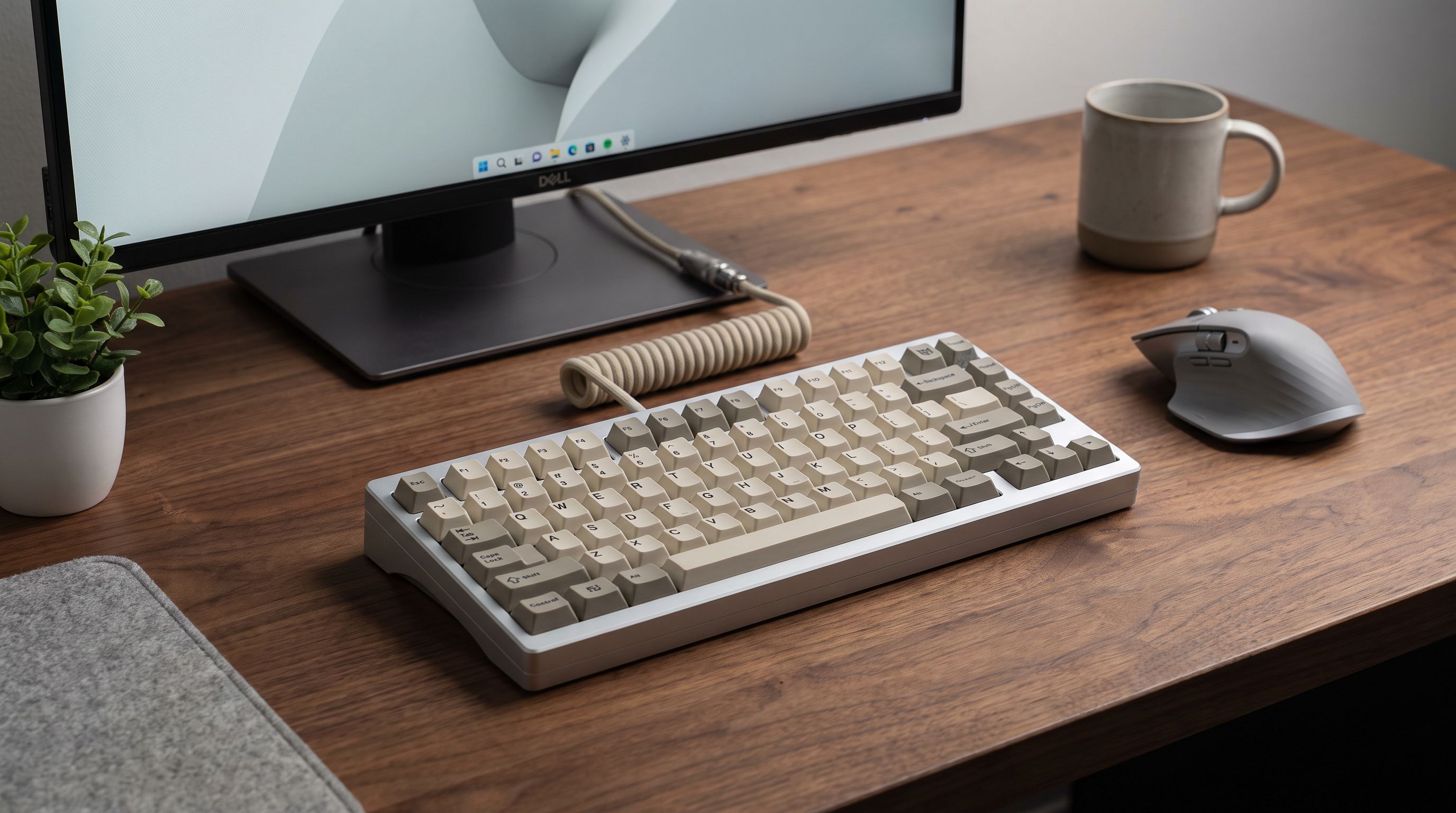
Mechanical keyboards stopped being a niche hobby years ago, but 2026 is the first year where the mainstream options are genuinely good out of the box. Gasket mounts, sound-dampening foam, PBT keycaps and hot-swap sockets — features that used to require a group buy and six months of waiting — now ship on boards you can order today and receive tomorrow.
That abundance creates a new problem: almost every board looks great in a product photo. This guide is about the differences that actually show up after a week of daily use — how the board sounds, whether the switches suit what you do, and whether the software gets in your way.
How we evaluated these keyboards
We weighted four things, roughly in this order:
- Typing feel and acoustics. Mount type (gasket, top, tray), plate material and internal foam matter far more than the switch brand printed on the box. A cheap board with good damping beats an expensive hollow one.
- Switch quality and options. Whether the board is hot-swappable is the single biggest factor in how long you'll keep it. Switch preferences change; sockets let the keyboard change with you.
- Connectivity and latency. Modern 2.4GHz wireless is effectively indistinguishable from wired for all but the most competitive play. Bluetooth is fine for typing, less ideal for twitch gaming.
- Software and customisation. QMK/VIA is open, offline and doesn't require an account. Vendor software (Razer Synapse, Logi Options+) is more polished but heavier and cloud-tied.
We deliberately did not weight RGB heavily. Almost everything has good lighting now, and lighting is the first thing you stop noticing.
The quick comparison
| Keyboard | Best for | Layout | Connectivity | Hot-swap | Notable trait |
|---|---|---|---|---|---|
| Keychron Q1 Pro | Overall / enthusiasts | 75% | Wired, BT, 2.4GHz | Yes | CNC aluminium, gasket mount, QMK/VIA |
| Logitech MX Mechanical Mini | Office and typing | 75% | Bluetooth, Logi Bolt | No | Low-profile, 3-device switching |
| Razer Huntsman V3 Pro TKL | Competitive gaming | TKL | Wired | No (optical) | Adjustable actuation + rapid trigger |
| Keychron K8 Pro | Value | TKL | Wired, BT | Yes | Full-size feel, low entry cost |
| NuPhy Air75 V2 | Portability | 75% low-profile | Wired, BT, 2.4GHz | Yes | Thin chassis, real mechanical feel |
Best overall: Keychron Q1 Pro
The Keychron Q1 Pro is the board we recommend when someone asks a single question and wants a single answer. It's a heavy CNC aluminium 75% with a gasket mount, double-shot PBT keycaps, a screw-in stabiliser setup and layers of internal foam — a spec sheet that would have been a custom build a few years ago.
What that translates to in use is a low, dense typing sound with almost no ping or hollowness, and a slight cushioned give on each press rather than a hard bottom-out. It's hot-swappable, so you can move from linear to tactile switches without desoldering anything, and it runs QMK/VIA, meaning remapping happens in a browser and lives on the keyboard itself — no background app, no login.
The trade-offs are real. It's genuinely heavy, which is great on a desk and terrible in a backpack. The 75% layout squeezes the arrow keys against the right shift, which takes a few days of adjustment. And it costs meaningfully more than a mainstream gaming board. If you type for a living and care how the keyboard sounds, it's worth it.
Best for work: Logitech MX Mechanical Mini
Not everyone wants a thick aluminium slab. The Logitech MX Mechanical Mini is aimed squarely at people who spend eight hours in documents, spreadsheets and video calls, and it makes sensible compromises for that job.
The low-profile switches mean a shorter travel and a quieter, flatter typing action closer to a good laptop keyboard than a traditional mechanical. It pairs with three devices and switches between them with a keypress, which is the single most useful feature on any office keyboard. Battery life is measured in weeks with backlighting on, and considerably longer with it off.
It's not hot-swappable, the layout is fixed, and Logi Options+ is a heavier piece of software than VIA. But for a shared desk or a hot-desking setup where you're bouncing between a work laptop and a personal machine, it's the most frictionless option here.
Best for gaming: Razer Huntsman V3 Pro TKL
Competitive gaming is the one use case where the switch technology genuinely changes outcomes. The Razer Huntsman V3 Pro TKL uses analogue optical switches, which means the board reads how far each key is pressed rather than just whether it crossed a threshold.
Practically, that unlocks two things. Adjustable actuation lets you set a very shallow trigger point for movement keys in a shooter, or a deeper one for keys you tend to brush accidentally. Rapid trigger resets the key the instant you begin lifting, rather than at a fixed reset point — which makes counter-strafing and quick directional changes noticeably crisper.
If you play primarily single-player games or you're a mid-tier player, you will not feel the difference and shouldn't pay for it. If you play tactical shooters seriously, it's the most meaningful upgrade on this list. It's wired only, which is the correct decision for this category.
Best value: Keychron K8 Pro
The Keychron K8 Pro is the answer to "I want to try mechanical without committing." It's a TKL with a metal plate, hot-swap sockets, Bluetooth and VIA support — the features that matter most, at a fraction of the Q1 Pro's cost.
The chassis is plastic rather than aluminium, so it's lighter and sounds less refined out of the box. But because it's hot-swappable, it's also the most upgradeable cheap board around: better switches and a strip of case foam close a surprising amount of the gap. It's the board we'd hand to someone who might get into the hobby.
Best low-profile: NuPhy Air75 V2
If your keyboard travels, the NuPhy Air75 V2 is the pick. Low-profile boards usually feel like a compromise; this one doesn't, largely because it's hot-swappable with NuPhy's own low-profile switches and includes enough internal damping to avoid the hollow rattle most slim boards have.
It's thin enough to slide into a laptop sleeve, supports both Bluetooth and 2.4GHz, and the 75% layout keeps function keys and arrows. If you use a laptop as your main machine and want a better keyboard in front of it, this is the least disruptive way to get one.
Choosing a switch type
- Linear (red-style): smooth, no bump, quietest of the three. Default recommendation for gaming and for shared spaces.
- Tactile (brown/holy-panda-style): a bump at the actuation point. Best all-rounder for typing; most people who "aren't sure" end up here.
- Clicky (blue-style): a bump plus an audible click. Satisfying alone, genuinely unpopular in offices and on calls.
If you're buying a hot-swap board, this decision is reversible for the price of a switch set — which is another argument for hot-swap.
FAQ
Is a mechanical keyboard actually better for typing speed? Not inherently. Most typing-speed gains come from a layout you're comfortable with and consistent posture. What mechanical boards reliably improve is comfort over long sessions and typing confidence, because actuation is consistent across every key.
Do I need wireless? For typing and general use, yes — it declutters the desk and modern battery life is measured in weeks. For competitive gaming, 2.4GHz dongles are fine; Bluetooth is not ideal. Wired remains the zero-variance option.
What's the difference between 75%, TKL and full-size? TKL drops the number pad. 75% drops the number pad and compresses the function row and navigation cluster to save more width. Full-size keeps everything. If you use a mouse a lot, a smaller board lets you keep your hands closer together, which is easier on the shoulders.
Are PBT keycaps worth caring about? Yes, modestly. PBT resists the shine that develops on ABS keycaps after months of use and has a slightly more textured feel. It's a longevity feature more than a performance one.
Should I buy a pre-built or a custom kit? Pre-built, unless you specifically enjoy the building process. Boards like the Q1 Pro already include the mount, foam and stabiliser work that custom builds used to be needed for.
Our picks

Keychron Q1 Max RGB QMK/VIA Custom Mechanical Keyboard, Full Metal Programmable Knob 2.4 GHz/Bluetooth/Wired Keyboard with Hot-Swappable Gateron Jupiter Brown Switch for Mac Windows Linux - White
Gasket-mounted aluminium build, hot-swap sockets and QMK/VIA wireless — the enthusiast default.
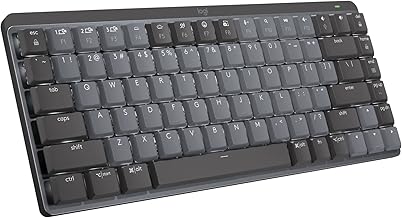
Logitech MX Mechanical Mini Wireless Illuminated Keyboard Clicky Switches | Illuminated, backlit, Bluetooth, USB-C, macOS, Windows, Linux, iOS, Android
Low-profile switches, Bluetooth multi-device switching and backlighting built for all-day office use.

Razer Huntsman V3 TKL 8KHz Analog Optical Esports Gaming Keyboard, Black | Analog Optical Switches Gen 2 with Rapid Trigger, Adjustable Actuation, Snap Tap, PBT Keycaps, True 8000hz Polling Rate
Analogue optical switches with adjustable actuation and rapid trigger for competitive shooters.

Keychron K8 HE TKL Hall Effect Wireless Keyboard, Magnetic Hot-Swappable Switches, Rapid Trigger, QMK/Launcher Web, RGB, 2.4GHz/Bluetooth 5.2/Wired, Aluminum & Wood Frame, Mac Windows Linux - Black
Hot-swap TKL with wireless, VIA support and a metal plate at a genuinely affordable price.

nuphy Air75 V3 Mechanical Keyboard with Knob, Black-Brown Nano Switches | 75% Low Profile keyboard, Hot-Swap, for Mac, Windows, Bluetooth/2.4GHz/USB-C, Wireless keyboard, RGB Backlit, PBT keycaps
Slim, portable, hot-swappable low-profile board that still sounds and feels like a real mechanical.
Get the best tech deals in your inbox
Join the BytePlaza newsletter for hand-picked gadget deals and new buying guides. No spam, unsubscribe anytime.
Related reads
Best GaN Charger 2026: 100W+ Picks for Laptops
The best GaN charger picks for 2026: compact 100W+ multi-port USB-C bricks that replace your laptop charger and top up a phone, tablet and earbuds too.
Best Portable SSDs in 2026: Fast, Rugged, Affordable
Our 2026 guide to the best portable SSDs: what speeds actually matter, how to read IP ratings, USB4 vs USB 3.2, and which drive type fits your workflow.
Best Smart Glasses 2026: Ray-Ban Meta and Rivals
The best smart glasses in 2026, compared: Ray-Ban Meta, Oakley Meta HSTN, Amazon Echo Frames and Solos AirGo. Audio, cameras, AI, privacy and battery explained.