Wi-Fi 7 Security Cameras in 2026: Skip the Cloud Fees
Looking for a Wi-Fi 7 security camera with local storage? We compare 2K and 4K cameras that record to microSD or a local hub — storage limits, night vision and owner reports.
Reader-supported: we may earn a commission from links on this page, at no extra cost to you. It never affects our picks. Learn more.
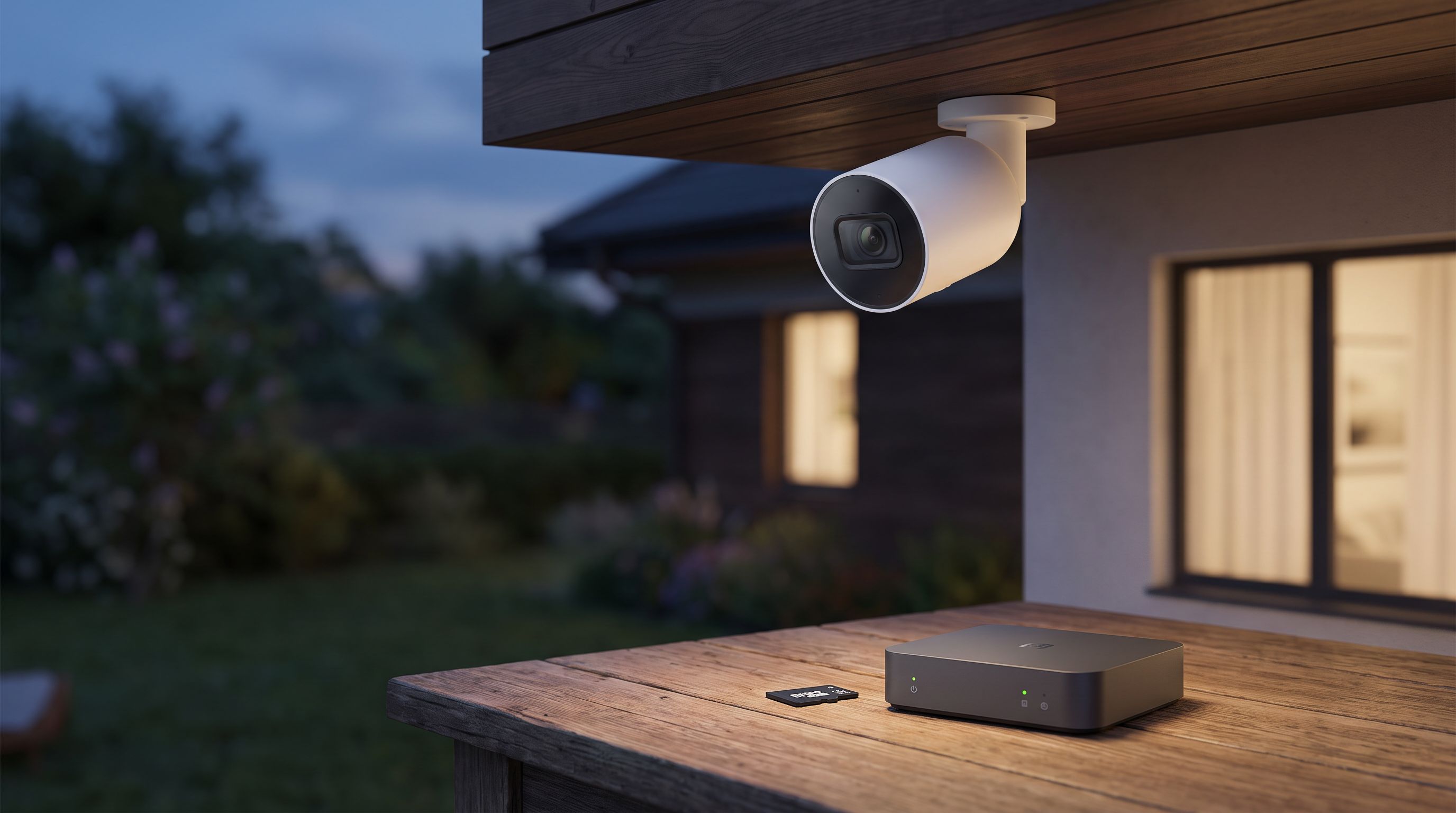
Cloud storage fees are the quiet tax of home security. A single camera plan looks cheap; four cameras and a doorbell later, you're paying more per year than the hardware cost. That's why "local storage" has become the single most searched-for feature in home cameras, and why the arrival of Wi-Fi 7 routers in most homes has people asking whether their next camera should match.
We compared current 2K and 4K cameras that record to a microSD card, a local hub, or a NAS — judged on storage ceilings, night vision hardware, connectivity honesty, and what long-term owners actually report. Here's the short version, including an important caveat about the phrase "Wi-Fi 7 security camera."
First, the Wi-Fi 7 reality check
As of 2026, there is essentially no mainstream consumer security camera with a native Wi-Fi 7 (802.11be) radio. Cameras are bandwidth-light, power-constrained devices; manufacturers spend their silicon budget on image sensors and on-device AI, not on 320 MHz channels. The vast majority of cameras ship with Wi-Fi 6 at best, and plenty of battery models are still 2.4 GHz only — deliberately, because 2.4 GHz travels farther through brick and reduces drain.
What actually matters is that your Wi-Fi 7 router handles the camera well. The real benefits you get are:
- MLO and better airtime scheduling on the router side, so a dozen chatty IoT devices don't starve your laptop.
- A dedicated 2.4 GHz IoT SSID, which most Wi-Fi 7 routers make easy to set up and which solves the single most common camera setup failure.
- Headroom so that pulling 4K local footage back to your phone over LAN isn't painful.
So the practical goal isn't to find a Wi-Fi 7 camera. It's to find a camera that stores footage locally, plays nicely on a modern Wi-Fi 7 network, and never asks for your credit card again. Treat any listing that claims "Wi-Fi 7 camera" with suspicion — check the spec sheet for 802.11be, and you'll usually find 802.11n or ax instead.
How we judged these cameras
We researched manufacturer specifications, independent review testing, and verified owner feedback from long-running community threads (r/SecurityCamera and similar) rather than physically testing units ourselves. Four criteria carried the most weight:
- Storage ceiling and behavior. Max microSD capacity, whether the camera loops cleanly, and whether local recording is continuous or event-only.
- Night vision hardware. Infrared versus spotlight-assisted color, aperture, and sensor size — not marketing adjectives.
- Escape hatches. RTSP, ONVIF, or NAS support means your footage isn't hostage to one app.
- Owner reports over time. Battery life after a year, false-alert volume, firmware stability.
The comparison
| Camera | Resolution | Local storage | Night vision | Power | Open protocols |
|---|---|---|---|---|---|
| Reolink Argus 4 Pro | 4K, 180° dual-lens | microSD + optional Reolink Home Hub | ColorX color night vision, spotlight | Battery (solar optional) | Limited; Reolink NVR/Hub |
| Aqara Camera Hub G5 Pro | 2K | microSD + NAS | IR + spotlight, starlight sensor | Wired or PoE (model dependent) | RTSP, HomeKit Secure Video, Matter hub |
| TP-Link Tapo MagCam C425 | 2K QHD | microSD | Color night vision with spotlight | Battery, magnetic mount | ONVIF/RTSP on many Tapo models |
| Amcrest 4K PoE AI Turret | 4K | microSD + NVR | IR | PoE (wired) | ONVIF, RTSP |
| eufy Indoor Cam E30 | 4K pan/tilt | microSD | IR + color mode | Plug-in | Limited |
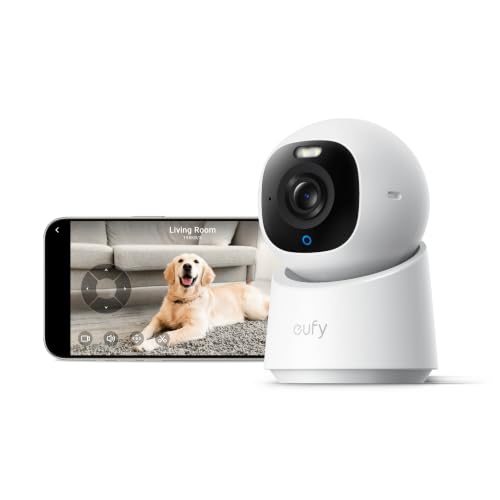 Best budget indoor · eufy Indoor Cam E30 — Check price on Amazon →
 Best wired/PoE · Amcrest 4K PoE AI Turret (IP4M-1041) — Check price on Amazon →
 Best wire-free · TP-Link Tapo MagCam C425 — Check price on Amazon →
 Best local hub · Aqara Camera Hub G5 Pro — Check price on Amazon →
 Best overall · Reolink Argus 4 Pro — Check price on Amazon →
The picks, explained
Reolink Argus 4 Pro — best overall
The Argus 4 Pro is the camera that best matches what most people searching for local storage actually want: genuine 4K-class detail, a 180-degree dual-lens view that replaces two cameras at a corner, and recording to a microSD card with no plan attached. Reolink's ColorX low-light mode uses a large aperture to produce color images at night without blasting a spotlight, which owners consistently call out as the standout feature versus grainy IR.
The trade-off is ecosystem lock-in. Reolink's battery cameras don't expose RTSP the way its PoE line does, so your footage lives in the Reolink app or on a Reolink Home Hub. If you want a single-vendor, no-fee setup that just works, that's a fair deal. If you want NAS freedom, look at the next two.
Owner reports are consistent on two points: battery life is strong with the solar panel and mediocre without it in high-traffic areas, and the 180° stitching is good but not invisible at the seam.
Aqara Camera Hub G5 Pro — best local hub
The G5 Pro earns its place because it's two devices in one. It records 2K locally to microSD or straight to a NAS, supports RTSP for Frigate/Blue Iris/Scrypted setups, and simultaneously acts as a Zigbee and Matter hub for the rest of your smart home. It's also the rare outdoor camera with HomeKit Secure Video support, which means Apple households can store events in iCloud instead of a camera-vendor subscription.
It's 2K, not 4K, and it needs power — this is not a stick-anywhere battery camera. But for anyone building a Home Assistant or Apple-centric setup where footage should land on hardware you own, it's the most flexible camera here.
TP-Link Tapo MagCam C425 — best wire-free
Independent outdoor-camera roundups in 2026 have repeatedly singled out the MagCam C425 for being genuinely easy to live with. The magnetic mount means you can reposition it in seconds, battery life runs into months for typical event volumes, and 2K QHD with color night vision is plenty for identifying people at normal approach distances. Local microSD recording is free and built in.
It's the pick for renters, for sheds and side gates, and for anyone who doesn't want to drill. Just be realistic: 2K at a wide field of view is an identification tool for faces at ten feet, not for licence plates across a driveway.
Amcrest 4K PoE AI Turret — best wired
If you can run cable, run cable. A PoE turret eliminates battery anxiety, enables true 24/7 continuous recording rather than event clips, and gives you ONVIF and RTSP so the footage can go to an NVR, a NAS, or a Frigate box. The Amcrest 4K AI turret records to its own microSD slot as a fallback, which is a nice redundancy if the network drops.
This is the least glamorous pick and the one most likely to still be working in 2033.
eufy Indoor Cam E30 — best budget indoor
Indoors, you want pan/tilt coverage and you don't want a subscription for a camera watching your own hallway. The E30 delivers 4K with on-device AI detection and microSD storage. eufy's privacy history has had rough patches, so if that matters to you, keep it on an IoT VLAN and disable cloud features — but as a cheap, high-resolution, no-fee indoor camera, it's hard to beat.
Practical setup tips for a Wi-Fi 7 house
- Buy high-endurance microSD cards. Standard cards die fast under constant rewriting. Look for cards explicitly rated for surveillance or dashcam use, and check the camera's maximum supported capacity before buying 512 GB.
- Create a separate 2.4 GHz IoT SSID. Most Wi-Fi 7 routers broadcast a combined band by default, which trips up 2.4 GHz-only cameras during pairing.
- Decide event-only vs continuous early. Battery cameras record events; only wired cameras do true 24/7. Mixing both is usually the right answer.
- Back up the card. Local storage means a thief who takes the camera takes the footage. A hub, NVR, or NAS copy fixes this; so does mounting the camera out of reach.
FAQ
Is there a true Wi-Fi 7 security camera yet? Not in the mainstream consumer market as of 2026. Cameras don't need the bandwidth, and Wi-Fi 7 radios hurt battery life. Check for "802.11be" on the spec sheet before believing a listing.
Will an older camera work fine on a Wi-Fi 7 router? Yes. Wi-Fi 7 routers are backward compatible. The main gotcha is band steering — give 2.4 GHz-only cameras their own SSID.
How much microSD storage do I need? For event-based recording, 128 GB typically holds weeks of clips. For continuous 4K recording, a card is a buffer, not an archive; you'll want an NVR or NAS.
Does local storage mean no app or remote viewing? No. All the cameras here still stream live to your phone remotely. Local storage just changes where recordings are written.
Which is safer, cloud or local? Cloud survives theft; local survives outages, data breaches, and price hikes. The strongest setup is local recording plus a second copy on a hub or NAS somewhere a burglar won't look.
Our picks
REOLINK 4K 180° Dual-Lens 8MP Solar Camera Outdoor Wireless Argus 4 Pro
180° dual-lens 4K, color night vision and microSD recording with no subscription required.
Aqara 4MP Camera Hub G5 Pro WiFi, True Color Night Vision Security Camera
Doubles as a Zigbee/Matter hub and records 2K to microSD or NAS over RTSP.
Tapo MagCam 2K+ Security Camera Wireless Outdoor, Battery, C425(2-Pack) | 2026 Wirecutter Best Outdoor Security Camera&PCMag Editors' Choice, Subscription-Free Storage/Cloud, Person/Vehicle Detection
Magnetic-mount 2K QHD battery cam with free local microSD recording and color night vision.
Amcrest 5MP AI Turret IP PoE Camera w/ 49ft Nightvision, Security IP Camera Outdoor, Built-in Mic, Human & Vehicle Detection, Active Deterrent, 129° FOV, 5MP@20fps IP5M-T1277EW-AI (Renewed)
Wired 4K turret that writes straight to microSD or an NVR, with ONVIF and RTSP support.
eufy Security 4K Indoor Camera E30, No Subscription, Work as Pet Camera | Nanny/Baby Camera, Pan&Tilt, AI Tracking, AI Detection, 24/7 Recording, Color Night Vision, Two-Way Audio,Works with HomeKit
4K pan/tilt indoor cam with on-device AI and microSD storage, no monthly plan needed.
Get the best tech deals in your inbox
Join the BytePlaza newsletter for hand-picked gadget deals and new buying guides. No spam, unsubscribe anytime.
Related reads
Security Cameras With No Subscription: 2026 Buying Guide
The best security camera with no subscription in 2026: local-storage picks from eufy, Reolink, Tapo and Ring compared on storage, power, AI detection and privacy.
Pan-Tilt Cameras in 2026: 4 Picks That Actually Track
Our 2026 guide to the best pan tilt security camera: dual-band Wi-Fi, auto-tracking accuracy, local storage vs subscriptions, and which model fits your room or yard.
Indoor Security Cameras in 2026: 4 Picks for Pets & Babies
The best indoor security camera for pets and babies in 2026: local microSD storage, privacy shutters, pan-tilt tracking and no-subscription options compared.