Which Laser Printer Should You Buy for Home Office in 2026?
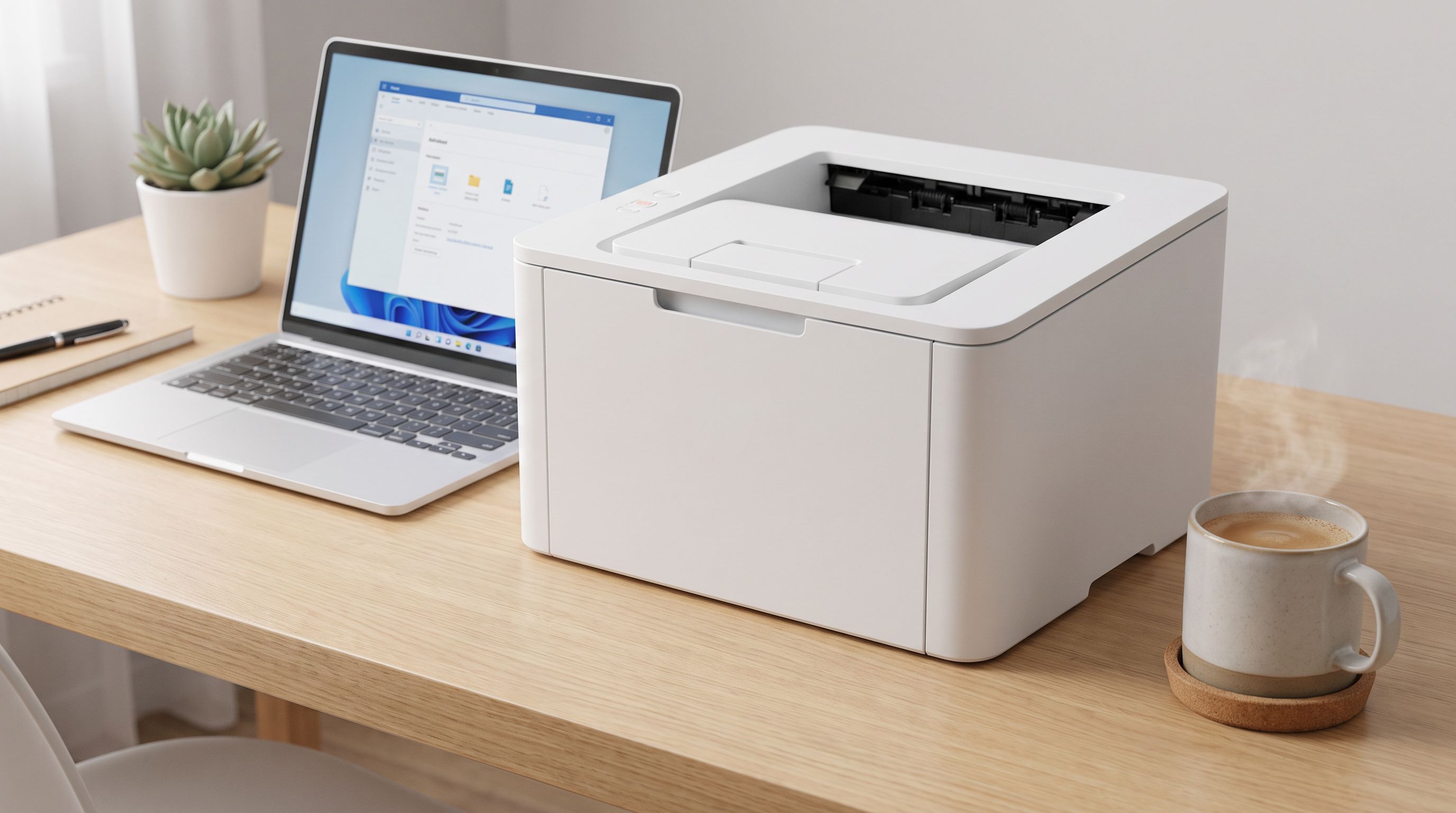
Looking for the best laser printer for home office in 2026? We compared top mono and color models for hybrid workers who need speed, low cost per page, and compact design.
Reader-supported: we may earn a commission from links on this page, at no extra cost to you. It never affects our picks. Learn more.
If you work from home even a few days a week, you've probably felt the pain of a sluggish inkjet printer—or worse, dried-out cartridges that sat idle between print jobs. Laser printers solve both problems. They're faster, their toner doesn't dry out, and the cost per page is almost always lower. But which one actually makes sense for a home office in 2026?
We researched and compared the current crop of compact mono and color laser printers, drawing on manufacturer specs, independent reviews from outlets like Wirecutter and CNET, and verified owner feedback. Below are our five picks and everything you need to know before buying.
Why Laser for a Home Office?
Inkjet technology has improved, but laser still wins on three fronts that matter most to hybrid workers:
- Speed. Most laser printers hit 30+ pages per minute (ppm) for mono text, while typical home inkjets hover around 10–15 ppm.
- Cost per page. Toner cartridges print thousands of pages before replacement. Mono laser cost per page often falls below two cents.
- Reliability after idle time. Toner is a dry powder—it doesn't clog or dry up if you skip a week of printing.
The trade-off? Photo quality is weaker on lasers, and color laser models are bulkier. If you mostly print documents, spreadsheets, contracts, and shipping labels, laser is the clear winner.
What to Look For
Print Speed & Duty Cycle
For a single-user home office, anything above 25 ppm mono is plenty. Check the recommended monthly duty cycle too—stay well under the maximum to keep the machine healthy long-term.
Mono vs. Color
Mono lasers are smaller, cheaper to buy, and cheaper to run. Choose color only if you regularly print charts, marketing materials, or client-facing documents where color actually matters.
Connectivity
Wi-Fi and mobile printing (AirPrint, Mopria) are essentially standard now. If you hardwire your setup, look for an Ethernet port—it's more stable for shared use.
All-in-One vs. Print Only
An all-in-one (AIO) adds a flatbed scanner, copier, and sometimes fax and an automatic document feeder (ADF). If you scan documents even occasionally, the AIO convenience is worth the small premium.
Toner Ecosystem
Some manufacturers lock you into subscription toner programs or use firmware updates to block third-party cartridges. Brother models are widely praised for an open, affordable toner ecosystem; HP's newer models often steer users toward HP+ plans. Factor in long-term toner costs, not just the sticker price.
How Our Picks Compare
| Model | Type | Print Speed (mono) | Auto-Duplex | Scanner / ADF | Connectivity | Best For |
|---|---|---|---|---|---|---|
| Brother DCP-L2640DW | Mono AIO | ~36 ppm | Yes | Flatbed + ADF | Wi-Fi, USB, Ethernet | Most home offices |
| Brother MFC-L3780CDW | Color AIO | ~31 ppm | Yes | Flatbed + 50-sheet ADF | Wi-Fi, USB, Ethernet | Color documents & presentations |
| HP LaserJet M209dwe | Mono print-only | ~30 ppm | Yes | No | Wi-Fi, USB | Tight budgets & small desks |
| Brother HL-L2405W | Mono print-only | ~32 ppm | No | No | Wi-Fi, USB | Simple, low-volume printing |
| Brother MFC-L8930CDW | Color AIO | ~33 ppm | Yes | Flatbed + 70-sheet ADF | Wi-Fi, USB, Ethernet, NFC | Heavy-volume color printing |
 Best for heavy workloads · Brother MFC-L8930CDW — Check price on Amazon →
 Best for simple printing · Brother HL-L2405W — Check price on Amazon →
 Budget pick · HP LaserJet M209dwe — Check price on Amazon →
 Best color laser · Brother MFC-L3780CDW — Check price on Amazon →
 Best overall · Brother DCP-L2640DW — Check price on Amazon →
A Closer Look at Each Pick
Brother DCP-L2640DW — Best Overall
Wirecutter's 2026 top laser-printer recommendation, and for good reason. The DCP-L2640DW prints fast, handles duplex automatically, and includes a flatbed scanner with an ADF—covering 90% of what a hybrid worker needs. Setup over Wi-Fi is straightforward, and Brother's standard toner cartridges are widely available from multiple sources, keeping running costs low. The footprint is compact enough for a desk or bookshelf. If you only need mono and want a worry-free experience, start here.
Brother MFC-L3780CDW — Best Color Laser
When your work involves client reports, color charts, or branded materials, a color laser earns its keep. The MFC-L3780CDW delivers sharp, consistent color output at roughly 31 ppm. It packs a 50-sheet ADF, auto-duplex, fax capability, and a touchscreen control panel into a body that's surprisingly manageable for a color AIO. Toner costs are higher than mono (that's true across all color lasers), but still well below comparable inkjet setups on a per-page basis.
HP LaserJet M209dwe — Budget Pick
If your desk space is limited and you just need quick, clean text output, the LaserJet M209dwe is one of the most compact laser printers you can buy. It supports auto-duplex and connects over Wi-Fi with HP Smart app integration. The one caveat: HP's ecosystem nudges you toward the HP+ program and Original HP toner, which can increase long-term costs compared to Brother's more open approach. For light-volume users who value a small footprint, it's still an excellent value at its entry price.
Brother HL-L2405W — Best for Simple Printing
Not everyone needs a scanner or an ADF. The HL-L2405W strips things down to the essentials: fast mono printing, wireless connectivity, and a tiny footprint. It's one of the most affordable laser printers available in 2026, and its toner cartridges are inexpensive and easy to find. The main trade-off is the lack of auto-duplex—you'll need to flip pages manually for two-sided prints. For users who print invoices, labels, or the occasional document a few times a week, that's rarely a dealbreaker.
Brother MFC-L8930CDW — Best for Heavy Workloads
If your home office handles serious volume—think 2,000+ pages per month—you need a machine built for the long haul. The MFC-L8930CDW offers high-yield toner options, a 70-sheet ADF, large paper trays, and robust construction. Independent reviews highlight its fast warm-up times and consistent output quality even during long print runs. It's the largest and most expensive printer on this list, but for power users it pays for itself through lower per-page costs at high volume.
Mono vs. Color: Quick Decision Framework
- Go mono if 90%+ of your prints are text, contracts, forms, or shipping labels. You'll save money up front and on every page.
- Go color if you regularly print client presentations, marketing collateral, or color-coded charts and need them to look professional.
- Still unsure? Start with a mono laser and use a local print shop for the occasional color job. You can always upgrade later.
FAQ
Is a laser printer really cheaper than an inkjet for home use?
Almost always, yes—especially if you print intermittently. Toner doesn't dry out, and the cost per page for mono laser is typically under two cents. Inkjet cost per page is higher, and dried-out cartridges waste money.
Do I need to worry about toner subscriptions?
Some HP models push you toward HP+ or Instant Ink-style toner plans. These can be convenient but may lock you into original cartridges. Brother printers generally allow third-party toner without firmware restrictions, giving you more flexibility.
Can a laser printer handle envelopes and labels?
Yes. Most home-office laser printers have a manual or multi-purpose feed tray that accepts envelopes, labels, and cardstock. Check the specs for supported media types and weights.
How long does toner last?
A standard mono toner cartridge typically yields 1,200–3,000 pages. High-yield options can reach 4,500 pages or more. Color cartridges vary, but high-yield color toner often covers 3,000–4,000 pages per cartridge.
Are laser printers safe in a small room?
Modern laser printers are designed to meet strict emissions standards. Placing the printer in a ventilated area and using it in a normally sized room is perfectly fine for home use. Look for models that carry TÜV or Blue Angel certifications if air quality is a concern.
Our picks
Brother DCP-L2640DW Wireless Compact Monochrome Multi-Function Printer, Copy, Scan, Duplex, Mobile Printing
Fast, reliable mono laser with scanning, auto-duplex, and an affordable toner ecosystem.
Brother MFC-L3780CDW Wireless Digital Color All-in-One Printer
Compact color all-in-one with fax, ADF, and sharp output for presentations and charts.
LaserJet M209dwe Wireless Monochrome Printer with built-in Ethernet & fast 2-sided printing, HP+ and bonus 6 months Instant Ink (6GW62E)
Ultra-compact mono laser that fits anywhere and delivers crisp text at a low entry price.
Brother HL-L2405W Wireless Compact Monochrome Laser Printer with Mobile Printing, Black & White Output | Includes Refresh Subscription Trial(1), Works with Alexa
No-frills wireless mono laser with easy setup and low running costs for light-volume users.
Brother MFC-L8930CDW Business Color Laser All-in-One Printer with Duplex Print, Scan, Copy, Low-Cost Printing, and Advanced Security Features
High-capacity color laser built for serious volume with fast speeds and robust paper handling.
Get the best tech deals in your inbox
Join the BytePlaza newsletter for hand-picked gadget deals and new buying guides. No spam, unsubscribe anytime.
Related reads
Magnetic Cable Clips in 2026: 5 Picks for a Tangle-Free Desk
Looking for the best magnetic cable clips in 2026? We compared hold strength, cable sizes, and finishes to find the top desk cable organizers worth buying.
Bluetooth Speakerphones in 2026: 5 Picks for Hybrid Calls
Looking for the best Bluetooth speakerphone for conference calls? We compare mic pickup range, echo cancellation, battery life and Teams/Zoom certification for 2026.
USB-C Laptop Chargers in 2026: 140W+ Picks That Replace Your Brick
Looking for the best USB-C laptop charger in 2026? We compare 140W+ GaN chargers with PD 3.1 support, multi-port designs, and compact builds that replace bulky OEM bricks.