Standing Desk Converter 2026: Which Riser Fits Your Desk?
Standing desk converter 2026 guide: compare electric vs Z-lift vs X-lift risers by footprint, weight capacity, and desk depth so you buy one that actually fits.
Reader-supported: we may earn a commission from links on this page, at no extra cost to you. It never affects our picks. Learn more.
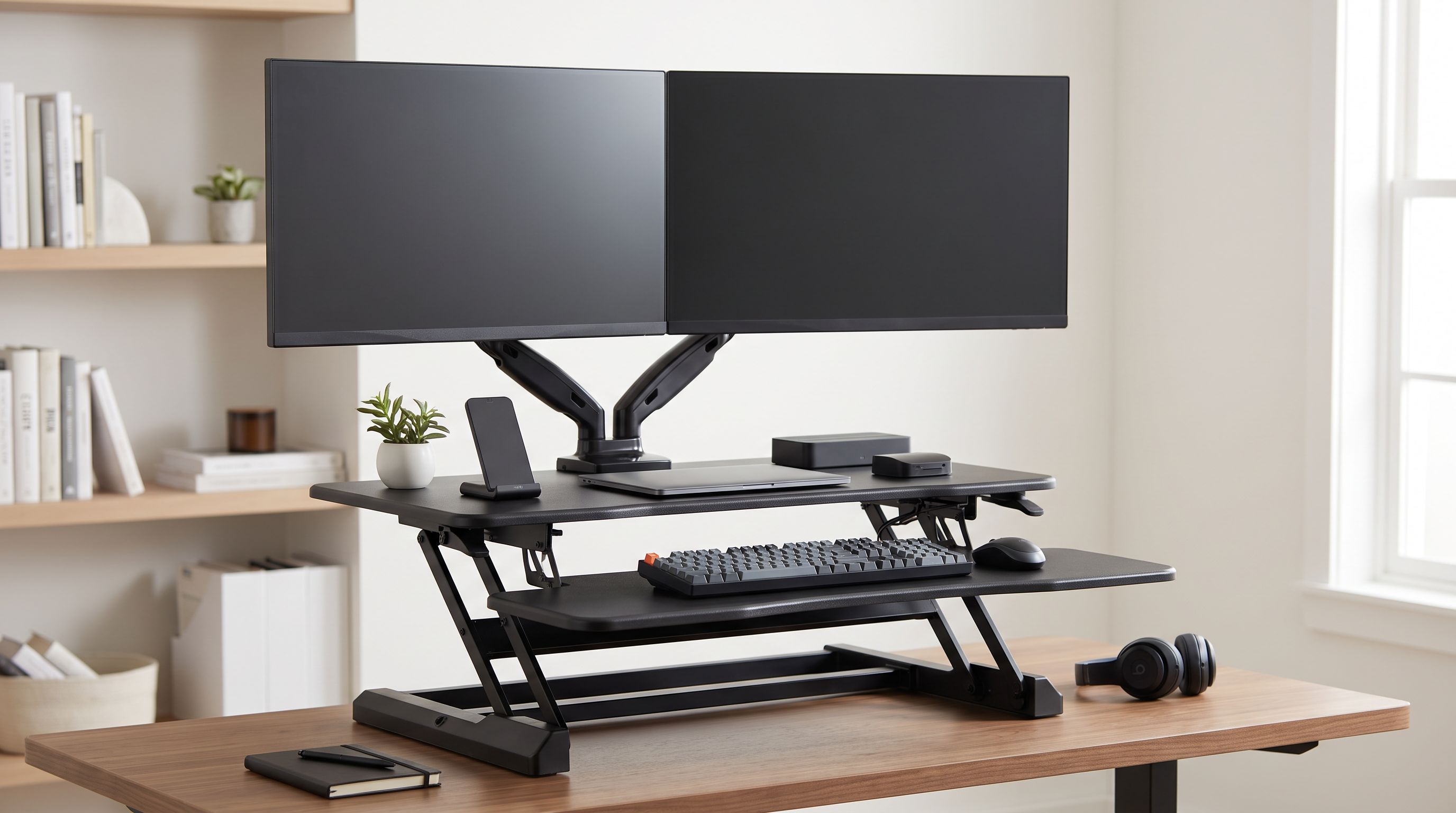
If you rent, share an office, or simply like the desk you already own, a full sit-stand frame is overkill. A desktop converter — sometimes called a riser or topper — sits on your existing surface and lifts your monitor and keyboard together. The catch is that converters are far pickier about fit than full desks: get the footprint or the lift style wrong and you end up with a wobbling platform that eats half your desk.
We compared the leading 2026 converters using manufacturer specs, independent review-site rankings, and verified owner feedback to work out which style suits which desk. Here's how to choose.
Start With Your Desk, Not the Converter
Three measurements decide almost everything.
Desk depth. Most converters need 22–25 inches of depth to sit flat, and Z-lift models need clearance behind them because the deck travels backward as it rises. If your desk is 24 inches deep or less — common in apartment desks and secretary-style furniture — you want a compact X-lift or a small Z-lift like the FlexiSpot ClassicRiser M2B rather than a 36-inch flagship.
Desk width. A 36-inch converter on a 48-inch desk leaves almost no landing space for a notebook or coffee. Measure the usable width between any hutch, drawer towers, or wall returns.
Desk sturdiness. A converter adds its own weight (often 35–65 lb) plus your gear, concentrated on a small area. Flimsy particleboard desks with four spindly legs will amplify any wobble the converter has. Heavier converters are generally more stable in use but demand a solid host desk.
Then check your standing height. Converters raise your keyboard from an already-elevated desk surface, so tall users sometimes top out before reaching a comfortable standing elbow height. If you're over roughly 6'2", confirm the maximum lift height plus your desk height clears your elbows.
The Three Lift Types, Honestly Compared
Z-lift (post/pantograph)
The deck rises nearly straight up on a rear column or parallelogram arm. These give you the most usable desktop at sitting height because the keyboard tray tucks close to the desk edge, and the lowest sitting position — important if your desk is already a standard 29–30 inches. The downside is rear clearance and more assembly. The FlexiSpot ClassicRiser M7 is the archetype here and is routinely ranked near the top for smooth, one-pull operation and a genuinely deep keyboard tray.
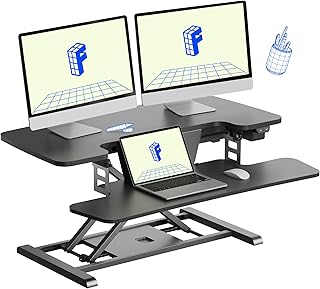 Best overall · FlexiSpot ClassicRiser M7 Standing Desk Converter (35) — Check price on Amazon →
X-lift (scissor)
The deck travels up and slightly toward you on a crossing scissor mechanism. X-lifts arrive assembled, are hard to tip, and tolerate heavy monitors well — the Vari VariDesk Pro Plus 36 is the best-known example and still lands at or near the top of most 2026 round-ups for exactly that reason. The tradeoff: they sit taller at their lowest setting, which can push your keyboard above comfortable seated height on a standard desk.
 Best for stability · Vari VariDesk Pro Plus 36 — Check price on Amazon →
Electric
A motor and a button, instead of spring tension and squeeze handles. The VIVO Electric Standing Desk Converter 36" is the most widely available example, and it's the right answer if you have wrist, shoulder, or back limitations, if you change height many times a day, or if your gear is heavy enough that a spring lift feels stiff. Electric converters need an outlet, are heavier, and generally cost more for the same deck size. They also move slowly compared to a one-second manual pull.
 Best electric pick · VIVO Electric Standing Desk Converter 36 — Check price on Amazon →
A fourth category worth knowing: counterbalanced arm systems like the Ergotron WorkFit-T's siblings use Constant Force technology, which moves with roughly one finger of effort once calibrated to your load. Ergotron also publishes unusually complete weight and travel specs, which makes fit-checking easier than with most brands.
Weight Capacity Is Where People Get Burned
Manufacturers rate capacity for the whole deck, but most converters assume the load sits centrally. Two 27-inch monitors on heavy stands near the back edge behave very differently from a single laptop.
Practical rule: add up your monitors (including stands), keyboard, mouse, laptop, dock, and speakers, then leave at least a 30% buffer. If you're over about 33 lb of gear, bias toward heavier-duty X-lift or electric models. And if you run two large monitors, strongly consider removing the stock stands and using a separate monitor arm clamped to the converter deck — many of them, including the M7 and the WorkFit line, accommodate this and it dramatically improves stability and sightlines.
Comparison Table
| Model | Lift type | Best for | Deck style | Watch out for |
|---|---|---|---|---|
| FlexiSpot ClassicRiser M7 (35") | Gas-spring Z-lift | Dual monitors on a standard-depth desk | Wide two-tier with deep keyboard tray | Needs rear clearance; heavier to position |
| Vari VariDesk Pro Plus 36 | Spring-assist X-lift | Maximum stability, zero assembly | Two-tier, 36" wide | Higher resting height on tall desks |
| Ergotron WorkFit-T | Constant Force counterbalance | One-handed adjustment, documented ergonomics | Broad single surface with keyboard tray | Large footprint; sits at a fixed depth |
| VIVO Electric Converter 36" | Motorized | Accessibility, frequent height changes | Two-tier with USB charging | Needs an outlet; slower travel |
| FlexiSpot ClassicRiser M2B (27") | Z-lift | Shallow or narrow desks, laptop setups | Compact two-tier | Limited room for dual large monitors |
Matching a Converter to Your Situation
Standard 30 x 60-inch desk, two monitors. The FlexiSpot ClassicRiser M7 is the default recommendation: wide enough for two 24-inch panels, with a keyboard tray deep enough to keep your mouse on the same level. If your desk is wobbly or you hate assembly, the Vari VariDesk Pro Plus 36 is the safer trade.
Compact apartment desk, laptop plus one screen. The FlexiSpot ClassicRiser M2B keeps the footprint sane and still raises a 24-inch monitor. Don't buy a 36-inch deck for a 42-inch desk; you'll resent it in a week.
Shared or hot-desk office. Pick something that moves one-handed and doesn't need setup. The Ergotron WorkFit-T's counterbalance design is the most forgiving when different people use it at different heights.
Limited strength or mobility. Go electric. The VIVO Electric Standing Desk Converter 36" removes squeeze handles and spring tension entirely, and the button control means you'll actually change position rather than leaving it parked.
Things Reviews Consistently Flag
- Keyboard tray depth matters more than deck width. A shallow tray forces your mouse up onto the monitor shelf, which wrecks shoulder posture.
- Check the lowest height, not just the highest. Many converters bottom out 4–5 inches above your desk, raising your seated keyboard position. Z-lifts generally win here.
- Converters don't fix your chair or monitor height. You'll likely need a footrest, and possibly a small monitor riser on the deck, to get your screen top at eye level while standing.
- Cable slack. Monitors gain 12–20 inches of travel. Verify your power and display cables can follow before you mount anything.
FAQ
Is an electric converter worth it over a manual one? Only if adjustment effort is a real barrier for you, or you switch positions many times daily. Manual gas-spring and counterbalance lifts move faster and never need an outlet. For most people, a good spring lift is the better value.
Will a converter wobble? Some movement when typing hard is normal at full height. Wobble mostly comes from the host desk, not the converter — a heavy, wide-footed X-lift on a solid desk is the most stable combination. Pushing the converter against a wall also helps.
Can I use a converter with two 27-inch monitors? Yes, on a 35–36 inch deck, but remove the factory stands and use a dual monitor arm clamped to the deck. Stock stands eat depth and raise the center of gravity.
Do converters damage desks? They can mark softwood or veneer surfaces under their feet over time. Felt pads solve it. Clamp-mounted monitor arms need a desk edge thick and flat enough to grip.
How much desk space do I lose? Expect to lose the rear 22–25 inches of depth permanently, plus clearance behind Z-lift models. That's the real cost of a converter compared to a full sit-stand desk — measure before you buy, not after.
Our picks
FLEXISPOT 35 inch Electric Standing Desk Converter, Motorized Stand up Desk Riser, Monitor and Laptop Workstation with Wide Keyboard Tray, Black
Wide dual-monitor deck, deep keyboard tray and a smooth gas-spring lift that stops anywhere you want.
Vari VariDesk Pro Plus 36 - Adjustable Desk Converter with 11 Height Settings - Laptop Sit Stand Desk Riser for Home Office, Table Tops, Workspace - Fully Assembled with Spring Loaded Lift - Black
Ships fully assembled with a rock-solid X-lift and 36-inch deck that resists wobble under heavy monitors.

Ergotron WorkFit-T Standing Desk Converter, Dual Monitor Sit Stand Desk Riser for Tabletops – 35 Inch Width, Black
Ergotron's Constant Force lift moves with one hand and is backed by unusually detailed spec sheets.
VIVO Vintage Brown 36 inch Electric Desk Converter, DESK-VE36N
Motorized single-button height changes with USB charging, ideal if you have shoulder or wrist limitations.
FlexiSpot ClassicRiser M2B Standing Desk Converter (27")
A compact 27-inch Z-lift riser that fits shallow desks and still carries a laptop plus one monitor.
Get the best tech deals in your inbox
Join the BytePlaza newsletter for hand-picked gadget deals and new buying guides. No spam, unsubscribe anytime.
Related reads
Desk Mats in 2026: 5 Picks Sized for TKL and 75% Boards
The best desk mat picks for 2026, sized for 75% and TKL keyboards plus a mouse — leather, cork, felt, cloth and RGB options, with durability and cleaning notes.
Best Standing Desk 2026: Sit-Stand Picks Ranked
The best standing desk 2026 picks compared on lift capacity, stability at standing height, warranty and desktop material — plus small-room and dual-monitor options.

The Median Laptop Stand Costs $19.99 in 2026
The median laptop stand costs $19.99, with 89% of 36 analyzed Amazon listings priced between $7 and $38 — and a 19x spread from $6.79 to $129.99.